Important:
To ensure optimal filtration efficiency and maintain your warranty coverage, always use OEM Aliencell filters.
Using third-party filters may result in equipment damage, poor filtration, or inaccurate sensor readings.
¶ 1. Monitoring Filter Life
You can check the remaining filter lifespan using the two methods below.
¶ Method A: Check the Purifier Screen
The purifier's built-in display shows the real-time remaining life percentage for all 5 filter layers.

-
① - ⑤ Filter Levels: Corresponds to filter layers 1 through 5.
-
Percentage: Indicates remaining lifespan (e.g., 99% indicates new, 0% indicates replacement is required).
Indicator Icon Light Status Device Status Filter Status 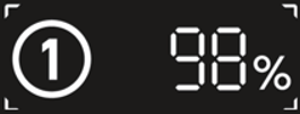
Solid On Normal (Displays remaining life, e.g., 98%) 
Blinking Replacement Required (Life reached 0%) 
Blinking No Filter Detected (Check installation)
¶ Method B: Access filter life via connected Aliencell X1 touchscreen
When the purifier is connected to the Aliencell X1, you can view detailed data directly on the machine's touchscreen.
- Tap the Accessory Info icon in the bottom right corner of the screen and select Air Purifier to view the specific lifespan of each layer.
When filter life approaches or reaches 0%, please contact your local dealer or visit the official Aliencell online store to order replacements.
¶ 2. Replacing the Filters
Preparation:
- Turn off and unplug the unit before servicing.
- Have the new replacement filters ready.
¶ Step 1: Remove Old Filters
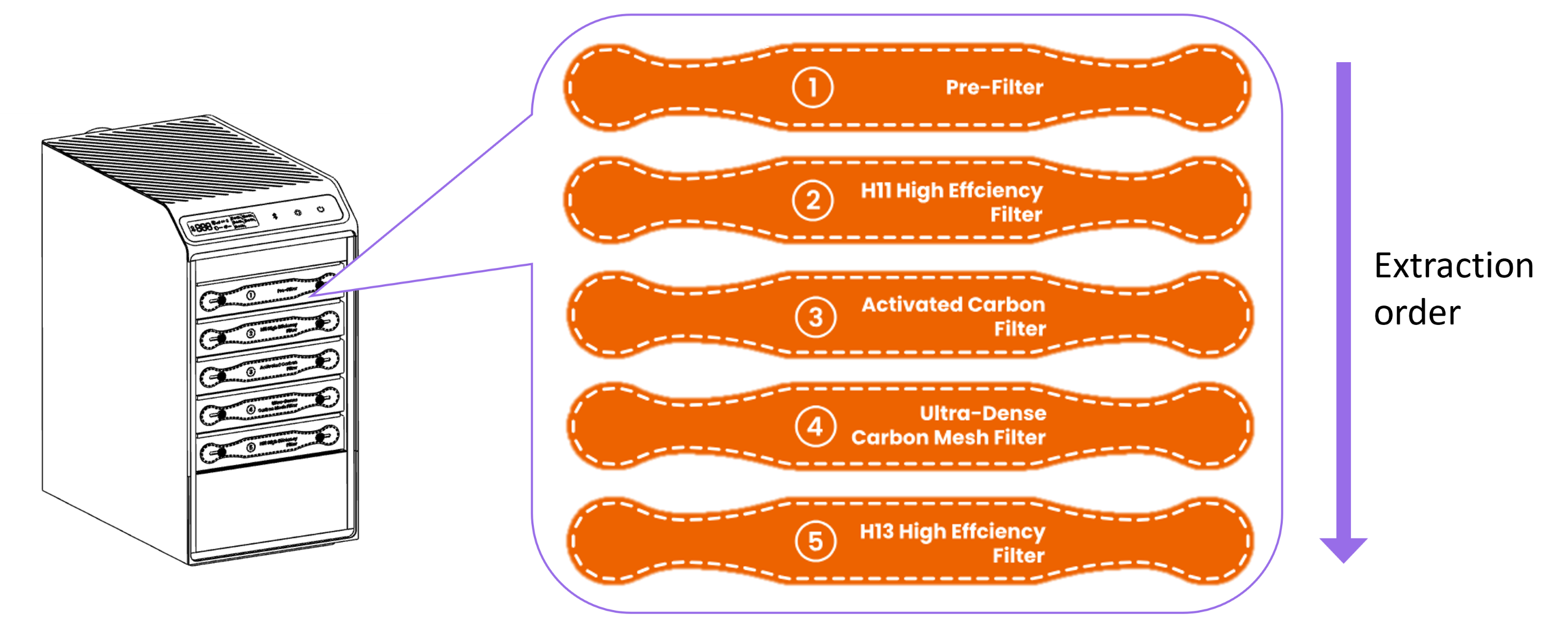
| Open the front cover panel. | Remove old filters one by one from top to bottom to prevent dust from falling into the motor. |
¶ Step 2: Install New Filters
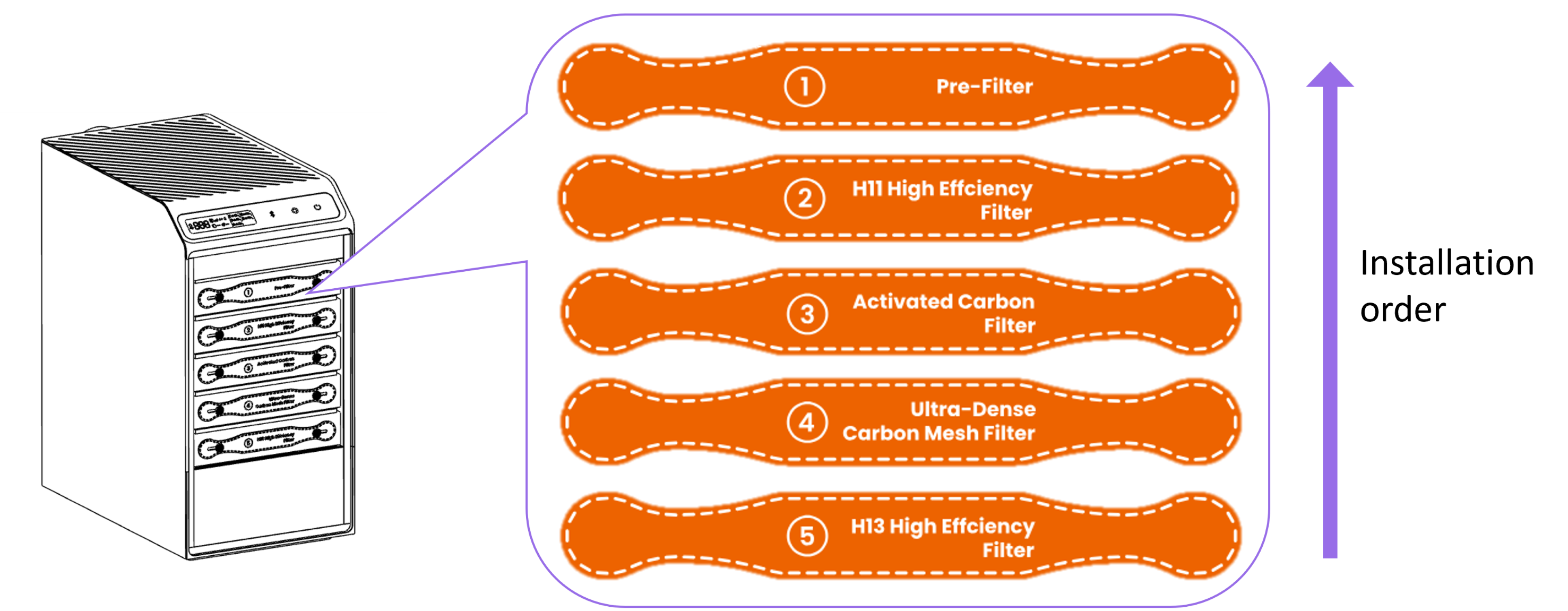
| Install new filters from bottom to top. Ensure all filters are seated tightly with no gaps. |
Reattach the front cover and ensure the magnetic latch snaps into place. |
- Reconnect power and turn on the unit.
- After installation and power-on, the system will automatically recognize new filters and reset the filter life counters.
¶ 3. Troubleshooting
If you encounter issues after replacing the filters, please refer to the table below:
| Symptom | Possible Cause | Solution |
|---|---|---|
| Filter icon flashing |
No filter detected | 1. Ensure the plastic packaging has been removed from the filter. 2. Remove and reinstall the filter, ensuring it is pushed all the way back. |
Device won't start / Cover light flashing  |
Purifier cover is open (Device will not start) | Reinstall the front cover, ensuring it sits flush against the body. |
| Airflow remains low | Air inlet blockage | 1. Check the exhaust hose or air intake for obstructions. 2. Clean the exhaust module on the laser engraver side. |