Custom material parameters let you save tested laser settings for repeated use. In Aliencell Space V1.4.0 or later, custom parameters are saved under a custom material. Each material can store separate Engrave and Cut parameter sets.
¶ 1. Aliencell Space V1.4.0 or later
¶ 1.1 Create a custom material
Use this workflow when you want to save a material together with its engraving and cutting settings.
- Open the Material list.
- Select Custom Material.
- Click Add materials.
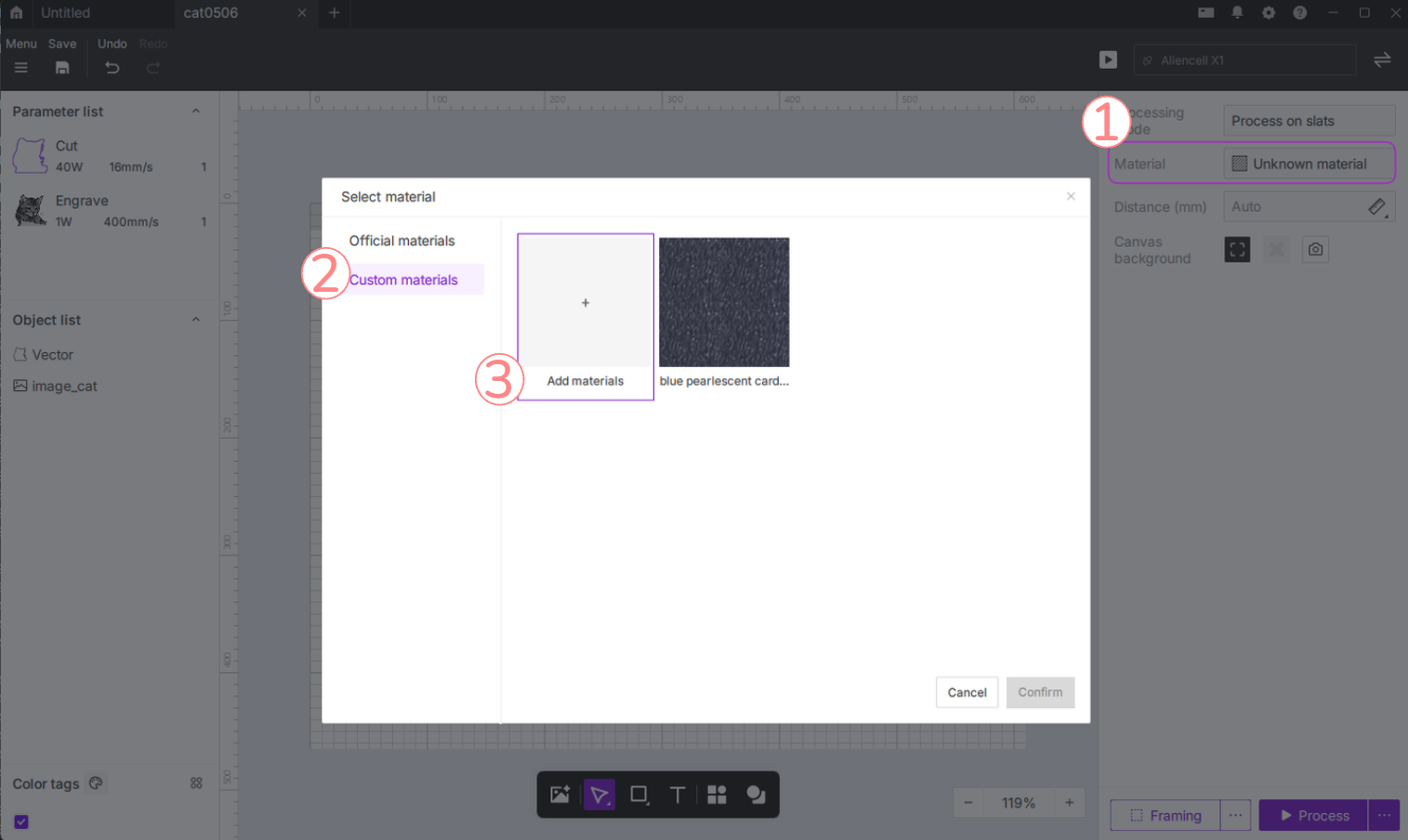
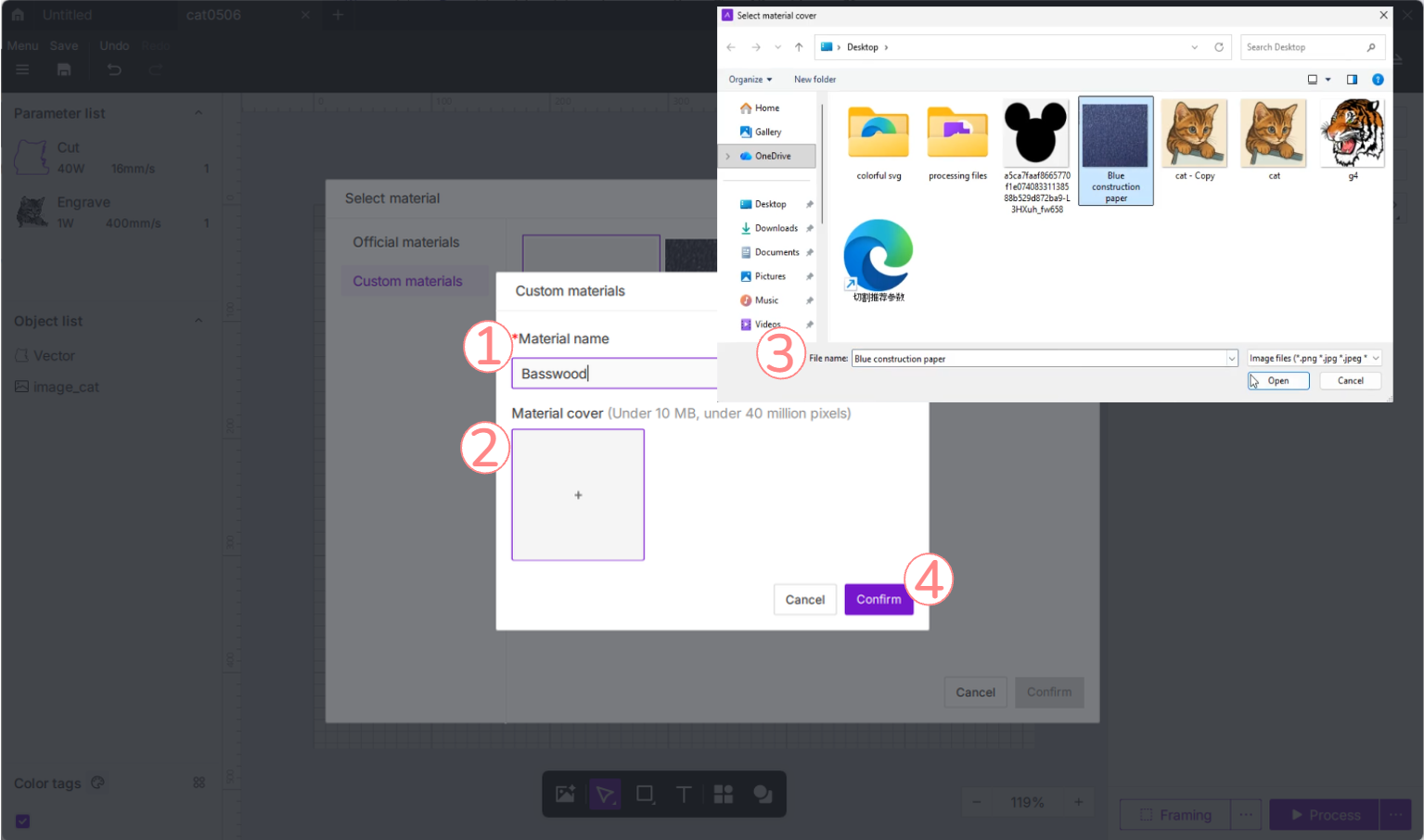
- Enter a material name.
- Add a cover image if needed.
- Click Confirm to save the material.
¶ 1.2 Save Engrave and Cut parameters
After creating the material, save the processing parameters under that material.
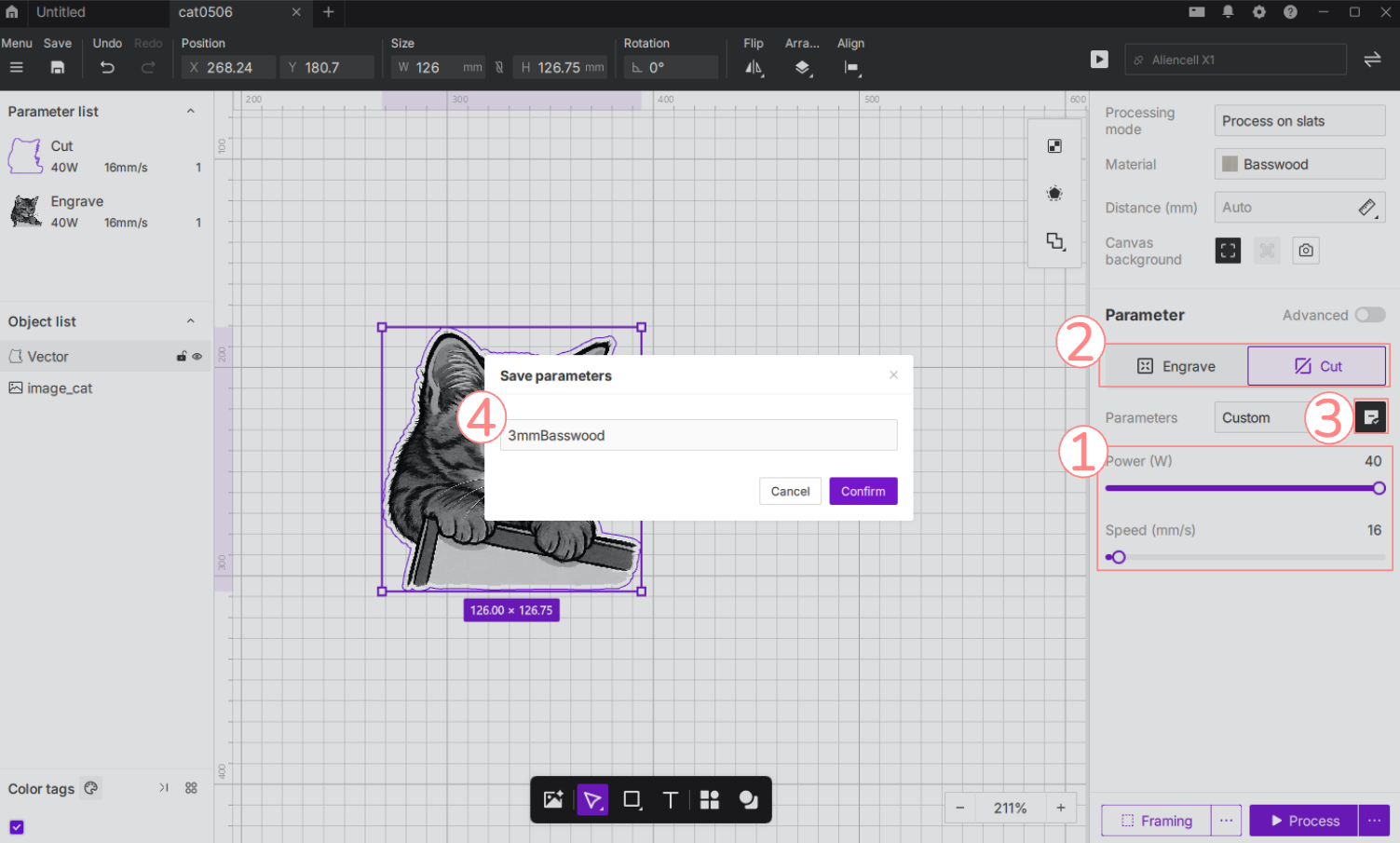
- Select the custom material you created.
- Select Engrave or Cut.
- Set the required values, such as Power and Speed.
- Click the Save to Library icon
 in the parameter panel.
 - Name and save the parameter set.
- To save another processing mode, switch to Engrave or Cut and repeat the same steps.
Tip: Save Engrave and Cut as separate parameter sets. This makes it easier to select the correct settings when applying the material later.
¶ 1.3 Apply custom parameters
To use the saved settings in a project:
- Open the Material list.
- Select the custom material you created.
- Select the object on the canvas.
- View the saved parameters.
- Select the required Engrave or Cut parameter set.
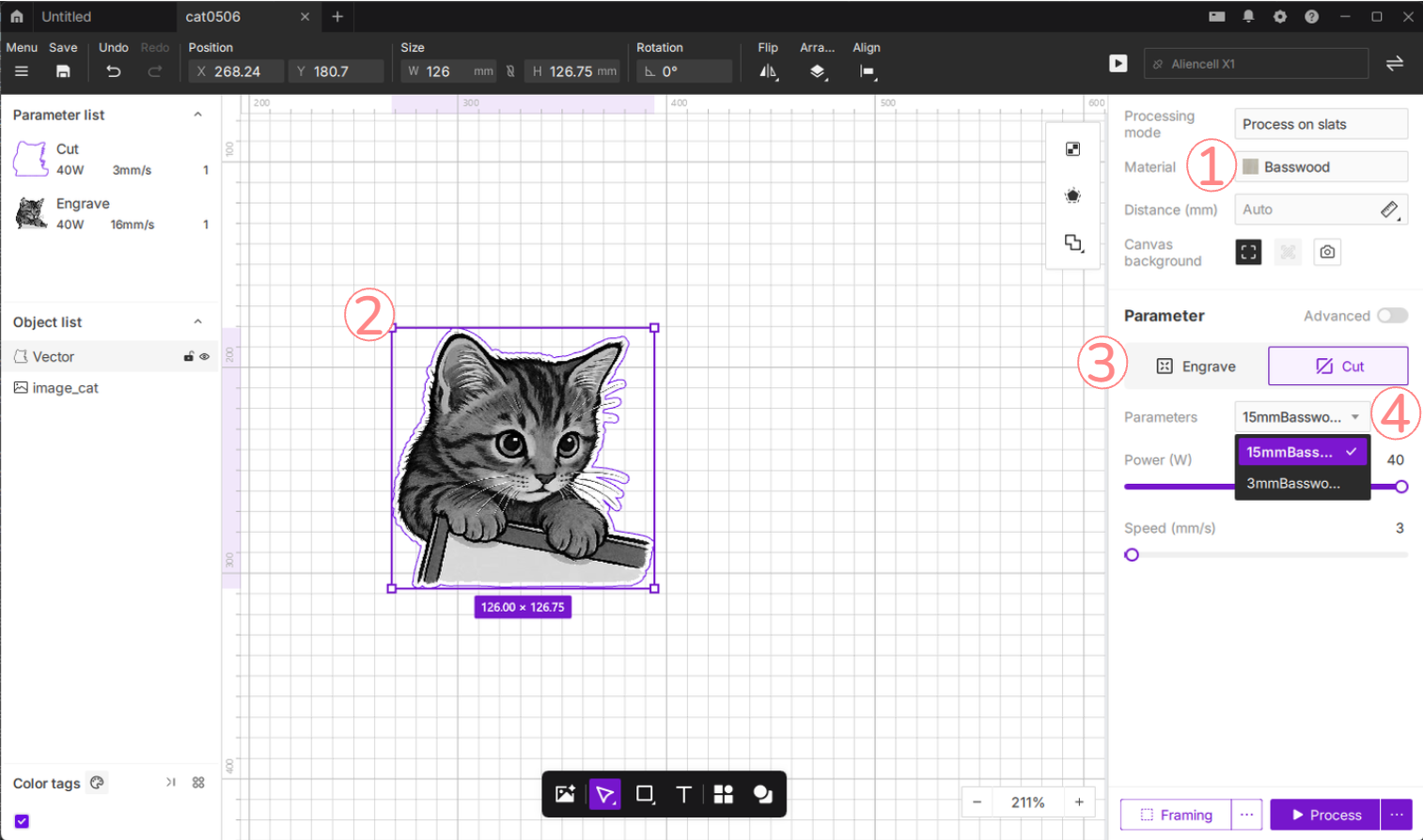
The custom parameters are now applied to the selected object.
¶ 2. Aliencell Space V1.3.1 or earlier
¶ 2.1 Save new material parameters
In versions earlier than V1.4.0, custom parameters are saved under Unknown material. After completing a material test and finding stable settings, save them as follows.
-
Select the object on the canvas.
-
In the parameter panel on the right, click Material.
-
In the material list, select Unknown material, then click Confirm.
-
In the Parameter section, select Engrave or Cut.
-
Enter the required values, such as Power and Speed.
Example: To save cut settings for purple cardstock, select Cut, set Power to 40 W, and set Speed to 80 mm/s.
Tip: Click Advanced to configure additional settings, such as perforations or the number of passes.
- Click the save icon next to Parameters.
- In the dialog box, enter a clear parameter name, such as Purple Cardstock - Cut.
- Click Confirm.
The new parameter is saved under Unknown material.
¶ 2.2 Use custom parameters
Once saved, custom parameters can be selected under Unknown material.
- Select the object on the canvas.
- In the parameter panel on the right, make sure Material is set to Unknown material.
- In the Parameter section, select Engrave or Cut.
- Open the Parameters dropdown list.
- Select the saved parameter.
The processing values update to the saved settings.
¶ 3. Edit or delete saved parameters
If you find better settings or no longer use a specific material, manage the saved profile from the parameter list.
- Select an object on the canvas.
- In the parameter panel on the right, open the Material/Parameter list.
- Hover over the saved material profile.
- Click the Delete icon
 that appears on the right.
Warning: You cannot delete a parameter profile while it is selected or active. Switch to a different profile first, then delete the profile you no longer need.
¶ 4. Tips for material testing
- Test on scrap material before engraving or cutting a final workpiece.
- Save different suppliers or batches as separate custom materials, even if the material type is the same.
- Use clear names, such as 3 mm Basswood - Cut or Black Acrylic - Engrave, so the correct setting is easy to find later.