The Advanced Parameters panel gives you finer control over your cutting results. This panel is hidden by default and can be enabled by turning on the Advanced Parameters switch in the parameter settings panel. When the job type is set to Cutting, the following advanced options become available.
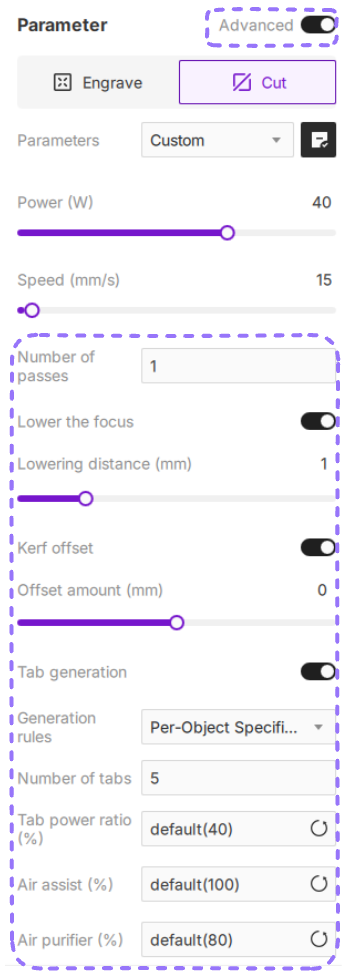
¶ 1. Number of passes
Passes determine how many times the laser head repeats the same cutting path. Increasing the number of passes allows for deeper or cleaner cuts, which is helpful when working with thicker or denser materials.
¶ 1.1 Setting Passes
The default value is 1 pass. You can select or manually enter any number from 1 to 10. If a value greater than 10 is entered, the software will automatically set it to the maximum of 10.
¶ 2. Lower the Focus
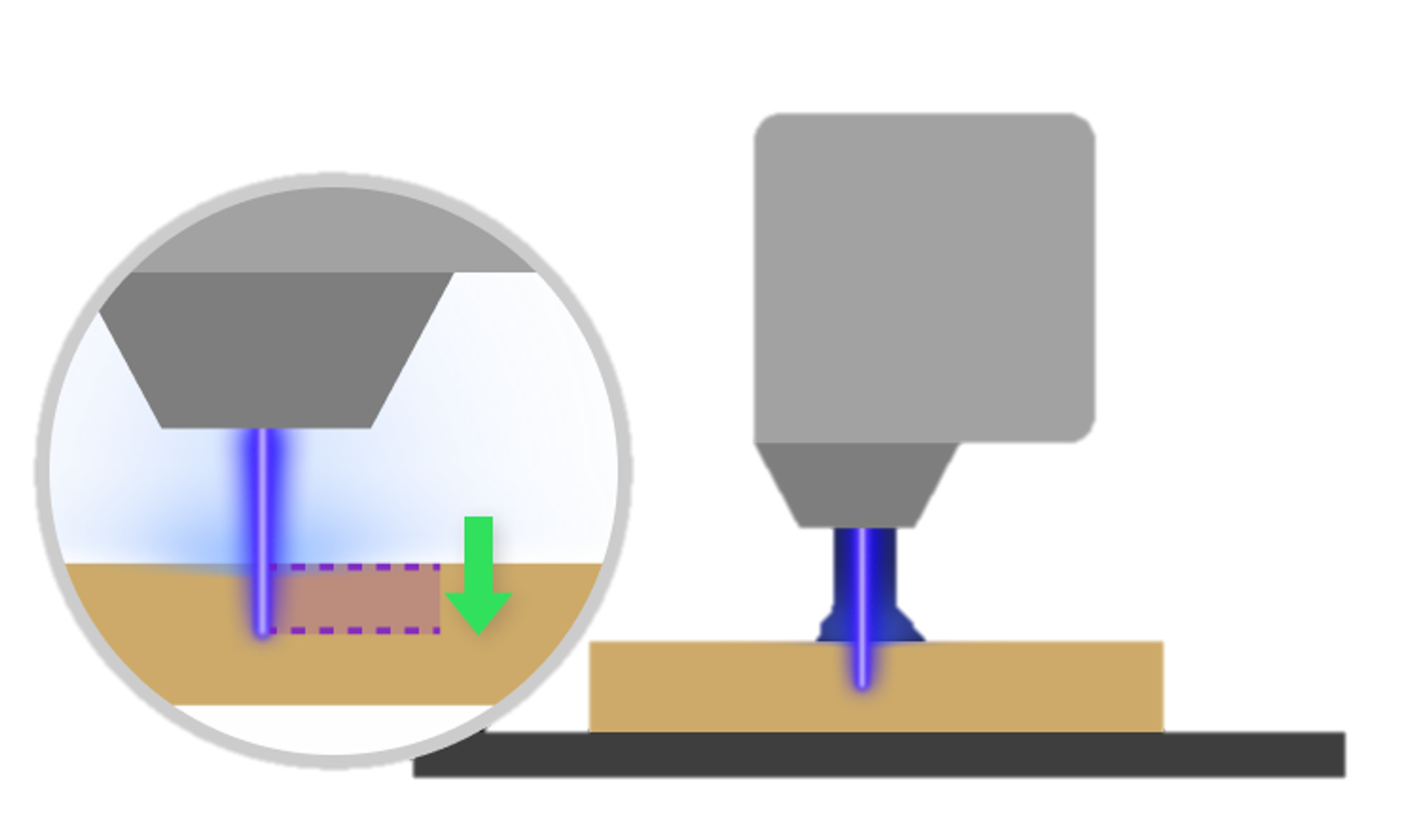
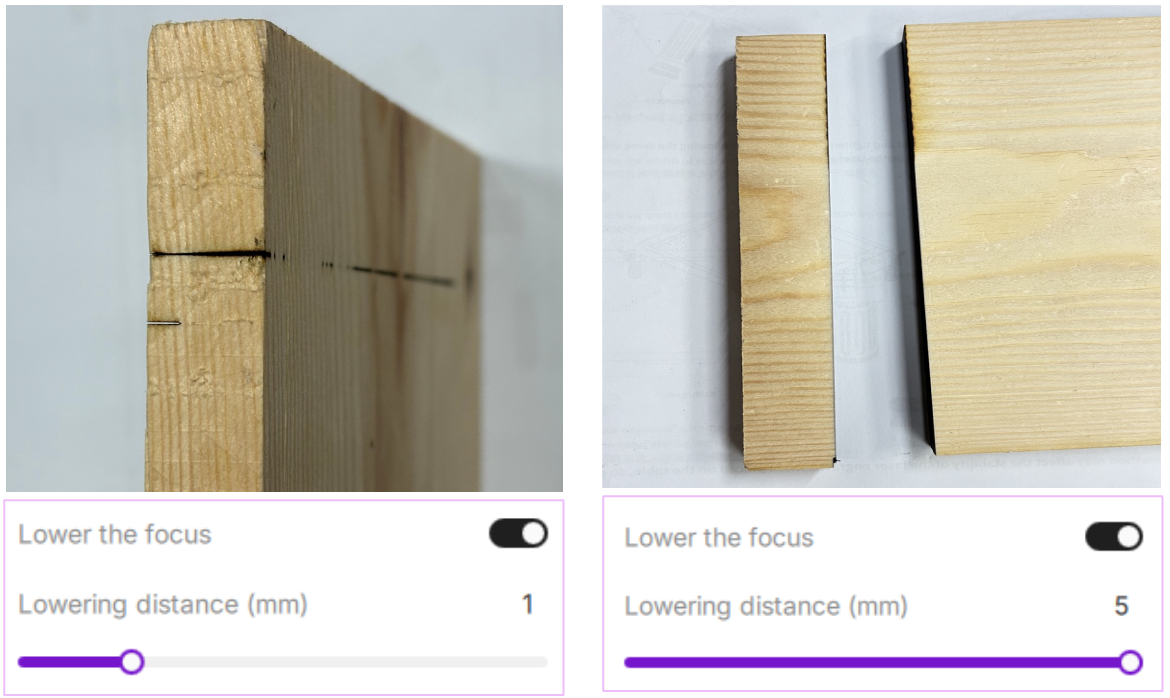
Lowering the focus adjusts the focal point of the laser so it sits slightly below the surface of the material, helping increase cutting penetration on thicker materials. When the focus is shifted downward, the laser converges deeper inside the material, improving its ability to cut through.
¶ 2.1 Setting Lower Focus
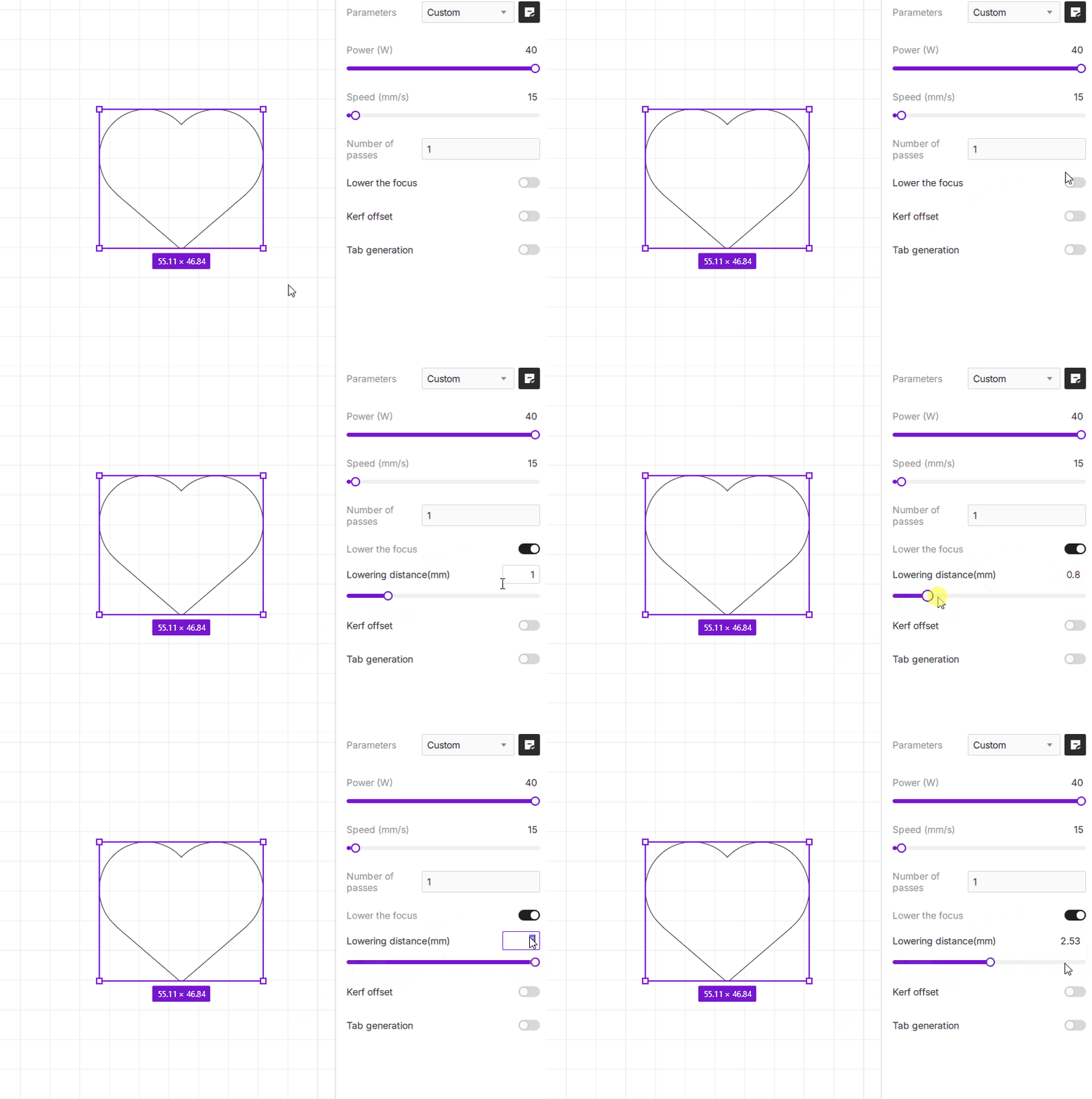
- Toggle on the switch next to Lower the Focus, then enter the desired distance (in millimeters) in the input field.
- Adjustment range: 0–5 mm. You may enter values with up to two decimal places. If a value greater than 5 mm is entered, it will be automatically limited to 5 mm.
¶ 3. Kerf Offset
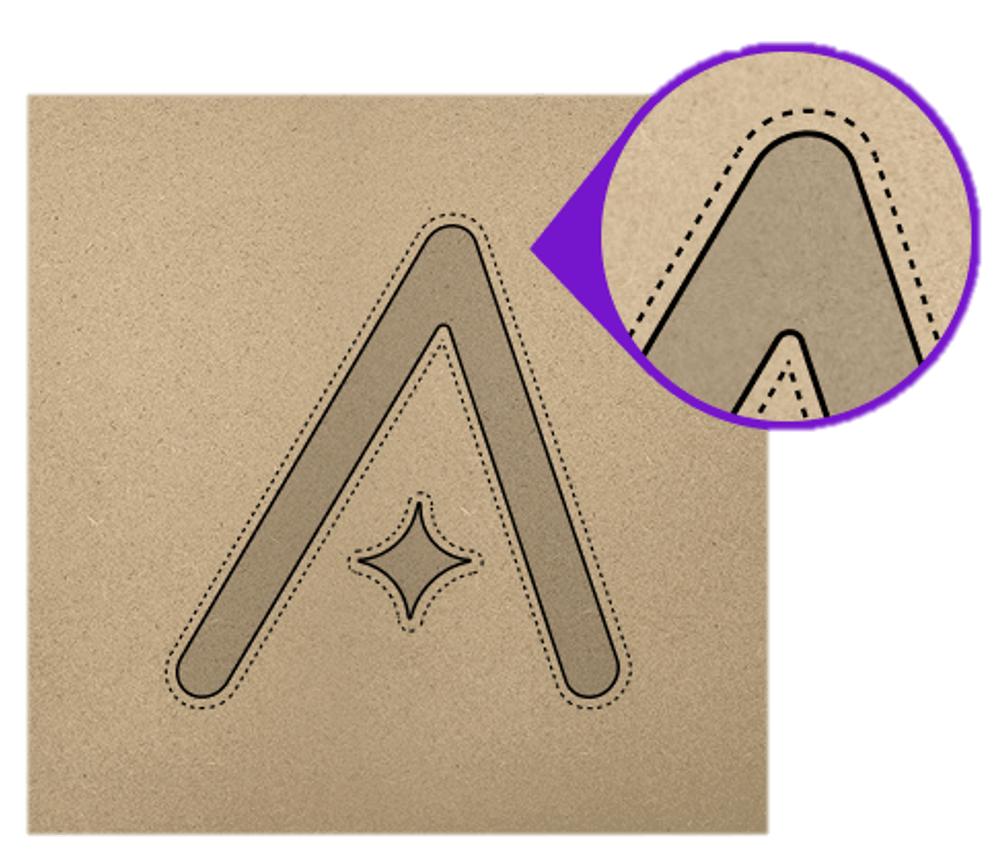
Because the laser beam has a finite width, the material along the beam path is burned away during cutting. This burned-away width is known as the kerf. If no compensation is applied, the center of the laser beam follows the design path exactly, which can result in parts being slightly smaller than intended, and holes being slightly larger.
Kerf Offset (also called kerf compensation) lets you shift the laser path to account for material lost to the kerf.
¶ 3.1 Setting Kerf Offset
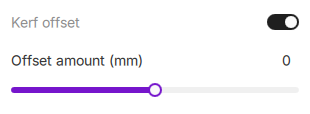
- Toggle on the switch next to Kerf Offset. You can adjust the value using the slider or by entering it manually. The default is 0 mm, and values support two decimal places.
- Adjustment range: –1 mm to +1 mm. Values above 1 mm will be limited to 1 mm; values below –1 mm will be limited to –1 mm.
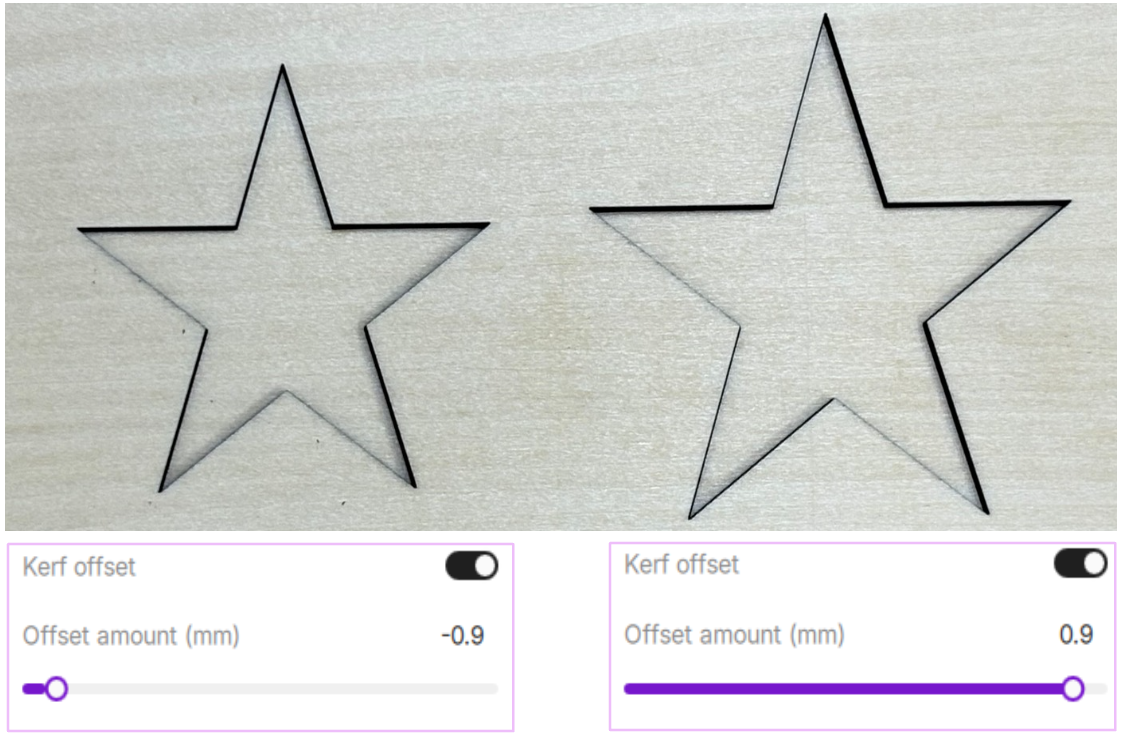
- Positive offset expands the cutting path outward. This helps ensure finished parts don’t end up undersized.
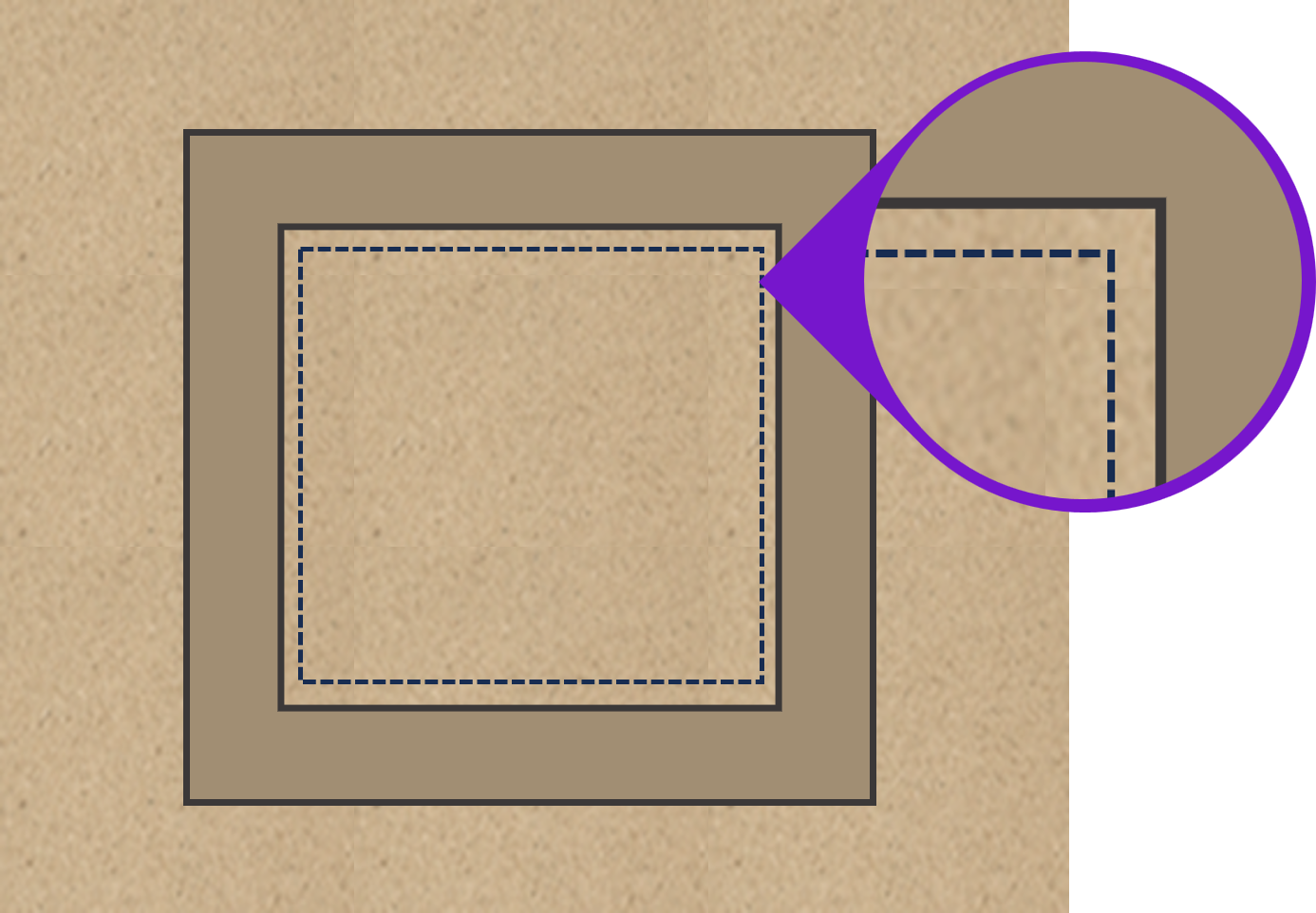
- Negative offset contracts the path inward, which is useful when you need tight-fitting parts.
¶ 4. Tab Generation (Tabs)
¶ 4.1 What Are Tabs?
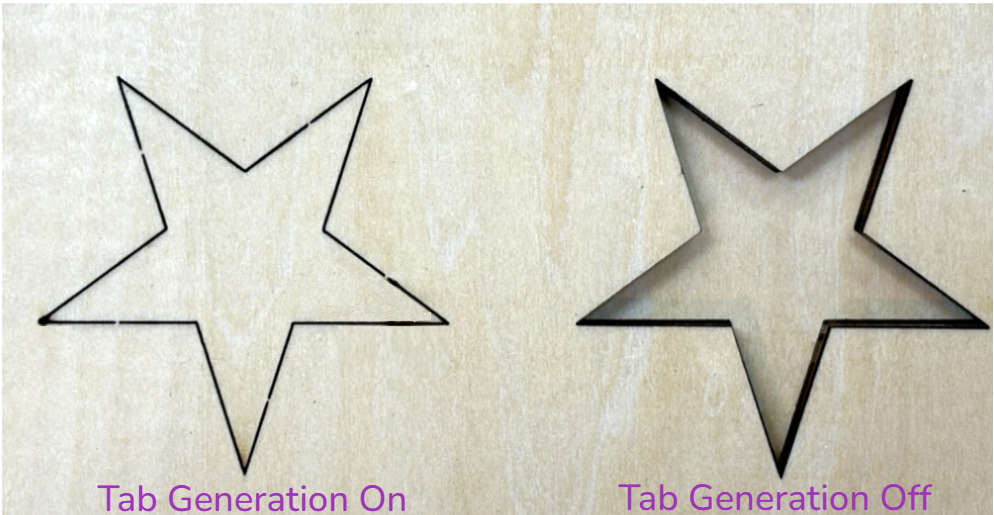
Tabs are small uncut sections intentionally left along the cutting path. They keep the finished part attached to the surrounding material until the cutting process is complete, helping prevent parts from shifting, tipping, or falling out prematurely.
Tabs are especially useful for intricate outlines, dense layouts, or when cutting multiple small parts in a single job.
¶ 4.2 How to Enable Tabs
Enable the Tab Generation switch to automatically create tabs along the cutting path.
The software supports multiple Tab Generation Modes, allowing you to control how tabs are distributed based on different object characteristics.
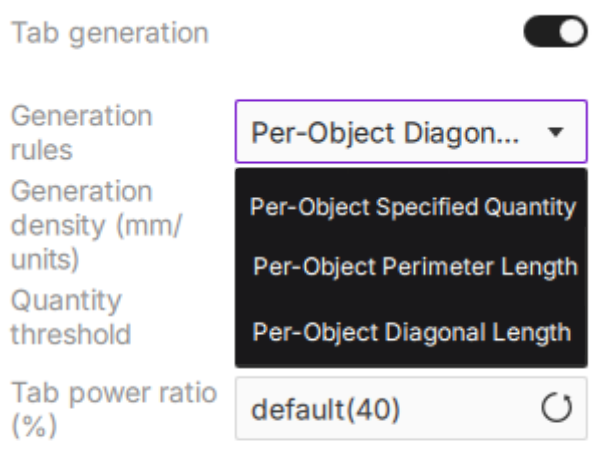
¶ 4.3 Tab Generation Modes
About "Per-Object":
A vector design may contain multiple closed outlines. Each outline is processed independently when generating tabs. This means tab placement is calculated separately for every closed shape, rather than across the entire design as a whole.
¶ 4.3.1 Per-Object Specified Quantity
Assign the same number of tabs to each selected object.
This mode is useful when you want consistent tab placement across parts of similar size.
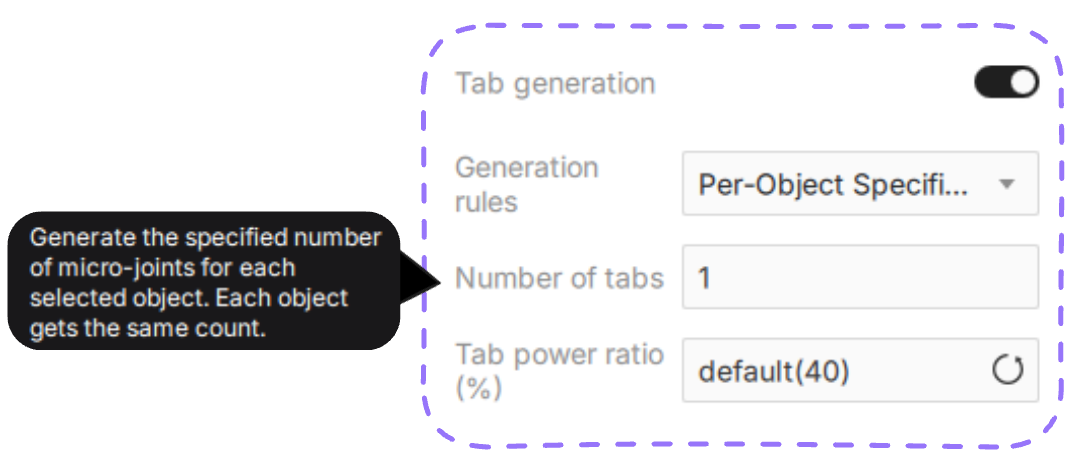
- Quantity: Set the number of tabs to generate for each object.
- Every object receives the same number of tabs, regardless of its size.
- Best Use Case: Ideal for similarly sized parts or when you want precise control over tab quantity.
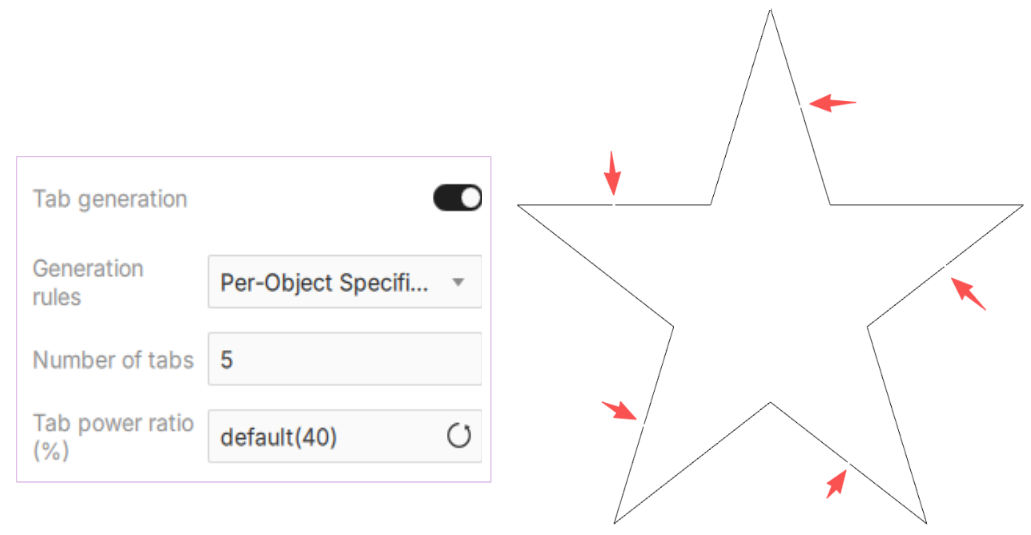
In the example above, the software evenly generates 5 tabs around the star-shaped object.
¶ 4.3.2 Per-Object Perimeter Length
Automatically generates tabs based on the total perimeter length of each object.
Longer cutting paths typically receive more tabs, while shorter paths receive fewer.
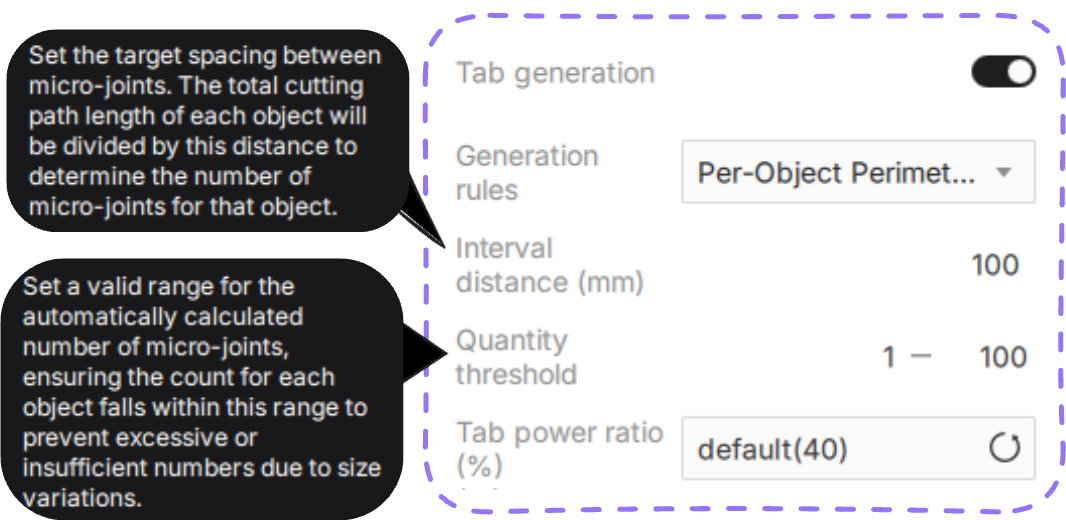
- Spacing (mm): Sets the target distance between adjacent tabs. Smaller values create more tabs, while larger values create fewer tabs.
- The default value is 100 mm, with an adjustable range of 5–1000 mm.
- Best Use Case: Recommended for complex shapes or designs with significantly different contour lengths.
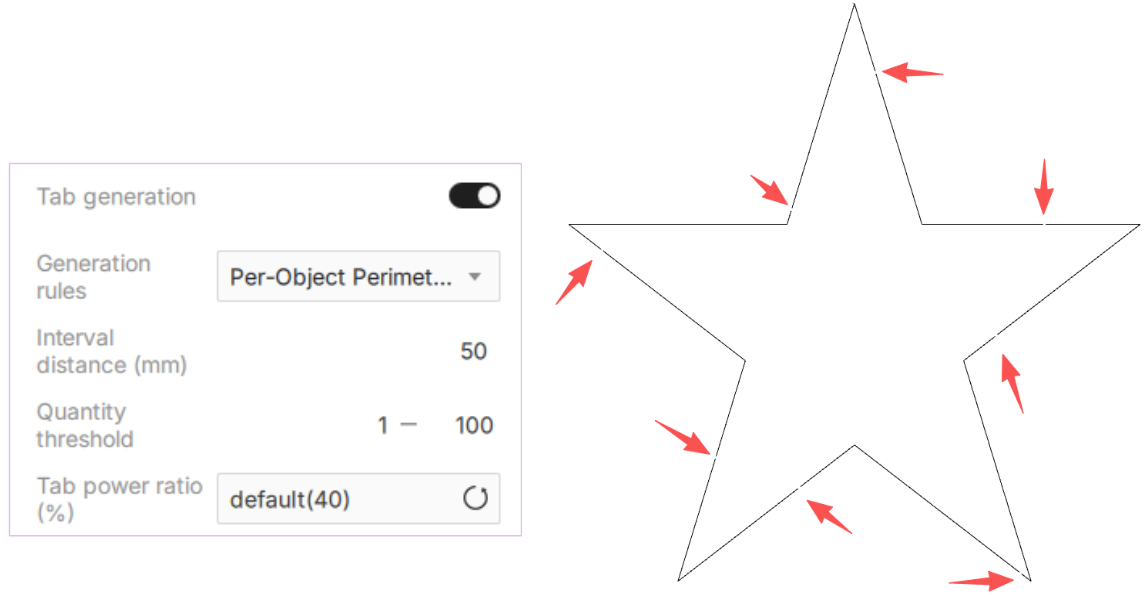
In the example above, tabs are automatically distributed along the contour using a target spacing of 50 mm.
¶ 4.3.3 Per-Object Diagonal Length
Automatically generates tabs based on the overall size of the object using the diagonal length of its bounding box.
Larger objects generally receive more tabs, while smaller objects receive fewer.
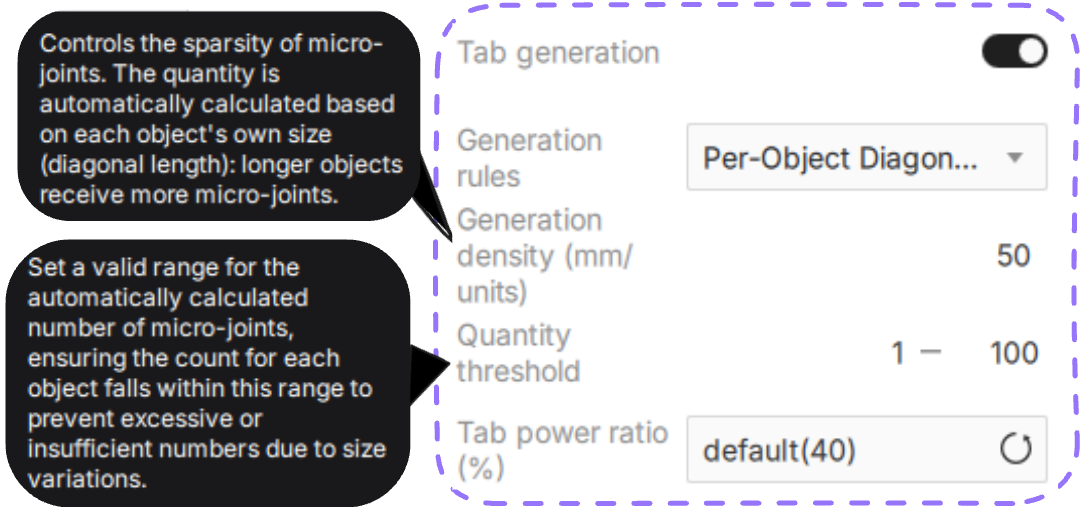
- Generation Density (mm/tab): Controls how frequently tabs are generated based on object size.
- Lower values create more tabs, while higher values create fewer tabs.
- Best Use Case: Ideal for irregular or elongated shapes where contour length may not accurately represent the overall size of the object.
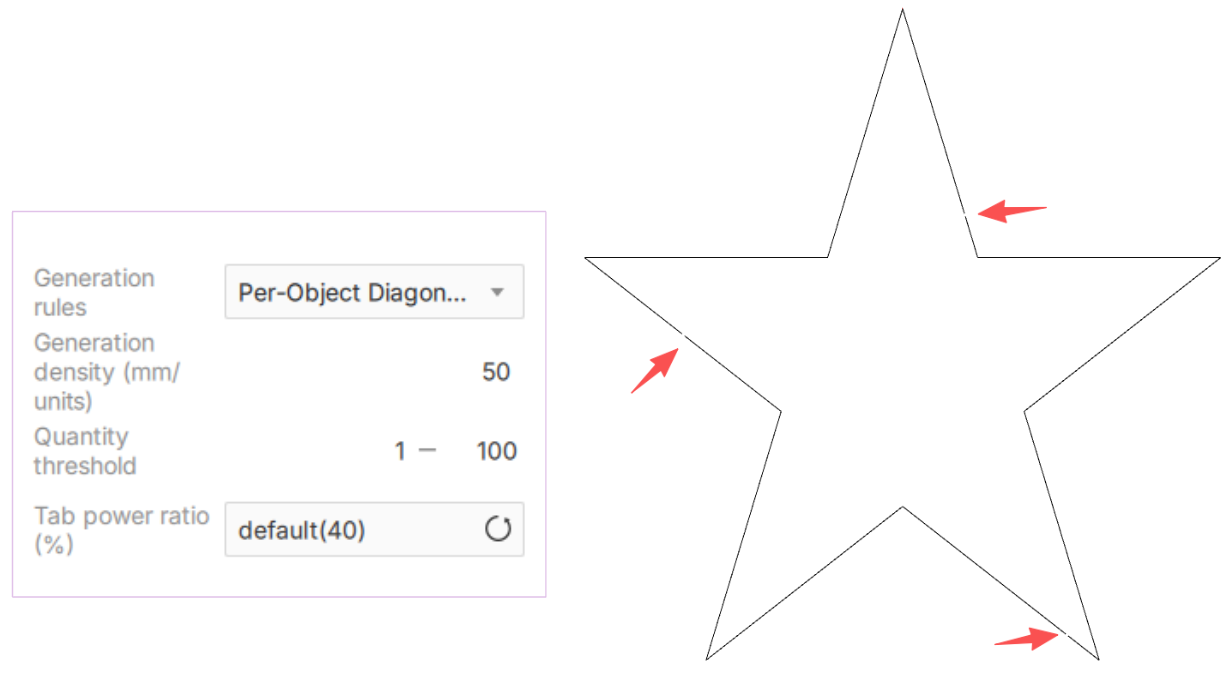
In the example above, the software uses 50 mm/tab as the generation density to determine the number of tabs based on the object's overall dimensions.
¶ 4.4 Tab Count Limits
When using Per-Object Perimeter Length or Per-Object Diagonal Length modes, you can define minimum and maximum tab limits for automatically generated results.
- Minimum: Prevents very small objects from receiving too few tabs.
- Maximum: Prevents very large objects from receiving too many tabs, reducing unnecessary post-processing work.
- Adjustable range: 1–100
These limits help maintain stable and practical tab distribution across objects of different sizes.
¶ 4.5 Tab Power Ratio (%)
The Tab Power Ratio controls how much laser power is reduced when creating tabs.
The software provides a recommended value by default. You can manually adjust it or click ↺ to restore the recommended setting.
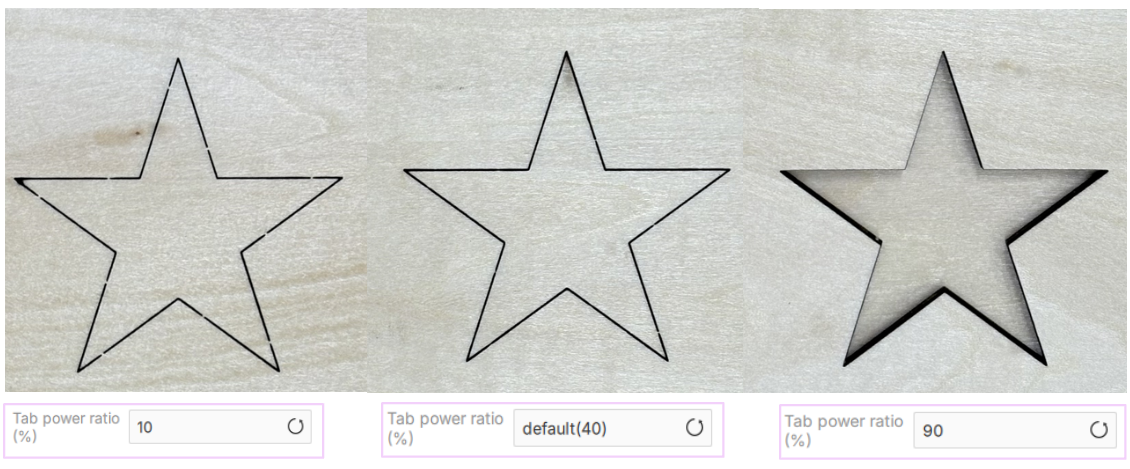
- Lower ratio: Leaves wider and stronger tabs.
- Higher ratio: Creates thinner tabs that are easier to remove by hand.
- If the ratio is set too high, the laser may cut completely through the material, preventing tabs from forming properly.
Tip: Start with the recommended value, then fine-tune it based on the material type, thickness, and how easily you want the tabs to break away.
¶ 5. Air assist (%)
Controls the intensity of the airflow directed at the processing point.
- Purpose: Prevents charred edges, blows away debris and smoke, and protects the laser lens from contamination.
- Operation: Select a value from the dropdown or click ↺ to use the material's recommended default. Higher percentages are generally used for thicker materials or cutting jobs that require stronger cooling and smoke removal.
Tip: When cutting thin paper, film, or other lightweight materials, set Air Assist to a lower level to prevent the airflow from shifting the material.
¶ 6. Air purifier (%)
Adjusts the extraction power of the connected air purification system.
- Purpose: Optimizes smoke and odor removal based on the amount of fumes generated by the material.
- Operation: Choose an appropriate intensity percentage to balance effective purification with noise levels. Revert to the default setting by clicking ↺.
Proper synchronization of Air Assist and Air Purifier helps maintain a clean working environment and extends the lifespan of your equipment.
Tip: The software automatically provides recommended Air Assist and Air Purifier settings based on the selected mode (Engrave/Cut) and material. For specialized applications, you can manually override these values.