The Advanced Parameter Panel is designed to further enhance the precision and quality of your engraving. This panel is hidden by default and can be enabled by toggling Advanced Parameters in the parameter settings. When the job type is set to Engraving, the following advanced options will appear.
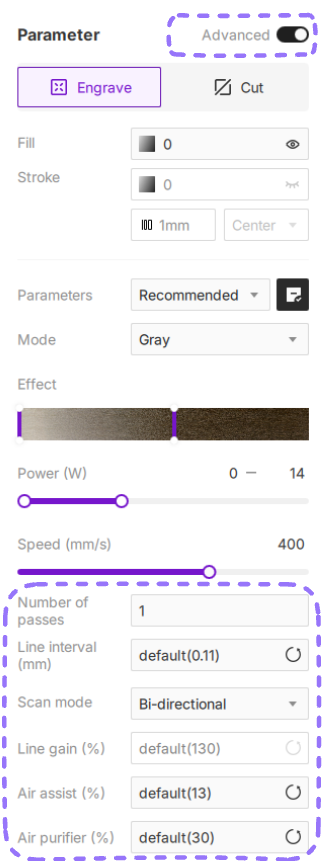
¶ 1. Number of passes
Determines the number of times the laser repeats engraving over the selected area. Increasing the number of passes will create deeper, more pronounced engravings, which is particularly useful for creating depth or working on harder materials.
¶ 1.1 Setting Passes
The default number of passes is 1. You can select or enter a custom value from 1 to 10. Any input higher than 10 will automatically be set to the maximum of 10.
¶ 2. Line Interval
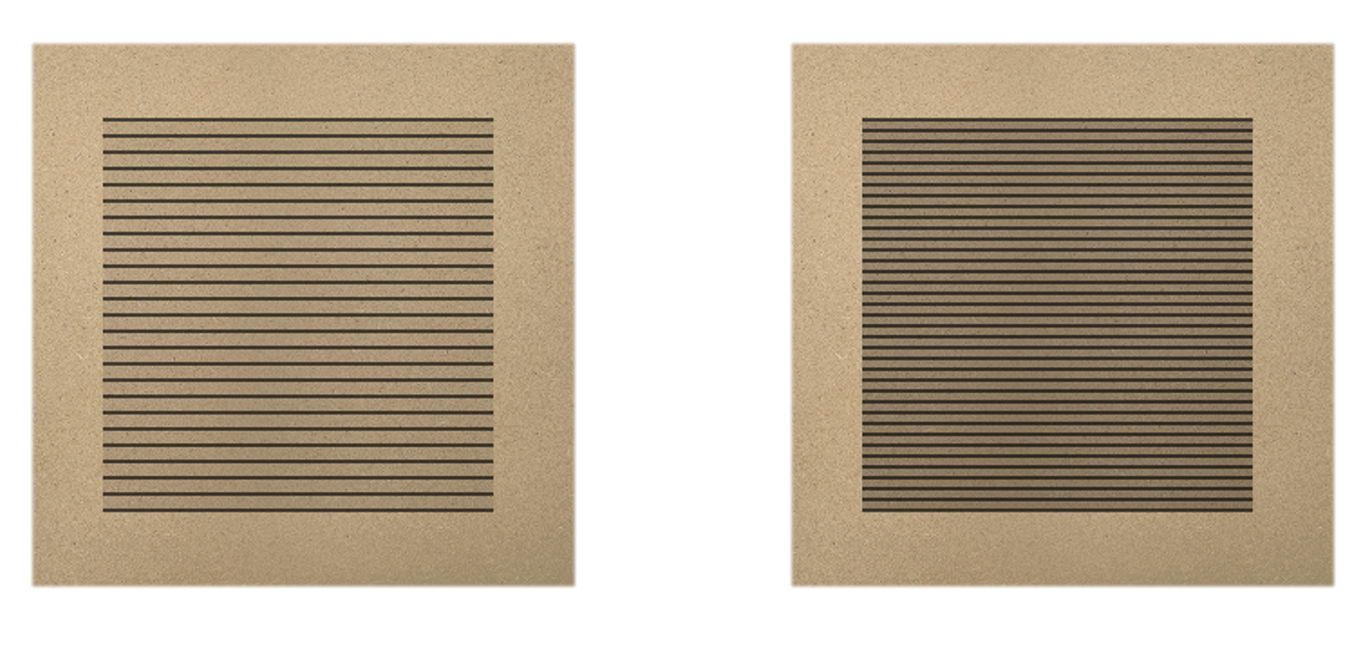
Also called DIP (Dot Interval Pitch), this controls the spacing between engraving lines and directly affects engraving density.

¶ 2.1 Line Interval Characteristics
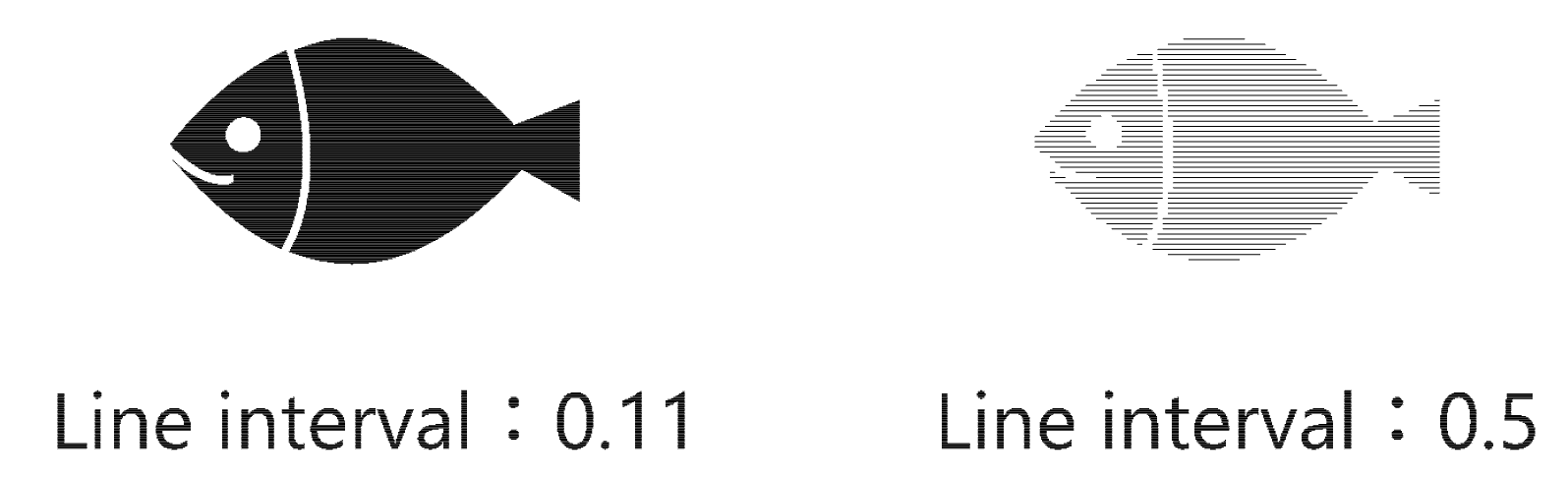
- Smaller intervals create tighter lines, resulting in denser, darker, and higher-resolution engraving effects.
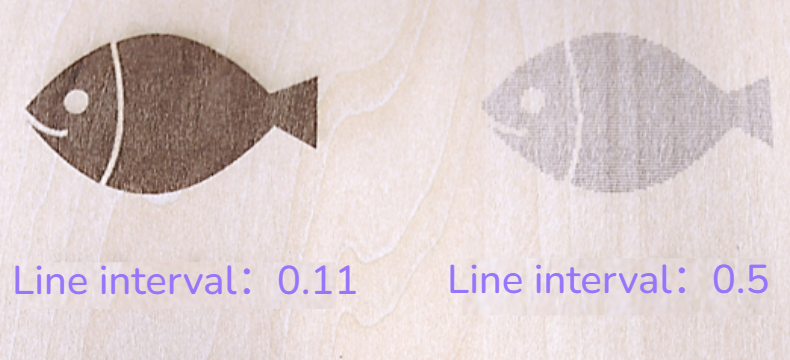
- Larger intervals spread the lines apart, producing lighter, less dense engravings and faster completion times.
You can preview the effect in the software using 🔗Job Preview.
¶ 2.2 Usage Conditions
- Appears when vector objects have fill or stroke enabled.
- Hidden when multiple objects include both filled and line-only engravings.
¶ 2.3 Setting Line Interval
- Range: 0.03mm–1.0mm. Values below 0.03mm will automatically adjust to 0.03mm. Values above 1.0mm will be locked at 1.0mm.
- Reset to Default: Click ↺ to immediately restore the line interval to the software default 0.11mm.
¶ 3. Scan Mode
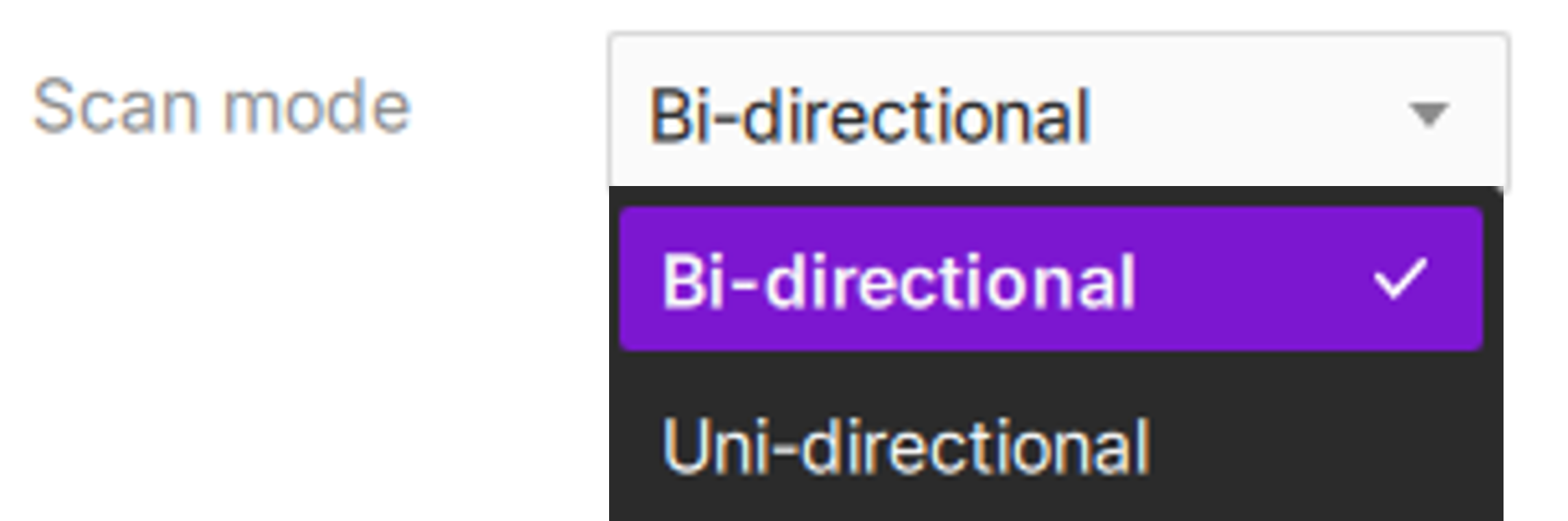
Defines the movement pattern of the laser head during engraving. Default mode is Bi-directional.
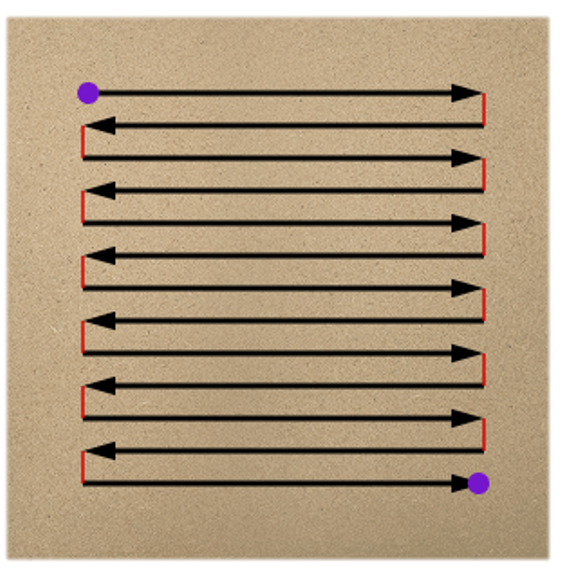
¶ 3.1 Bi-directional Scan
The laser engraves in both left-to-right and right-to-left directions. After finishing one line, it immediately reverses to start the next line. This is the most efficient and fastest method for most engraving jobs.
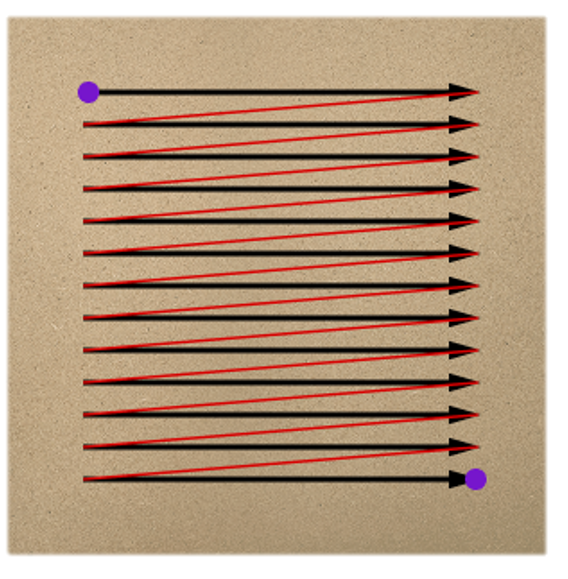
¶ 3.2 Uni-directional Scan
The laser engraves in a single direction only (e.g., left-to-right). After each pass, the laser turns off and returns to the starting side before beginning the next line. Though slower, this method can produce cleaner and more consistent results on certain materials or sensitive machines.
¶ 3.3 Scan Mode Comparison
- Bi-directional scanning is faster and creates deeper marks, while uni-directional scanning produces more uniform but slightly shallower engravings.
- Uni-directional offers higher precision for detailed work but is slower; bi-directional is faster and suitable for large areas or efficiency-priority tasks.
¶ 4. Line Gain Compensation
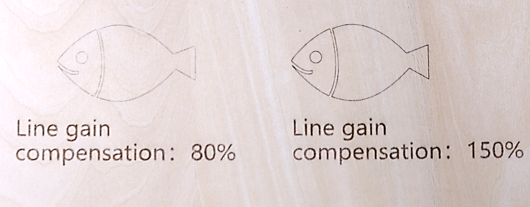
Even with identical power and speed settings, simple line engravings may appear visually different from filled engravings. Line Gain compensates for this difference, allowing line engravings to visually match the thickness and darkness of filled areas.
¶ 4.1 Usage Conditions
- Applies to vector objects performing line-only engraving (fill or stroke disabled).
- Hidden if multiple objects include both line and filled engravings.
¶ 4.2 Setting Line Gain
- The software automatically calculates appropriate gain compensation based on power and speed.
- Range: Select from 50% to 200% in the dropdown menu, or revert to the default value.
Increasing line gain appropriately makes fine lines closer in depth and brightness to filled areas.
¶ 5. Air assist (%)
Controls the intensity of the airflow directed at the processing point.
- Purpose: Prevents charred edges, blows away debris/smoke, and protects the laser lens from contamination.
- Operation: Select a value from the dropdown or click ↺ to use the material's recommended default. Higher percentages are generally used for thicker materials or when deeper engraving is required.
Tip: when cutting thin paper, set the Air Assist intensity to the minimum to prevent the airflow from displacing the material.
¶ 6. Air purifier (%)
Adjusts the extraction power of the connected air purification system.
- Purpose: Optimizes smoke and odor removal based on the volume of fumes generated by the specific material and parameters.
- Operation: Choose an appropriate intensity percentage to balance effective purification with noise levels. Revert to the default setting by clicking ↺.
Proper synchronization of Air Assist and Air Purifier ensures a clean working environment and extends the lifespan of your equipment.
Tip: The software automatically provides recommended settings for Air Assist and Air Purifier based on the selected mode (Engrave/Cut) and material. For specialized applications, you can manually override these values.