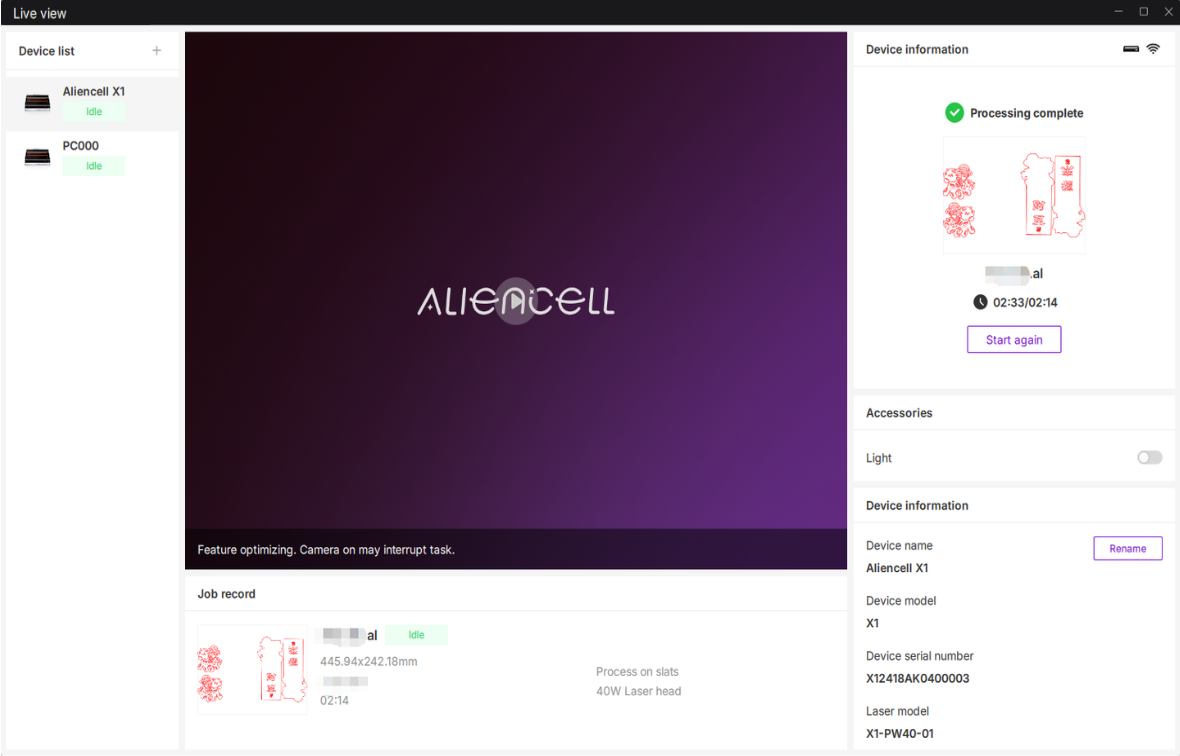
The Live View page allows you to monitor the status of connected devices and perform configuration and optimization tasks. Once a device is connected in Aliencell Space, you can centrally manage all your machines through this interface.
¶ 1. Accessing Live View
- Click the Live View
 icon on the right side of the top toolbar to open the interface.
- To exit, simply click the Close (X) button on the tab.
¶ 2. Interface Overview
The Live View interface consists of three main sections:
¶ 2.1 Device List (Left Panel)
The left sidebar displays cards for all devices that have been connected to this computer.
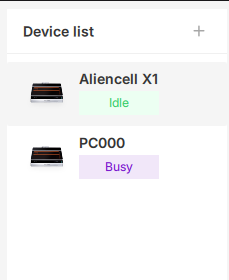
- Device Card: Displays the device model, a thumbnail image, and the current status (e.g., Idle, Busy, Offline).
- Selecting a Device: Click on any card to select that device. Its detailed control panel will appear on the right side.
¶ 2.2 Live Camera View & Job Record (Center Panel)
- Live Camera View:
- Click the Play/Stop button in the center to Show/Hide the real-time view inside the laser engraver.
- The live view is unavailable when the device is Offline.
- Job Record: Located below the camera view, this shows the progress bar for the current task. If the device is Idle or Offline, this will display "No record."
¶ 2.3 Control & Information (Right Panel)
The right panel displays detailed technical specifications and control switches for the selected device.
-
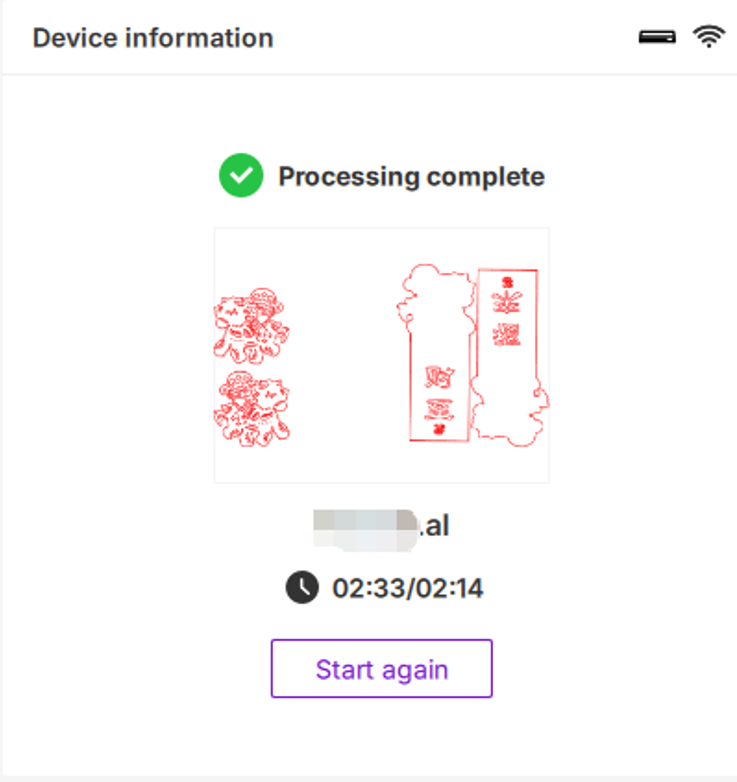
Status Icons: The top section shows the device status (Idle/Busy/Offline) and the connection method (Wi-Fi/USB Cable).
-
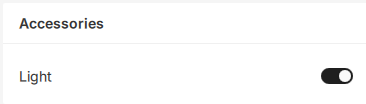
Accessories: Quick toggles for hardware features (such as the internal Light).
-
Device Information: Includes the Device Name, Model, Serial Number (S/N), Laser S/N, Wi-Fi status, and Firmware version.
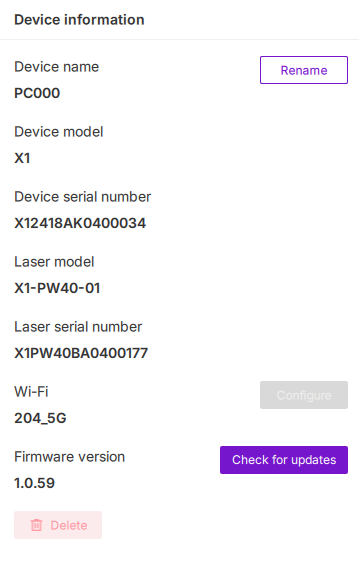
¶ 3. Device Settings & Operations
¶ 3.1 Renaming a Device
You can customize the device name to easily distinguish between multiple machines (e.g., "My Studio-X1").
- In the Device information section on the right, locate the current Device name.
- Click the Rename button next to it.
- Enter the new name in the text field.
- Note: Names must be between 1 and 20 characters and can include letters, numbers, and symbols.
- Click Confirm to save.
¶ 3.2 Accessories Control
¶ 3.2.1 Light Control
To improve visibility when observing through the camera or the physical window, you can control the internal LED lighting.
- Toggle the Light switch to turn it On or Off.
¶ 3.3 Firmware Update
Keep your device firmware up to date to ensure optimal performance and stability.
- Locate the Firmware version at the bottom of the Device information list and click the Check for updates button.
- If up to date: The system will notify you that "Current firmware is the latest version."
- If an update is available: The new version number will appear. Click the Update button to begin the upgrade.
¶ 3.4 Network Configuration
To manage the device's Wi-Fi connection:
- Locate the Wi-Fi field in the Device information section.
- Click the Configure button to switch networks or re-connect.
¶ 3.5 Deleting a Device
If you no longer use a specific device or wish to clear its connection history:
- Select the device from the list on the left.
- Scroll to the bottom of the right panel.
- Click the red Delete button.
To reconnect, click the + icon in the top-left of the device list. In the "Add Device" window, click Refresh and select your device. Ensure your machine is connected via USB or shares the same Wi-Fi network as your PC.