Text properties allow you to adjust the appearance and layout of text objects, including the font, weight, height, letter spacing, line spacing, alignment, and weld options. These settings help you control how your text looks and how it fits within your design, giving you the flexibility to create the exact style you want.
¶ 1. Fonts
The software includes a set of commonly used fonts to support your basic design needs. It also reads all fonts installed on your computer, including system fonts and any fonts you add yourself.
- After installing new fonts on your computer, restart the software to load them into the font list.
¶ 2. Font Weight
Font weight adjusts the style and thickness of the text, such as Regular, Bold, or Italic.
Different fonts may offer different style options.
¶ 3. Height
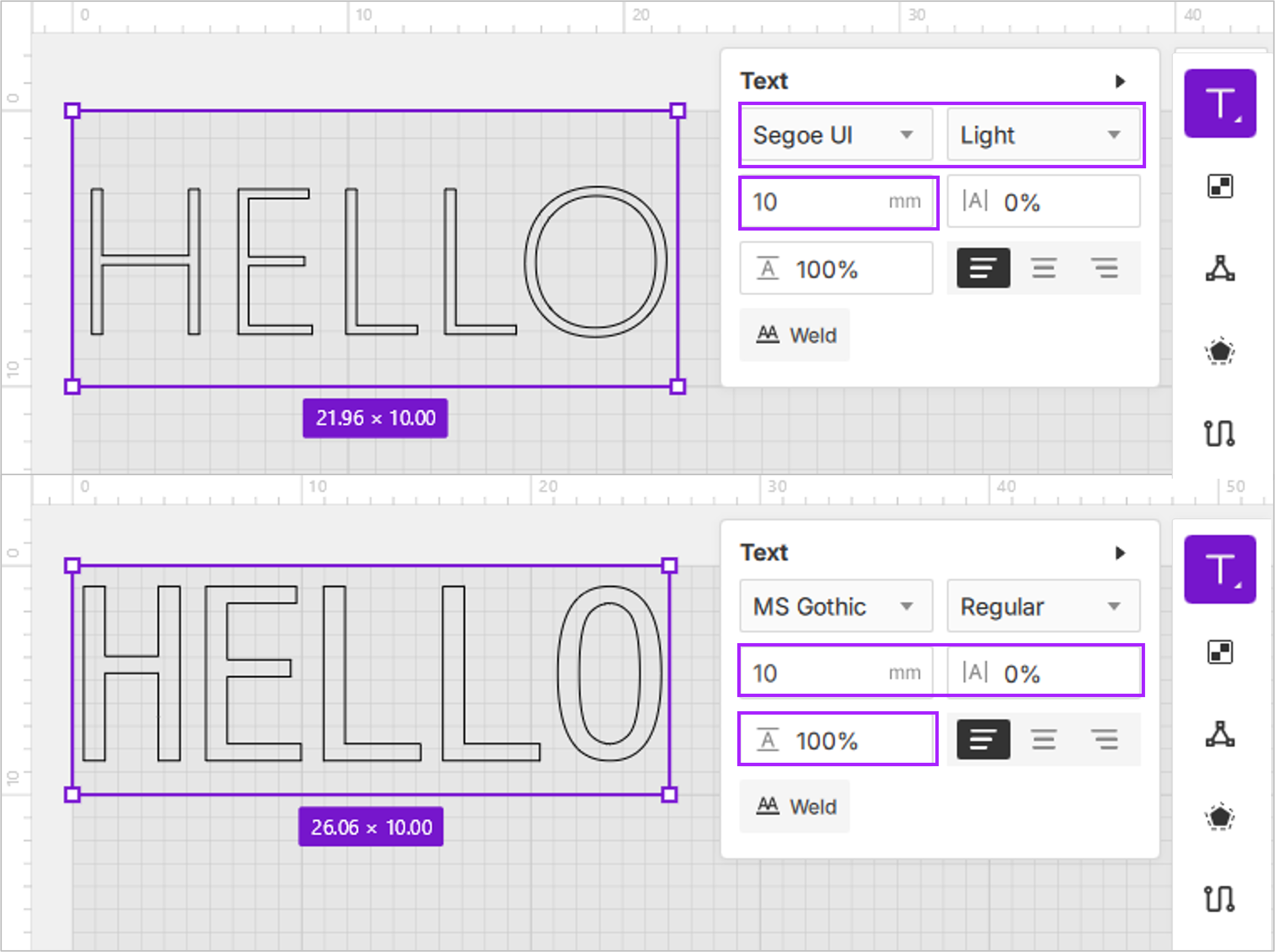
Text height defines the vertical size of a single-line text object. Unit: millimeters (mm), accurate to two decimal places.
- Adjust the text height to resize the text on your canvas. Hold Shift to scale proportionally.
- Text height does not represent the height of each individual character. Different fonts may appear larger or smaller even when set to the same text height.
¶ 4. Letter Spacing
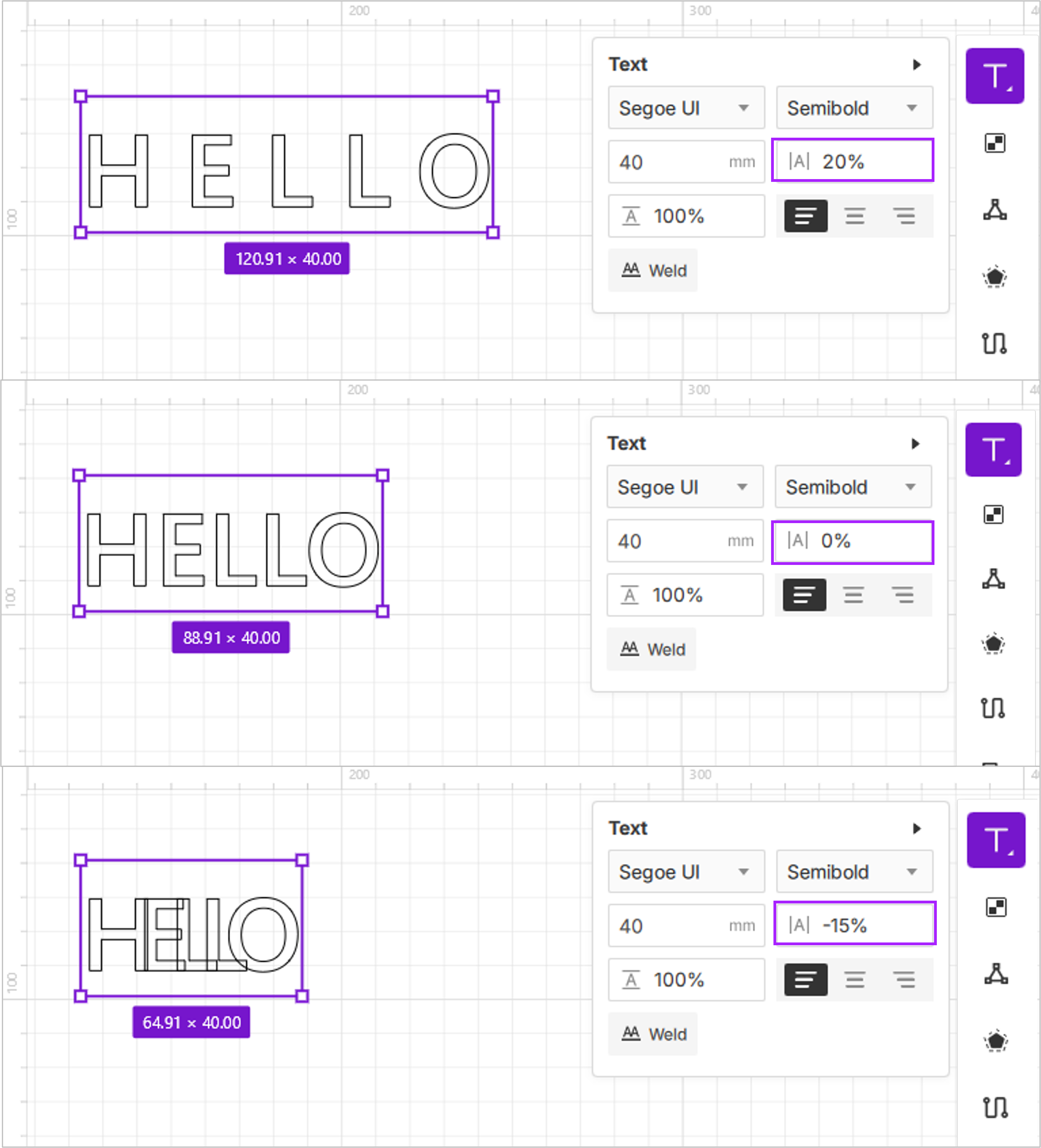
Letter spacing controls the horizontal space between characters. Unit: percentage (%).
The default value is 0% (characters are placed tightly with no extra spacing). The adjustable range is –100% to 1000%.
-
Negative values make text more compact; positive values increase spacing.
-
When the text box is stretched and the text becomes distorted, the percentage value of the letter spacing remains the same, but the actual spacing scales with the transformation.
For example:- If the text height is 20 mm and letter spacing is 100% (20 mm), enlarging the text width to twice its size keeps the value at 100%, but the visible spacing increases to 40 mm.
¶ 5. Line Height
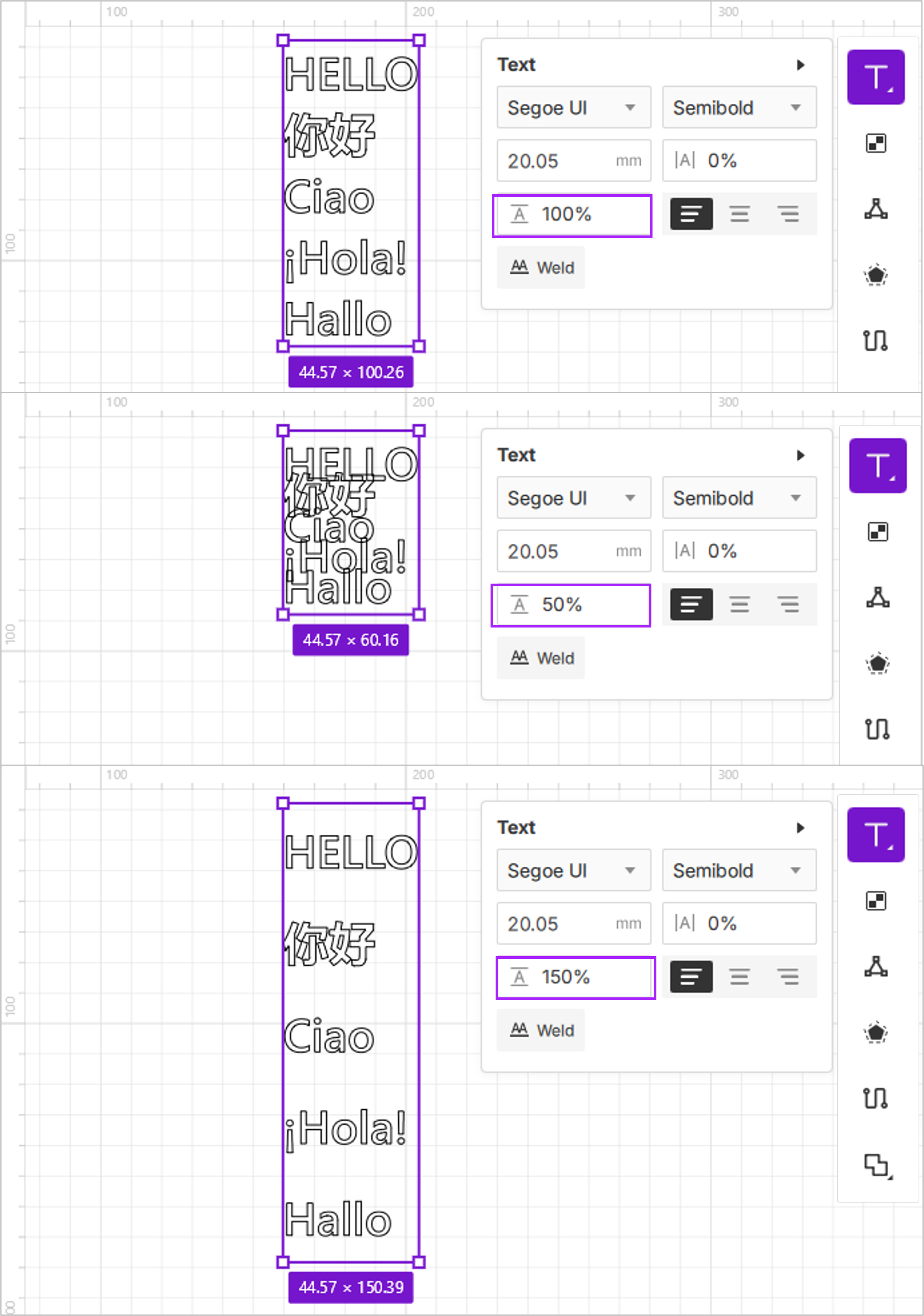
Line height controls the vertical spacing between multiple lines of text.
Unit: percentage (%). The default value is 100%, and the adjustable range is 0%–1000%.
-
When the line height is greater than 100%, the spacing between each line increases.
-
When the line height is less than 100%, the spacing between each line decreases.
¶ 6. Text Alignment
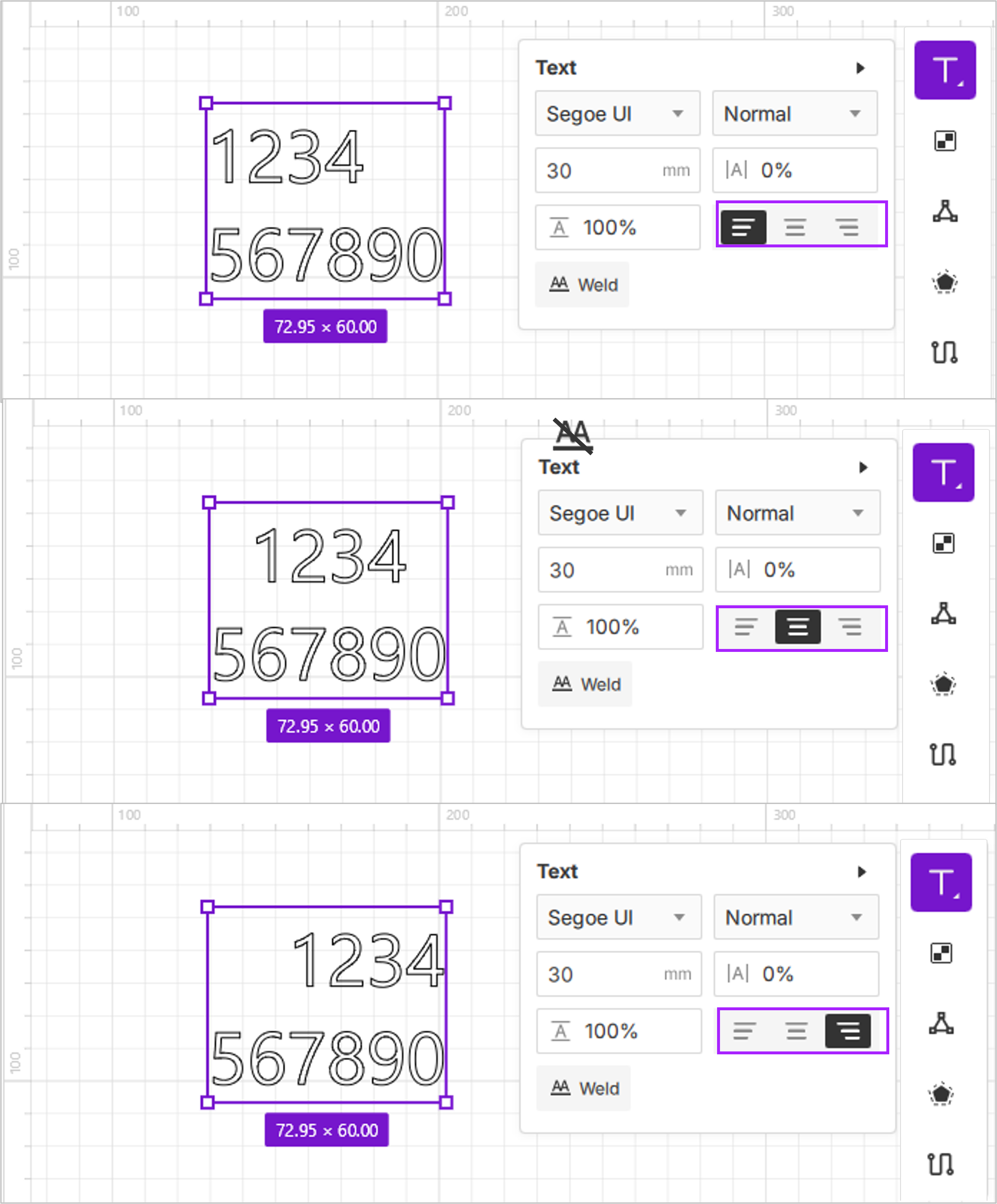
Text alignment controls how multi-line text is positioned within its bounding box.
- Options include left, center, and right alignment.
¶ 7. Weld
Text Weld merges the paths of overlapping characters into a single continuous outline. This removes duplicated engraving or cutting paths, allowing the laser to move more smoothly and produce cleaner results.
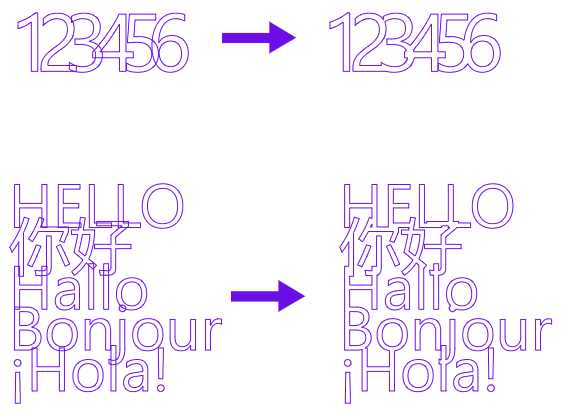
- Select a text object and click the
 Weld button. The software automatically detects overlaps and merges the paths.
- You can still edit the text after welding.
- After welding, the button changes to
Unweld, which restores the text when clicked.
- If characters do not overlap, welding produces no visible change and no warning