In laser processing, an optimized sequence is key to both efficiency and quality (e.g., engraving fine details before cutting the outer frame to prevent material shifting). While Aliencell Space’s default "Auto planning" handles most tasks, you may need to manually define processing priorities for specific workflows. This guide will walk you through the core techniques for customizing your processing sequence in Aliencell Space.
¶ 1. By Color Tag Order
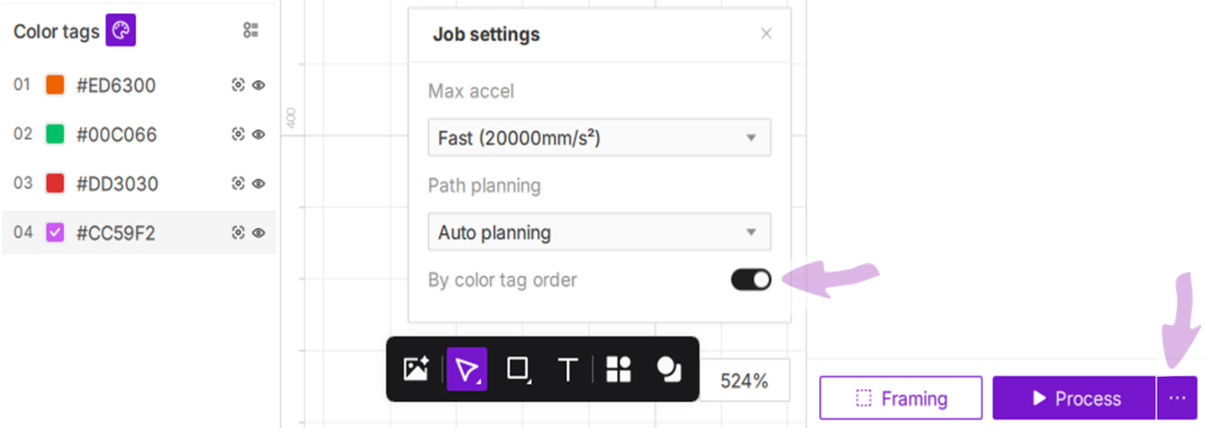
Aliencell Space allows you to manage objects by layers using Color Tags. By enabling the By color tag order feature, you gain full control over the execution sequence of your laser tasks.
¶ 2. Operation Steps
¶ 2.1 Enable Custom Sequence
- At the bottom of the interface, click the settings icon
 next to the Process button.
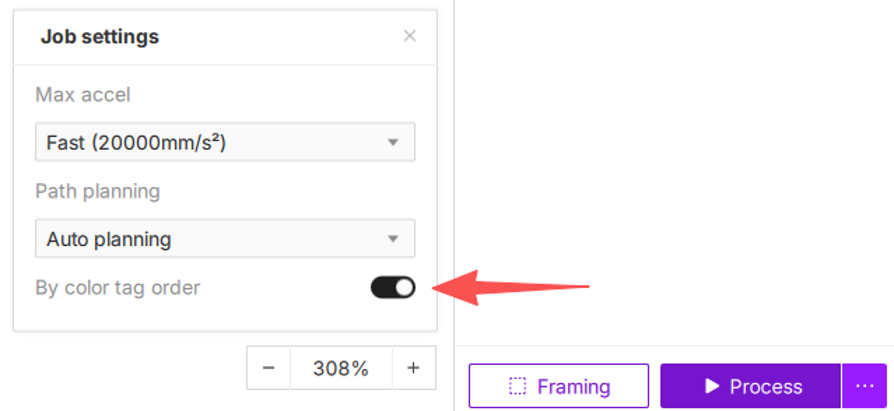
 - In the Job settings window, toggle on the By color tag order switch.
¶ 2.2 Adjusting Priority via Drag-and-Drop
- Expand the color list: If the color tag details are collapsed, click the
 icon to expand the full list. Locate the target tag within the color tag panel at the bottom-left.
 - How to reorder: Click and hold a color tag, then drag it up or down to your desired position and release. The machine will strictly execute processing tasks in the order they appear from top to bottom.
- Example: If you wish to process the green layer before the red layer, ensure the green tag is positioned above the red tag in the list.