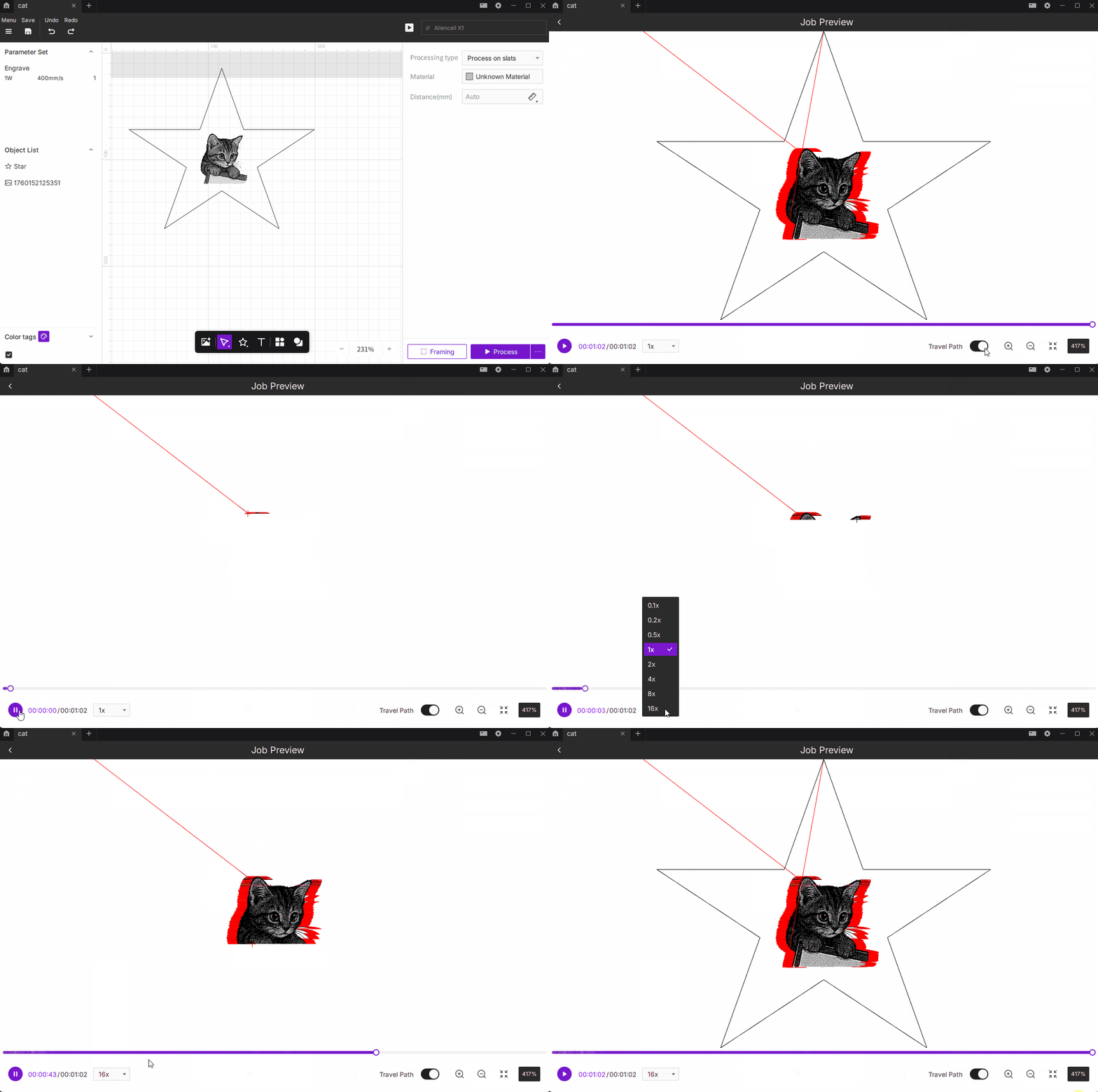
The Job Preview feature simulates the real machining process of the laser engraver in real time. It allows you to visually inspect the laser head’s movement paths, processing order, and overall operation effect — helping you evaluate processing efficiency and feasibility before the actual run.
¶ 1. Interface Overview
¶ 1.1 Preview Window
¶ Engraving Path
The black dots forming the image represent the actual burn trajectory where the laser is active and processing the material.
¶ Travel Path
All red lines are the laser head's idle paths, showing the laser's movement trajectory when not in operation. Red idle paths create a clear visual distinction from actual engraving paths, helping you intuitively identify non-processing travel.
- Why idle paths are necessary: The laser head must physically move to the next processing point to continue working. Although no laser is emitted during idle travel, frequent acceleration and deceleration cycles affect both total processing time and machine wear. By examining idle paths, you can evaluate processing efficiency and identify excessive ineffective movements to optimize path design.
The idle path toggle only controls preview display and does not change actual job settings. Disabling the display only hides the red preview lines — idle paths still exist during actual processing.
¶ 1.2 Interface Controls
- Play Button: Start or pause the preview playback.
- Progress Bar: Displays the current playback progress. You can drag it to view any specific moment in the simulation.
- Playback Speed Selector: Adjust playback speed across multiple levels — 0.1x, 0.2x, 0.5x, 1x, 2x, 4x, 8x, or 16x.
- Idle Path Toggle: Show or hide the laser head’s idle trajectories.
- Zoom Control: Adjust the display scale (10%–9999%). You can also zoom with the mouse wheel or drag to move the view and inspect details.
- Reset View: Instantly restore the default zoom level and view position.
¶ 2. Usage Tips
- Use Job Preview before actual engraving to verify path directions, processing order, and estimated duration — this helps assess if the task time is optimal.
- If the laser head shows unusual movement or excessive idle travel, adjust the path order or refine the design in your editing software.
- When issues like incomplete burns, shallow engraving, or broken lines occur, drag the progress bar to the problem area in Job Preview to analyze the laser path animation and identify potential causes.