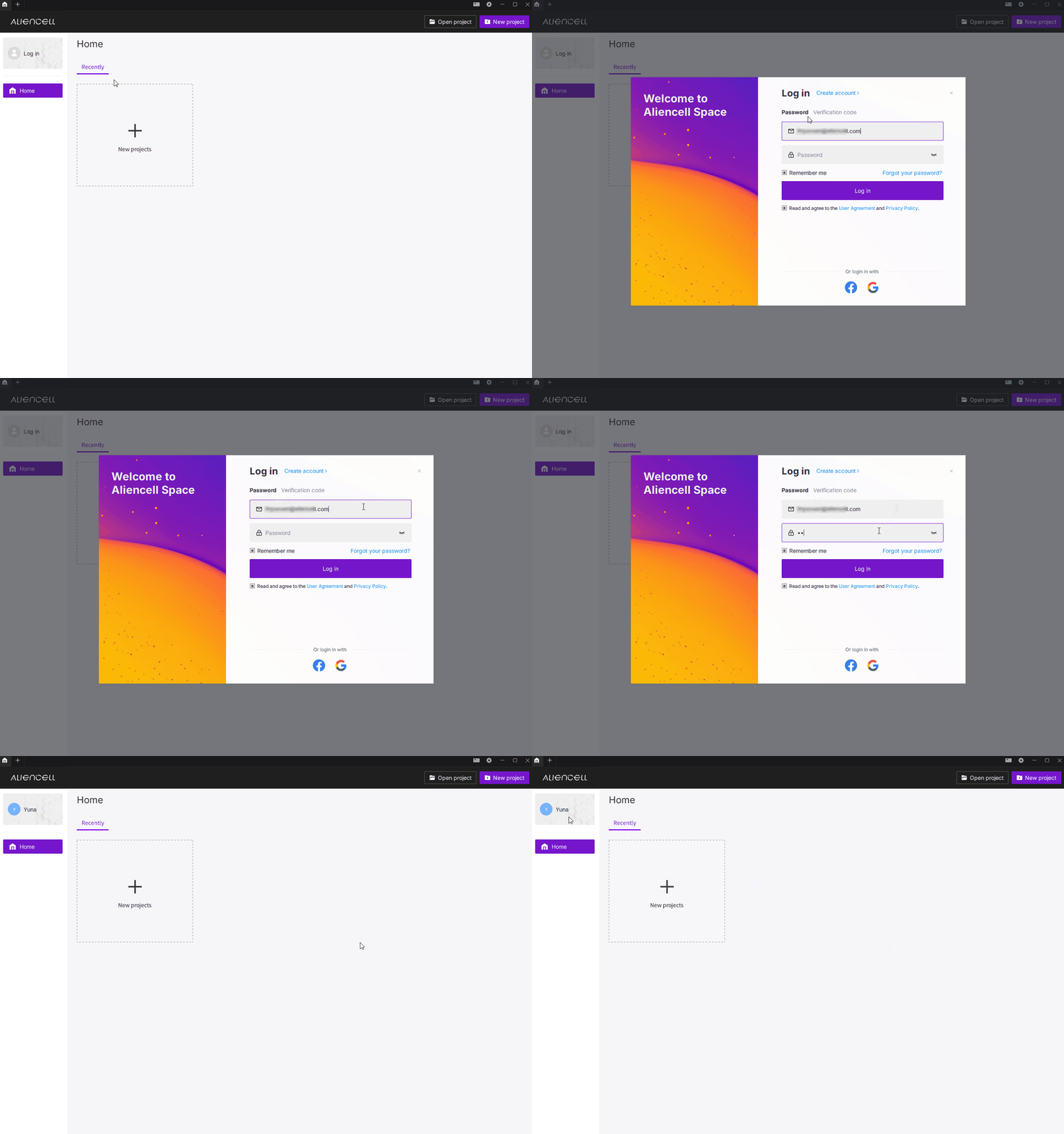
¶ 1. Sign in
- Sign in to sync your preferences, or skip this step and use the software locally.
¶ 2. Create an account
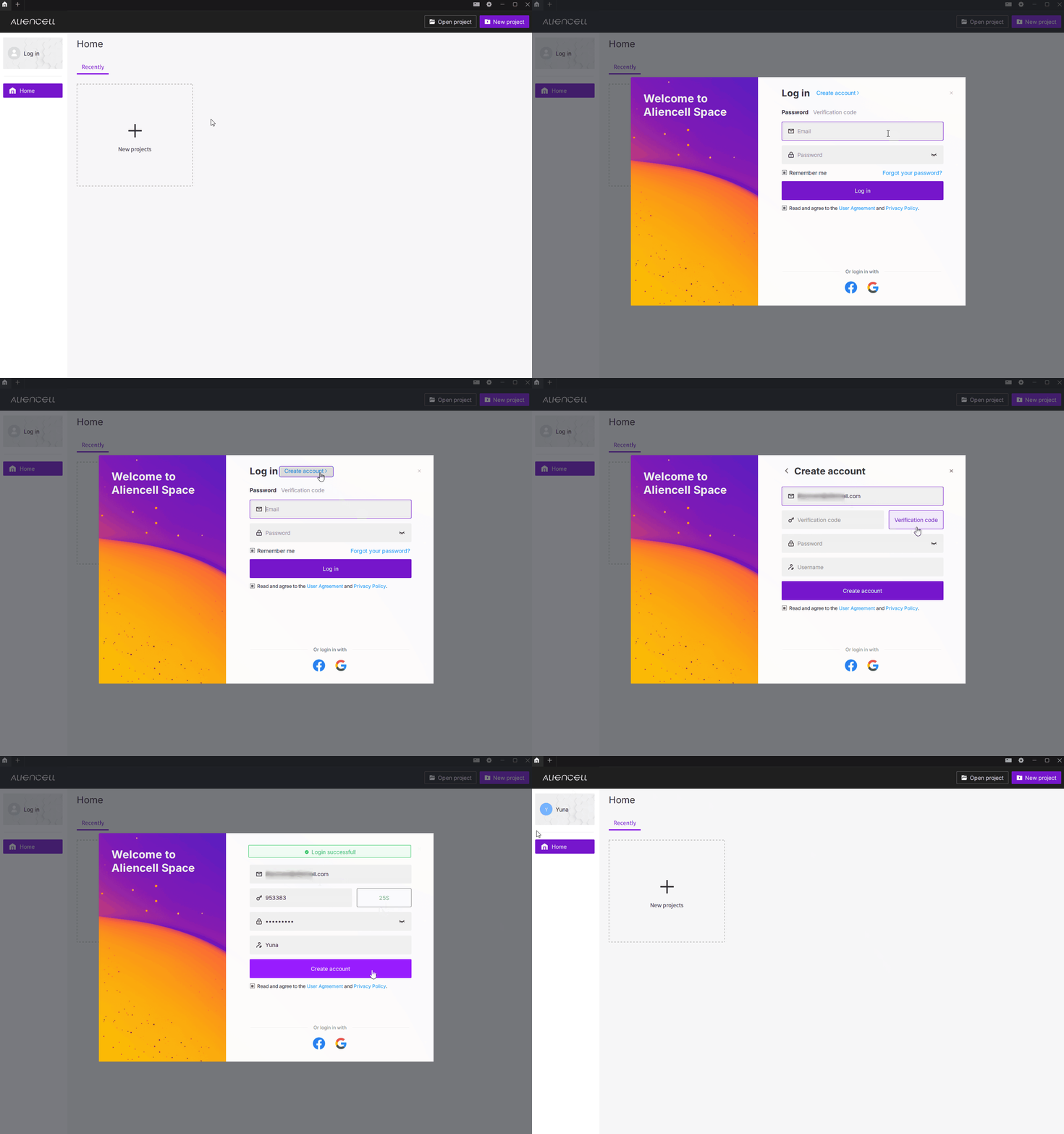
- If you do not have an Aliencell Space account, create one directly in the software.
Click Log in in the upper-left corner, select Create account, and enter the required registration information.
¶ 3. Unlink a third-party account
Objective: Disconnect a third-party sign-in method from your Aliencell Space account.
Aliencell Space currently supports Facebook and Google as third-party account options.
- Open the Aliencell Space home screen and click your account area in the upper-left corner.
- In the Account window, locate the third-party account that is currently linked.
- Click Unlink next to the third-party account.
- Review the confirmation message, then click Yes to unlink it.
- After unlinking, the software returns to the home screen.
Tips: Keep at least one valid sign-in method available before unlinking a third-party account. This helps prevent account access issues.
¶ 4. Delete your software account
Objective: Permanently delete your Aliencell Space user account and related account data.
- Click the account area in the upper-left corner to open the Account window.
- Click Delete Account.
- Read the account deletion notice carefully.
- Enter the verification code sent to your account email address.
- Click Delete Account again to continue.
- In the final confirmation window, review the email address and click Confirm.
- After deletion, Aliencell Space returns to the log-in screen.
Warning: Account deletion is permanent. Your Aliencell Space account and related account data may be deleted and cannot be restored. Make sure you have backed up any required project files or account information before continuing.