⚠️ Highest-priority warning: This device contains a Class 4 laser source. An emergency may cause permanent eye injury or fire.
All operators must read this chapter carefully before their first job and master the standardized response procedures for emergency scenarios such as accidental laser exposure, device fire, and safety interlock failure. Core principle: emergency stop → power off → protection → report. Any delay may increase the risk of injury.
¶ 1. How to Emergency Stop
A conspicuous emergency stop button is located on the upper side of the laser engraver. The emergency stop button is a safety protection device used to immediately cut off the power or stop all motion and laser output in an emergency, in order to prevent personal injury, equipment damage, or fire hazards.
¶ 1.1 Location of the Emergency Stop Button
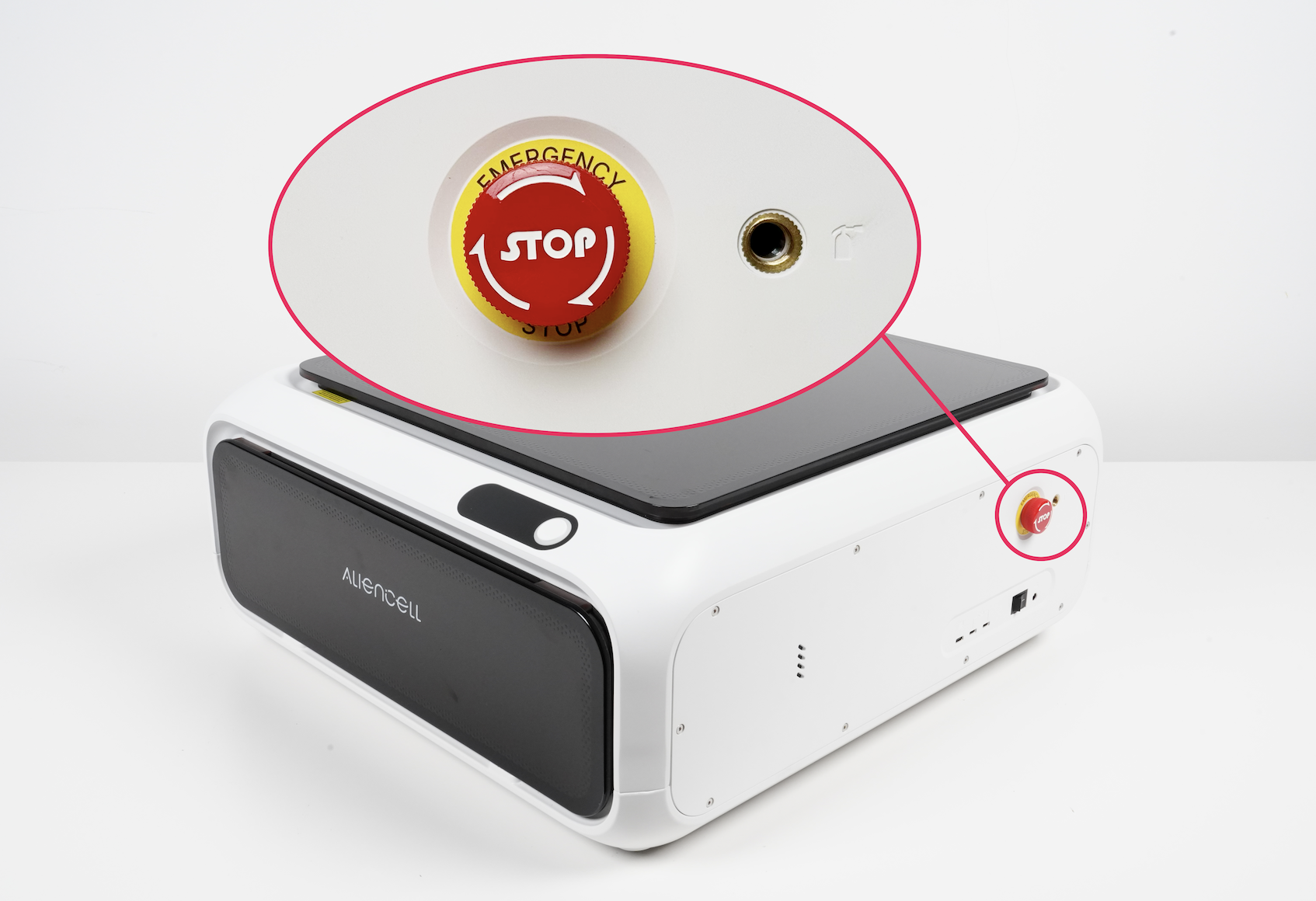
The emergency stop button is located on the right front side of the device.
¶ 2. Emergency Stop Procedure
¶ 2.1 Situations Requiring Immediate Action
Press the emergency stop button immediately in any of the following situations:
- Abnormal movement or loss of control of the machine
- The work material catches fire or emits smoke
- The laser head strikes any object
- The device emits abnormal noise or odor
- Any situation that may endanger the safety of personnel or the device
¶ 2.2 Operating Steps
- Press the 🔴 red emergency stop button at the right rear (the button locks in the pressed position)
- Turn off the main power switch (located at the right rear of the device)
- Open the device cover for ventilation
¶ 3. System Reset Procedure
After the danger has been cleared, follow the steps below to reset the emergency stop button.
¶ 3.1 Reset Steps
- Turn the emergency stop button clockwise so it pops up and resets
- Turn the main power switch back on
- Manually home all axes
Situation |
Description | First-Aid Measures |
|---|---|---|
Laser exposed by opening the cover |
Exposure to Class 4 laser radiation when the top cover is opened for debugging or by misoperation | |
Skin burned by the laser |
Contact with the laser outlet or reflected light during debugging with the cover open | |
Inhalation of smoke or gases |
Irritating gases produced by engraving materials, such as plastics or leather | |
Minor electric shock or static electricity |
Accidental contact with internal or interface parts during device maintenance | |
Fire or smoke |
Overheating caused by engraving flammable materials or poor ventilation | |
Cuts / pinched hands |
Accidental cuts while loading material or moving modules | |
Dizziness / tinnitus / fatigue |
Long hours of operation or high-frequency fan noise |