¶ 1. Why Is Focusing Necessary?
In laser engraving or cutting, focusing is not simply a matter of "getting the height right"; it is a key step that directly determines processing clarity and cutting power.
¶ 1.1 What Does the Laser Beam Look Like?
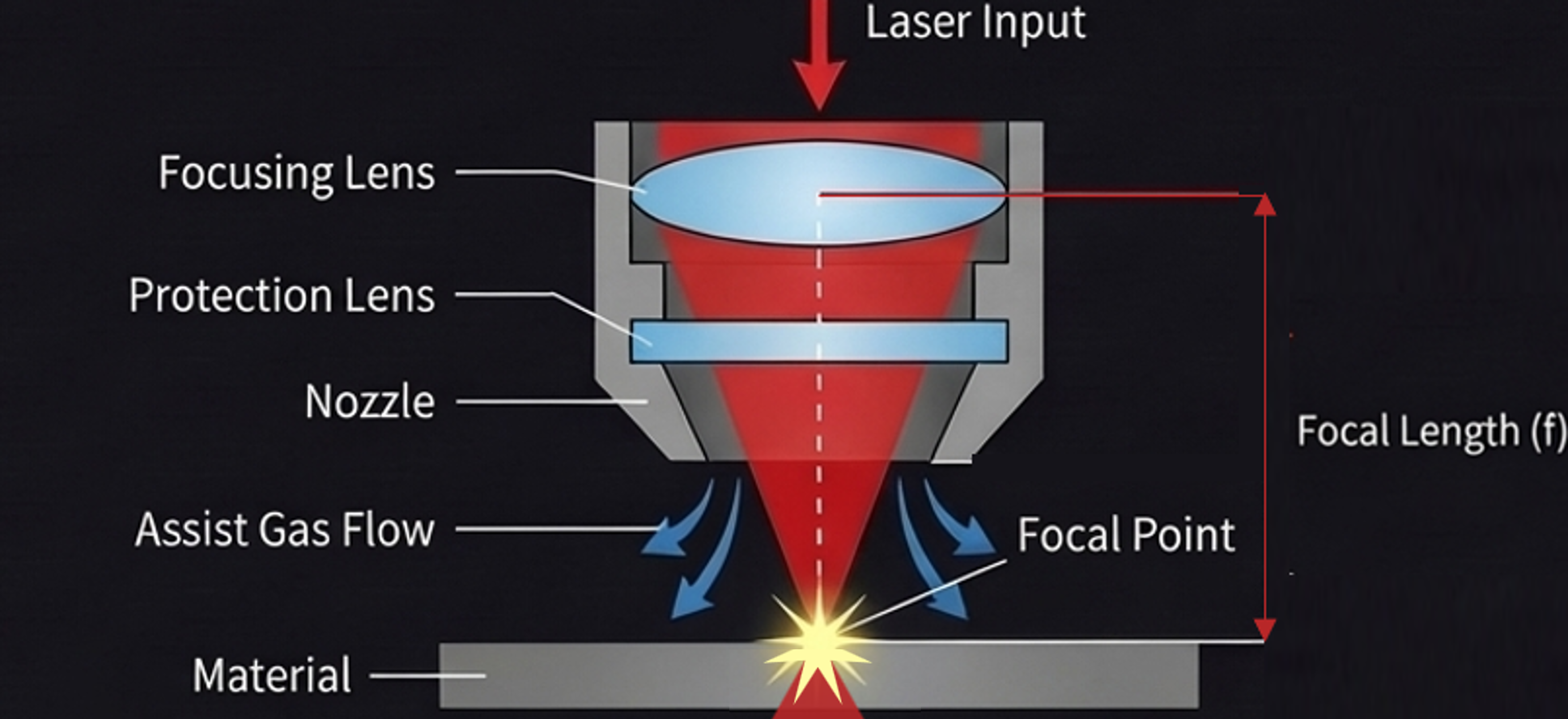
The light emitted by the laser head is not a perfectly parallel beam. It narrows and then spreads in a conical (hourglass) shape. There are two core concepts:
-
Focal point: the position where the beam is narrowest and its energy most concentrated.
-
Focal length: the fixed distance from the focusing lens to the focal point.
¶ 1.2 Why Focus?
- The purpose of focusing is to adjust the height of the laser module so that the focal point falls exactly where you need it — usually on the material surface (engraving) or inside the material (cutting).
- Correct focus: finer, clearer lines with concentrated energy, for clean, precise processing.
- Incorrect focus: a larger spot with dispersed energy, which easily causes shallow engraving, burnt edges, and blurred patterns.
¶ 2. Focusing Logic and Operation on the Aliencell E1
The Aliencell E1 control software provides a flexible focusing system that supports both one-click processing for beginners and precise control at specific positions or on special materials for advanced users.
¶ 2.1 Fully Automatic Smart Focusing (Recommended)
This is the simplest method.
- Operation: No focusing action is required. After setting the processing parameters, simply click Start Job.
- Logic: The device automatically detects the material surface and, using the built-in focal-length parameters, adjusts the Z-axis to the optimal position.
¶ 2.2 Focusing with Measurement Modes
When you need to confirm the height manually, or when processing materials with uneven surfaces, you can use the Distance function in the software.
¶ 2.2.1 Understanding the "Distance" Parameter
There is a core parameter called Distance in the parameter settings panel.
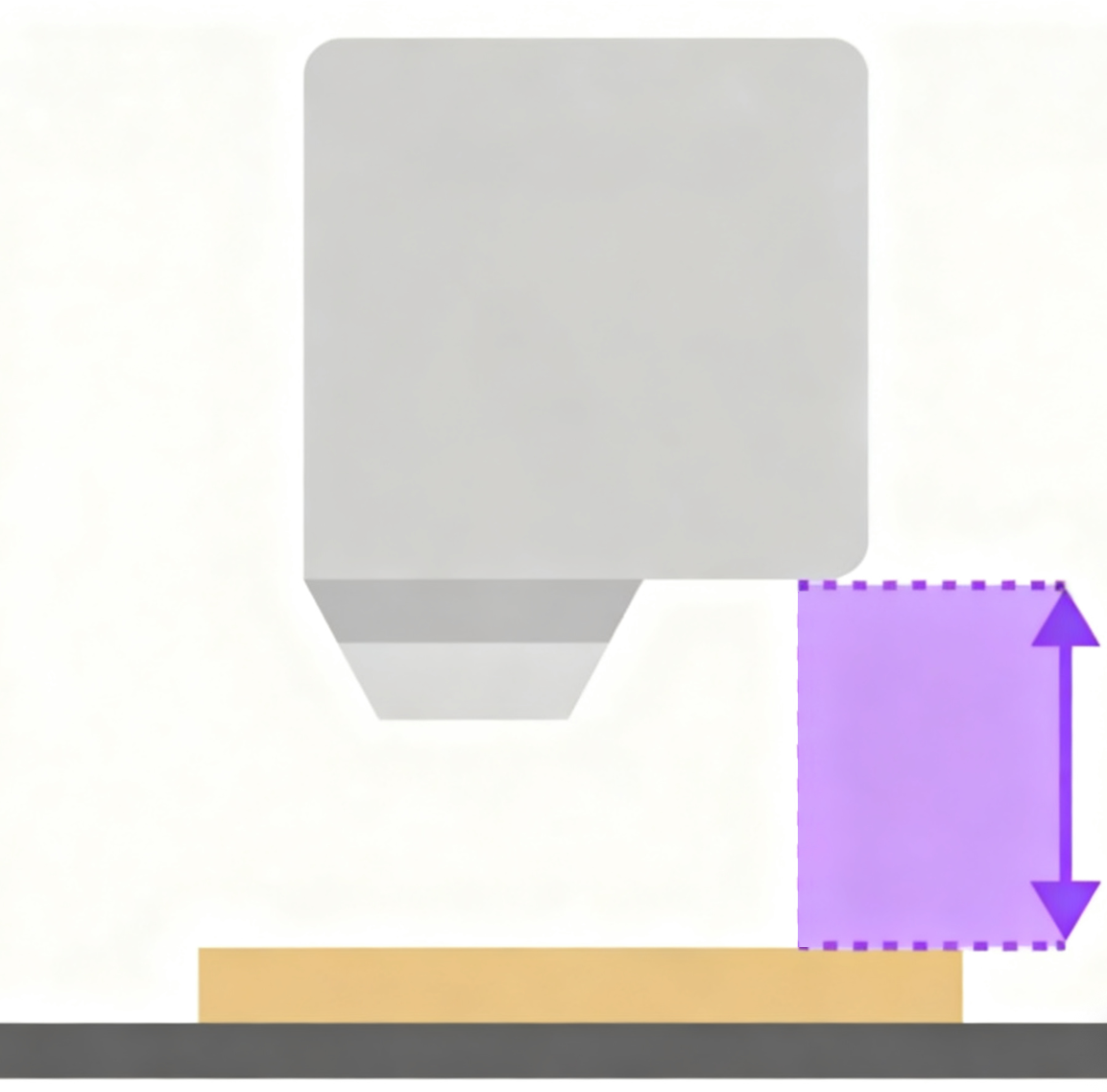
Note: This "distance" ≠ focal length
This value represents the physical distance from the current laser module to the material surface below.
Tip: Once you manually set or measure the distance here, the system skips the automatic focusing process during processing and directly uses the value you provide.
¶ 2.2.2 How to Obtain the Distance Data
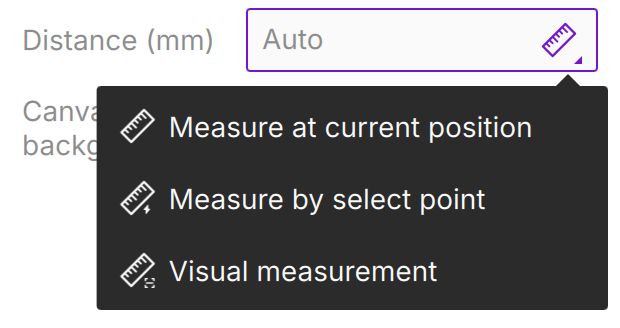
Click the distance input box. You can obtain this key data in the following four ways:
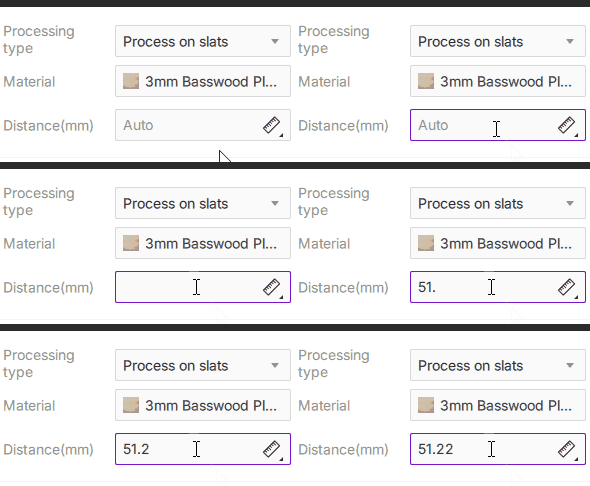
¶ Method 1: Manual Entry
Suitable when the material thickness is known, or when the material is too soft (such as fabric or sponge), causing the probe to compress and deform and the measurement to be inaccurate.
- Operation: Use a ruler to measure the height from the lower edge of the laser head to the material surface, and enter the value directly (in mm).
| Measurement scenario | Demonstration |
|---|---|
 |
 |
¶ Method 2: Measurement at the Current Position
- Steps:
- Move the laser head above the target point.
- Click the measurement icon to the right of the input box
 and select Measure at Current Position.
 - The laser head descends vertically to probe. When the measurement is complete, the value is filled in automatically and the head resets.
- Move the laser head above the target point.
¶ Method 3: Measurement at a Selected Point
This is the most flexible method — "measure wherever you point." It is suitable when the material surface is uneven and you need to designate a specific position (such as the highest point) as the focus reference.
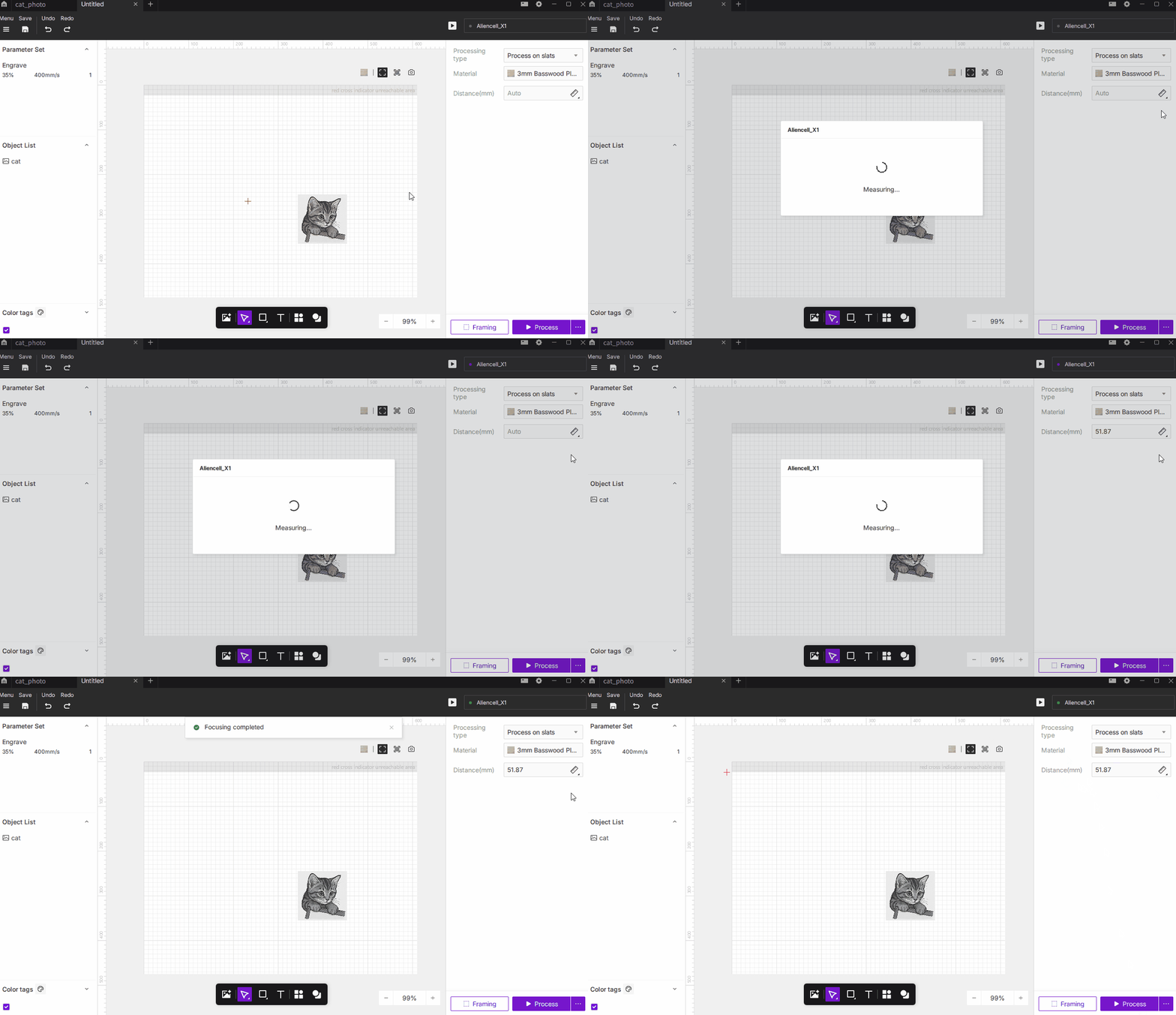
- Steps:
- Click the measurement icon and select [Measure at Selected Point].
- The cursor becomes a red crosshair. Click the position you want to measure on the software canvas.

- The machine automatically moves to that coordinate and performs the probing action.
- Click the measurement icon
¶ Method 4: Photo-Based Measurement
Take a photo of the work area with the device camera, then select the position to measure directly on the photo. This is intuitive when you want to pick a point based on the actual material rather than its position on the canvas.
- Steps:
- Click the measurement icon and select Photo-Based Measurement.
- The camera takes a photo of the work area. Click the position you want to measure on the photo.
- The machine automatically moves to that position and performs the probing action.
- Click the measurement icon
Note: Photo-based measurement requires the camera to be calibrated. If the photo is misaligned with the actual position, perform a camera calibration first.
¶ Summary: Which Focusing Method Should I Choose?
- Beginners / daily processing → Click to process directly (fully automatic by default, the easiest).
- Irregular objects / fixed-point processing → Photo-based measurement, measure at a selected point, or at the current position (visual and precise).
- Soft / special materials → Manual entry (physical measurement, avoiding measurement error caused by probe compression).