The Effect feature in Aliencell Space is a powerful visualization tool in the parameter panel. What you see on the screen is a direct representation of how different energy densities will affect your material. Its core goal is to solve a common problem: Power and Speed are just abstract numbers, but what we really want is a concrete, predictable visual outcome.
Energy density refers to the total energy applied by the laser to a unit area of material per unit of time. It is determined by the combination of Power and Speed.
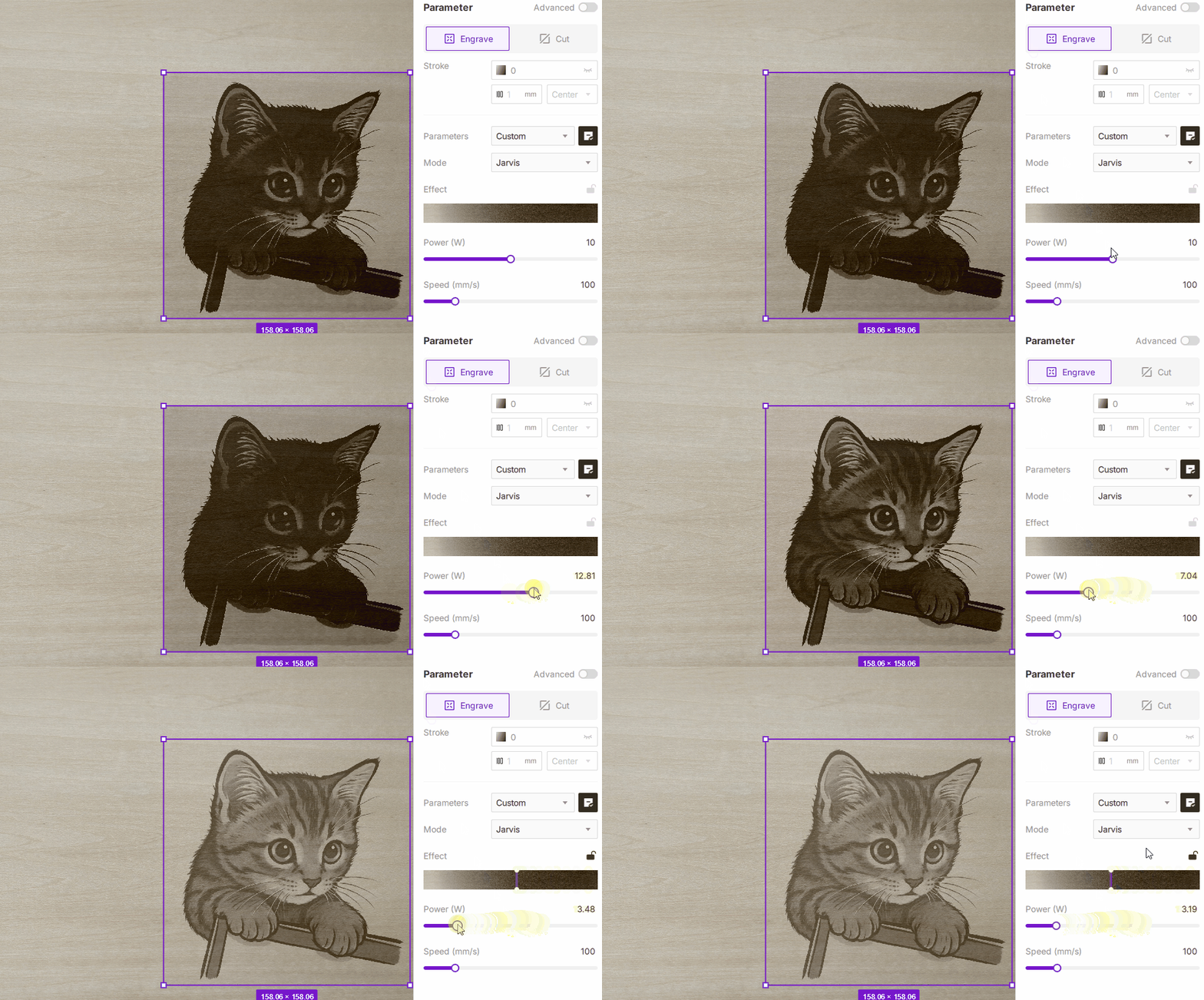
To use this feature, you must first select a specific material from the library. Then, click the Material Simulation icon
to preview the simulated engraving effect.
The Effect function is built on a comprehensive, pre-calibrated database. Every material in the Aliencell Space library (such as "3mm Basswood Plywood") has undergone extensive physical testing. We've recorded the engraving results across a wide range of power and speed combinations, assigning a specific Energy Density value to each visual outcome.
-
Scenario A: Dragging the Effect Slider
- You drag the slider to the right for a "darker/deeper" look.
- The software identifies the target Energy Density for that position (e.g., 5J/mm²).
- To match this density, the software checks the database. It prioritizes keeping the Speed constant (to maintain efficiency) and automatically calculates the required Power.
- Result: The Power parameter below updates automatically.
-
Scenario B: Manually Setting Power or Speed
- You manually input processing parameters, such as 14W Power and 400mm/s Speed.
- The software calculates the current Energy Density in real-time.
- It matches this density to the corresponding visual effect in the database.
- Result: The slider on the Effect preview bar jumps to the corresponding position, showing you exactly what the result will likely look like with your chosen settings.