¶ 1. Problem Description
When clicking the "Frame" button, the software displays an error message: Object placement exceeds the walking border area.
Error demonstration:
¶ 2. Cause Analysis
This error typically occurs in two scenarios. Please troubleshoot in order:
¶ Scenario 1: Objects are outside the canvas (Most Common)
If part or all of your design objects are placed outside the white canvas area, clicking "Frame" will trigger this error. This is a normal boundary protection mechanism.
¶ Scenario 2: Objects are in the red crosshair unreachable area (Physical Limitation)
If you have confirmed that all objects are completely within the white canvas area but the error still occurs, this is caused by physical design and manufacturing tolerances — it is not a software bug.
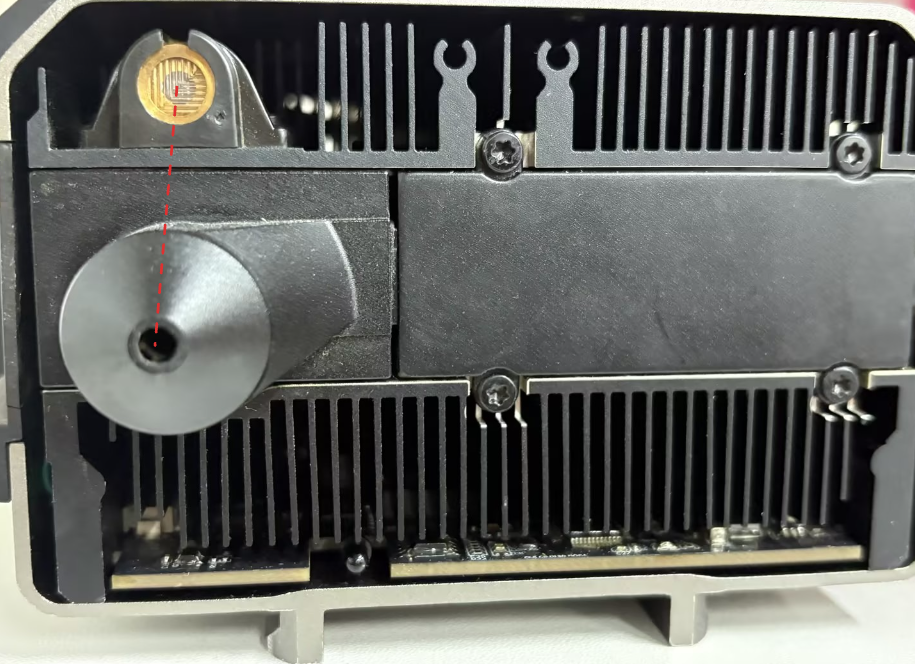
There is a physical offset between the red crosshair emitter and the main laser output, which limits the reachable range of the positioning light.
¶ 2.1 Types of Unreachable Areas
| Area Type | Cause | Applicability |
|---|---|---|
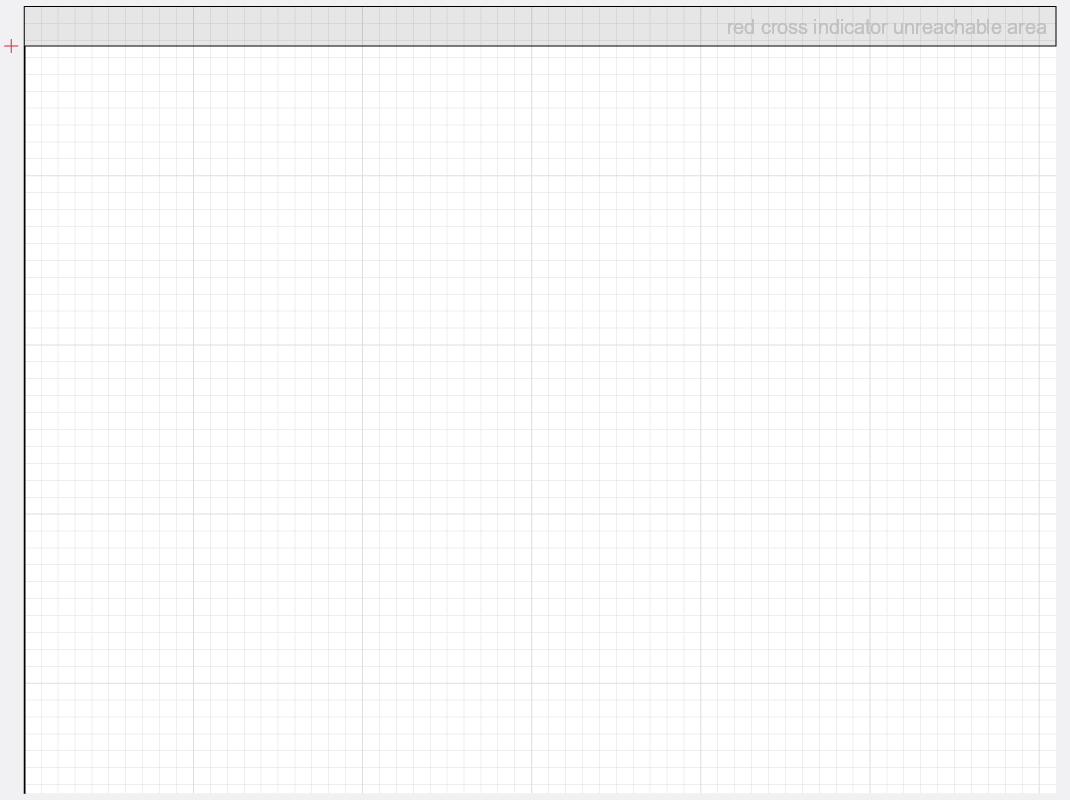
| Top Unreachable Area | Red crosshair emitter is positioned in front of the main laser outlet | All devices |
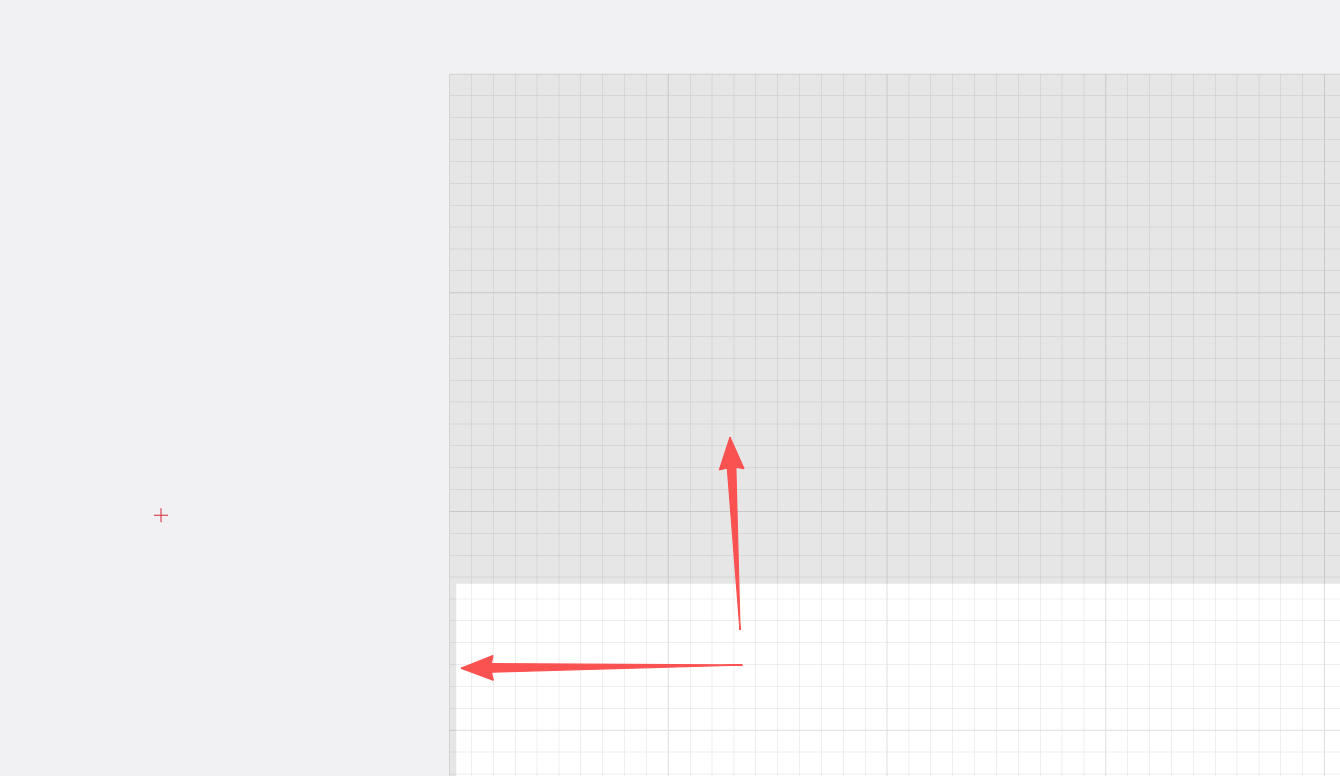
| Left Unreachable Area | Laser module manufacturing tolerances - micron-level horizontal offset | Some devices |
| Right Unreachable Area | Laser module manufacturing tolerances - micron-level horizontal offset | Some devices |
Source of physical offset:
¶ 2.2 Reach Range Comparison
| Component | Reach Range |
|---|---|
| Actual engraving/cutting laser | Can reach the entire canvas area (unlimited) |
| Red positioning light (Frame) | Cannot reach the top grey area, and some devices may also not reach the left or right grey areas |
Display of various unreachable areas:
Top Area (All Devices):
Left Area (Some Devices):
Right Area (Some Devices):
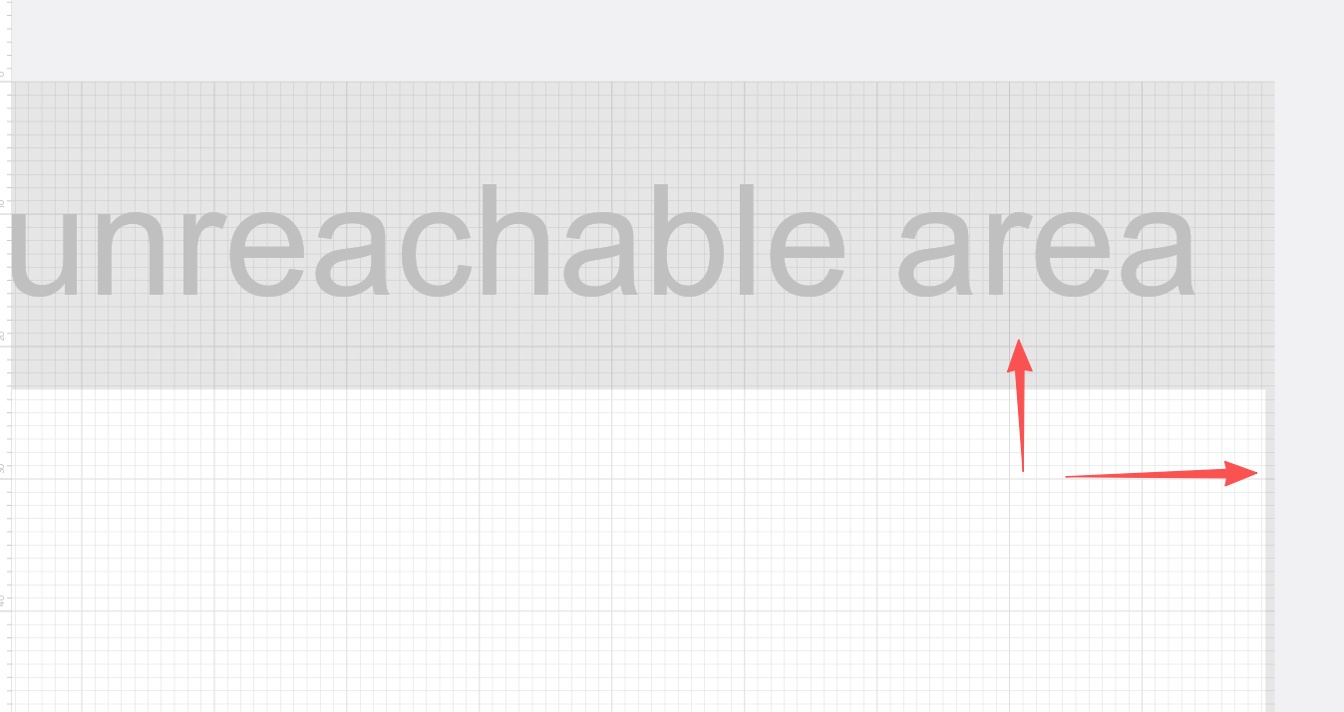
💡 Note: The left and right unreachable areas are very narrow (micron-level error). You may need to zoom the canvas to maximum to clearly see these grey areas.
¶ 3. Solutions
¶ Step 1: Check if objects are outside the canvas
First, verify that all design objects are completely within the white canvas area:
- Check if any objects are partially or fully outside the white canvas boundaries
- If so, move the objects toward the center of the canvas, ensuring they are completely within the white area
- Try running the "Frame" function again
¶ Step 2: If the error persists, check for grey unreachable areas
If you've confirmed all objects are within the white canvas but the error still occurs, the objects are located in the grey unreachable areas. Choose one of the following solutions:
¶ Solution 1: Process Directly (No Frame Needed)
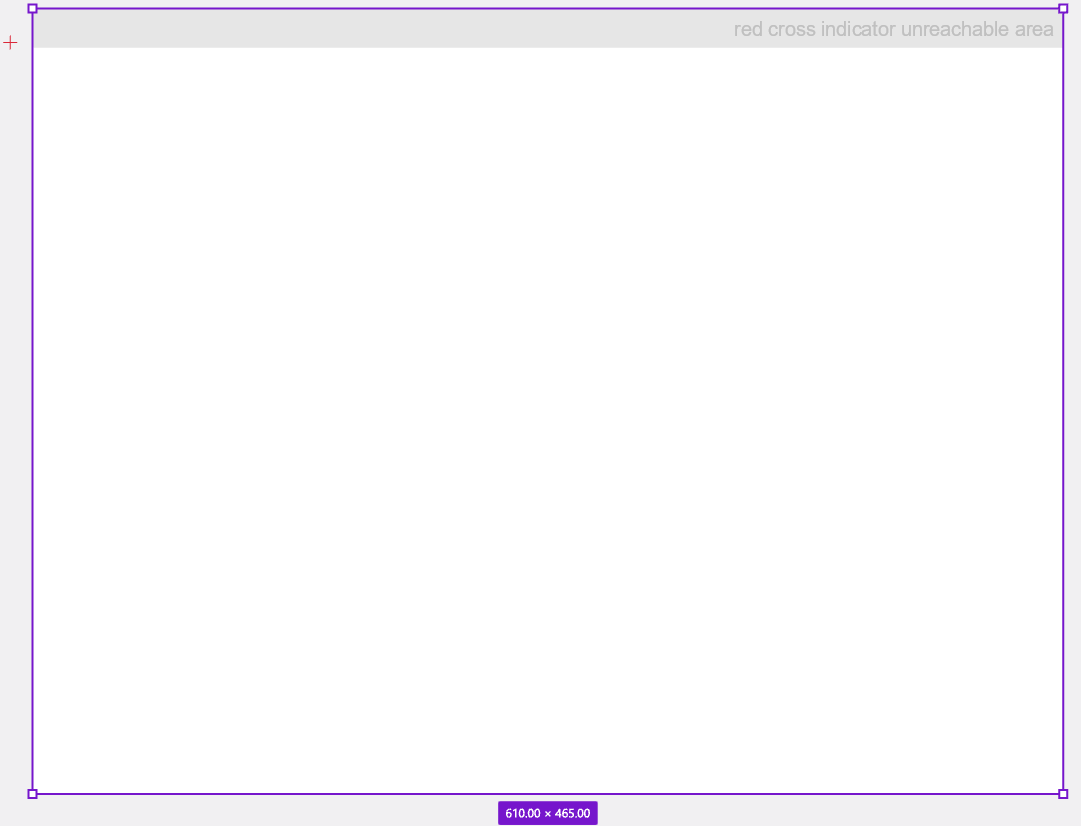
If you don't need the Frame outline preview, you can simply click "Start" — normal engraving or cutting will not be affected.
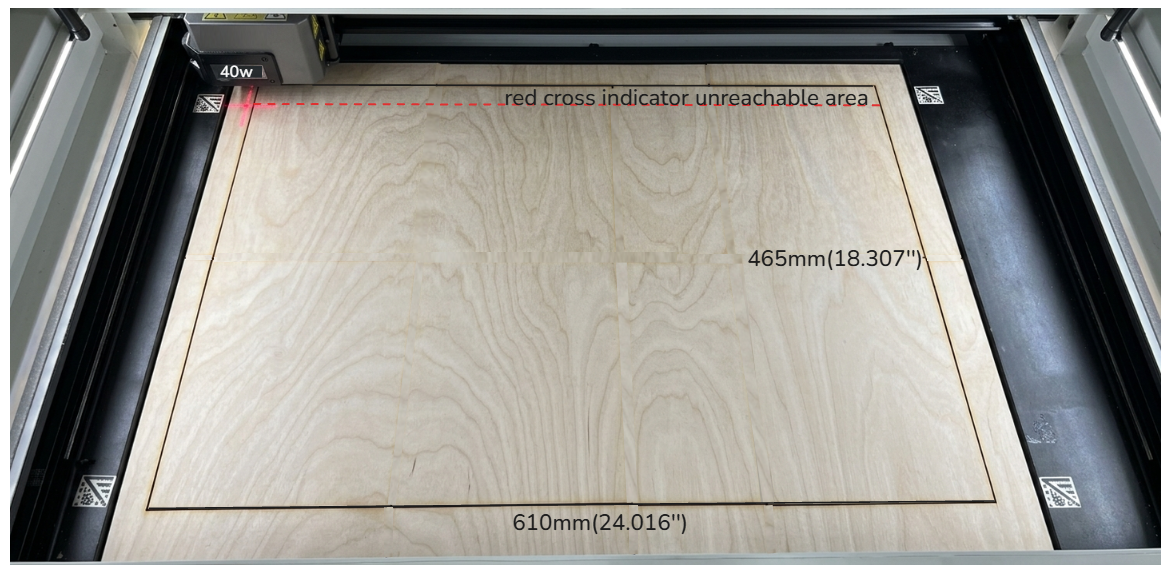
✅ Verification: With a 40W laser module, the device supports a maximum processing size of 610mm × 465mm. The laser can process normally even if design objects cover the entire canvas area, including the grey regions.
Maximum processing size example:
Actual engraving result:
¶ Solution 2: Move Objects (If Frame is Needed)
If you need to use the Frame function, follow these steps:
- Select all objects: Drag to select all design objects on the canvas
- Move objects: Adjust the object position according to the location of the unreachable area:
- If the error comes from the top area: Drag the objects downward
- If the error comes from the left area: Drag the objects to the right
- If the error comes from the right area: Drag the objects to the left
- Confirm position: Ensure all edges of the objects are completely outside the grey areas
- Run Frame again: The Frame function should now work normally
💡 Tip: After completing the Frame preview, you can move the objects back to their original positions for processing. Moving objects does not affect processing results — it only affects the positioning preview range of the red crosshair.
¶ 4. FAQ
¶ Q: Will processing accuracy be affected if my objects are placed in the grey area?
A: No. The device automatically compensates for the physical offset between the red crosshair emitter and the main laser during processing. This ensures the main laser operates precisely at the position indicated by the red crosshair.
¶ Q: How large is the red crosshair unreachable area?
A: The area is very small (approximately a few millimeters) and has limited impact on most processing tasks. The Frame error is only triggered when your objects are placed tightly against the canvas edges (top, left, or right).
¶ Q: Why does my device have a left/right unreachable area, but other devices don't?
A: This is normal. Due to laser module manufacturing tolerances, there are micron-level individual differences in the relative position between the red crosshair emitter and the main laser outlet. Factory calibration already guarantees actual processing accuracy — the Frame unreachable area is merely a physical limitation of the positioning preview.
¶ Q: Can the left/right unreachable areas be calibrated or eliminated?
A: Currently, the software does not support user calibration. This area is very small and has no impact on actual processing. If you need to use the Frame function, simply move your objects slightly inward from the edge.
¶ Q: Why not eliminate this physical limitation directly?
A: The physical position of the red crosshair positioning light is determined during hardware design to facilitate user observation of the laser position inside the machine. The offset compensation technology already guarantees processing accuracy. This is a normal physical characteristic, not a defect.
¶ 5. Technical Notes
During setup and design, you can treat the red crosshair as the target position for your engraving or cutting. Although the red positioning beam and the main laser exit from slightly different positions, the device automatically compensates for this offset during both processing and Frame runs. This ensures the main laser fires exactly at the location indicated by the red crosshair.