When starting a job or performing focus measurement, if you encounter the following error message, the distance sensor probe cannot retract normally:
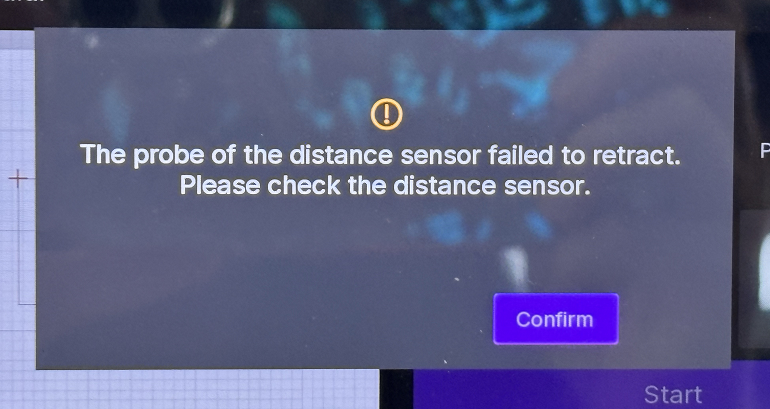
¶ 1. Symptom
-
Trigger condition: When starting processing or during focus measurement
-
Observation: The probe cannot fully retract at the top-left retraction station, getting stuck at the edge or partially extended
¶ 2. First Step: Laser Module Installation Check
Tip: Improper laser module installation is the most common cause. Please check this first!
¶ 2.1 Cause
When the laser module is not fully slid into the bottom of the X-axis fixed slider rail during installation, it causes:
- Insufficient Z-axis drop height
- Probe cannot reach the correct retraction position
- Retraction station cannot fully receive the probe
¶ 2.2 Inspection Method
Compare the laser module installation status with the following images:
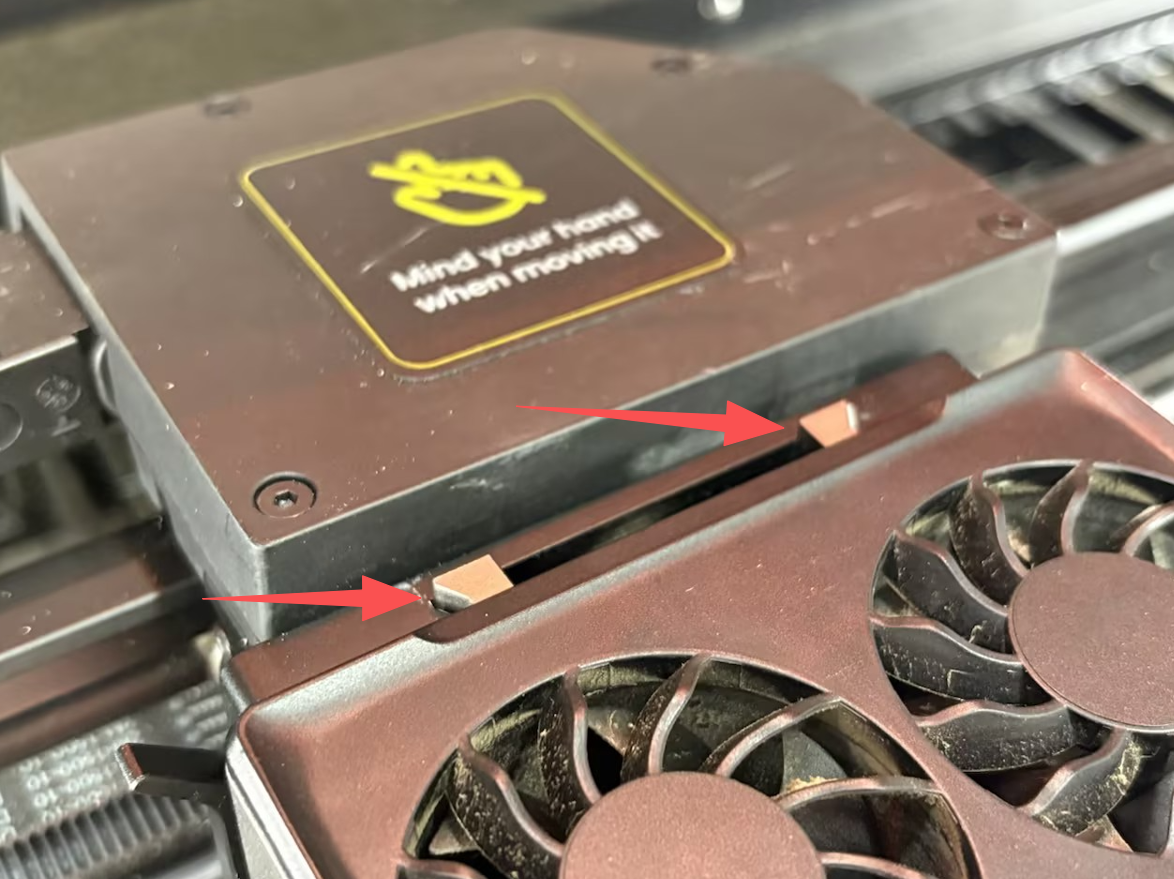 |
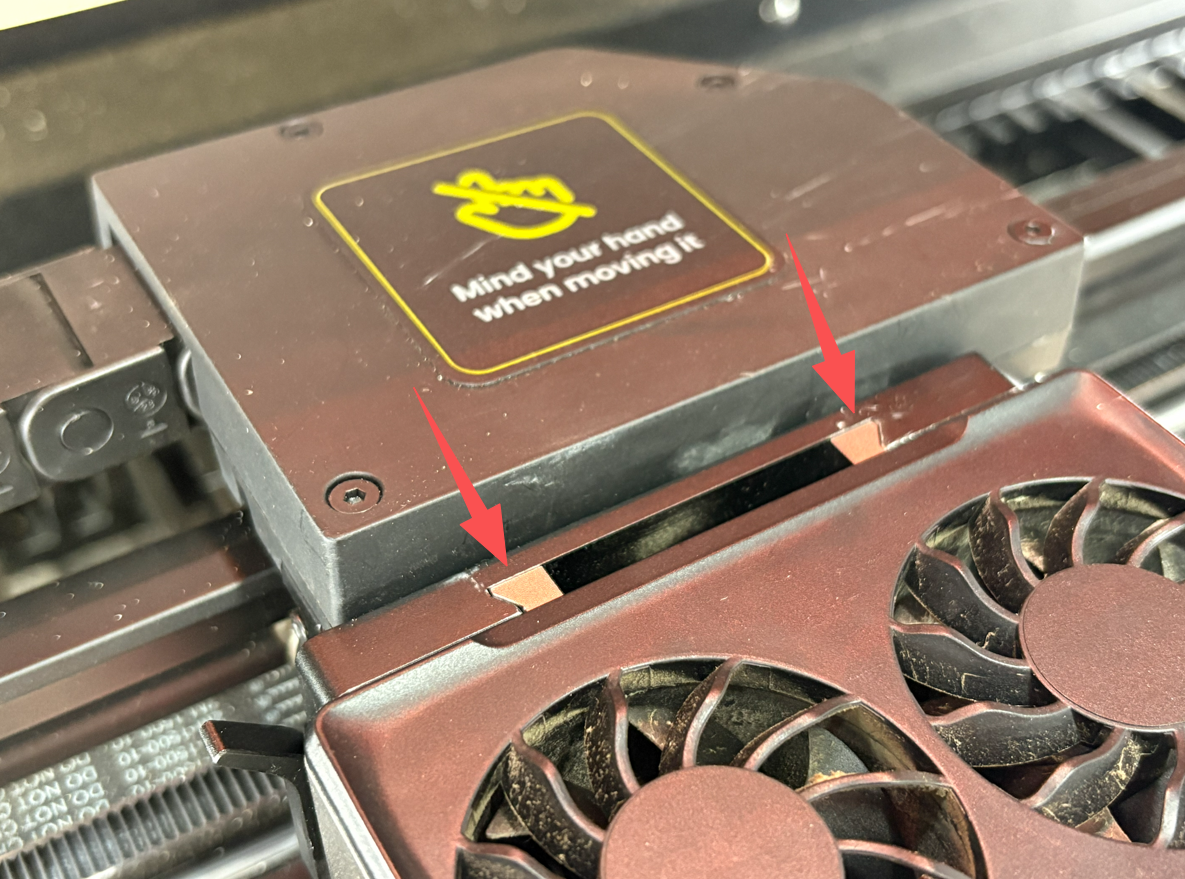 |
|---|---|
| ❌ Incorrect Installation | ✅ Correct Installation |
| Laser module not fully inserted, gap at arrow position | Laser module fully pushed in, properly installed |
¶ 2.3 Solution Steps
- Turn off device power and unplug the power cord
- Loosen the laser module fixing screws
- Push the laser module fully towards the bottom of the X-axis slider, ensuring no gaps remain
- Retighten the fixing screws to ensure the laser module is firmly secured
- Reconnect power and test the focus function
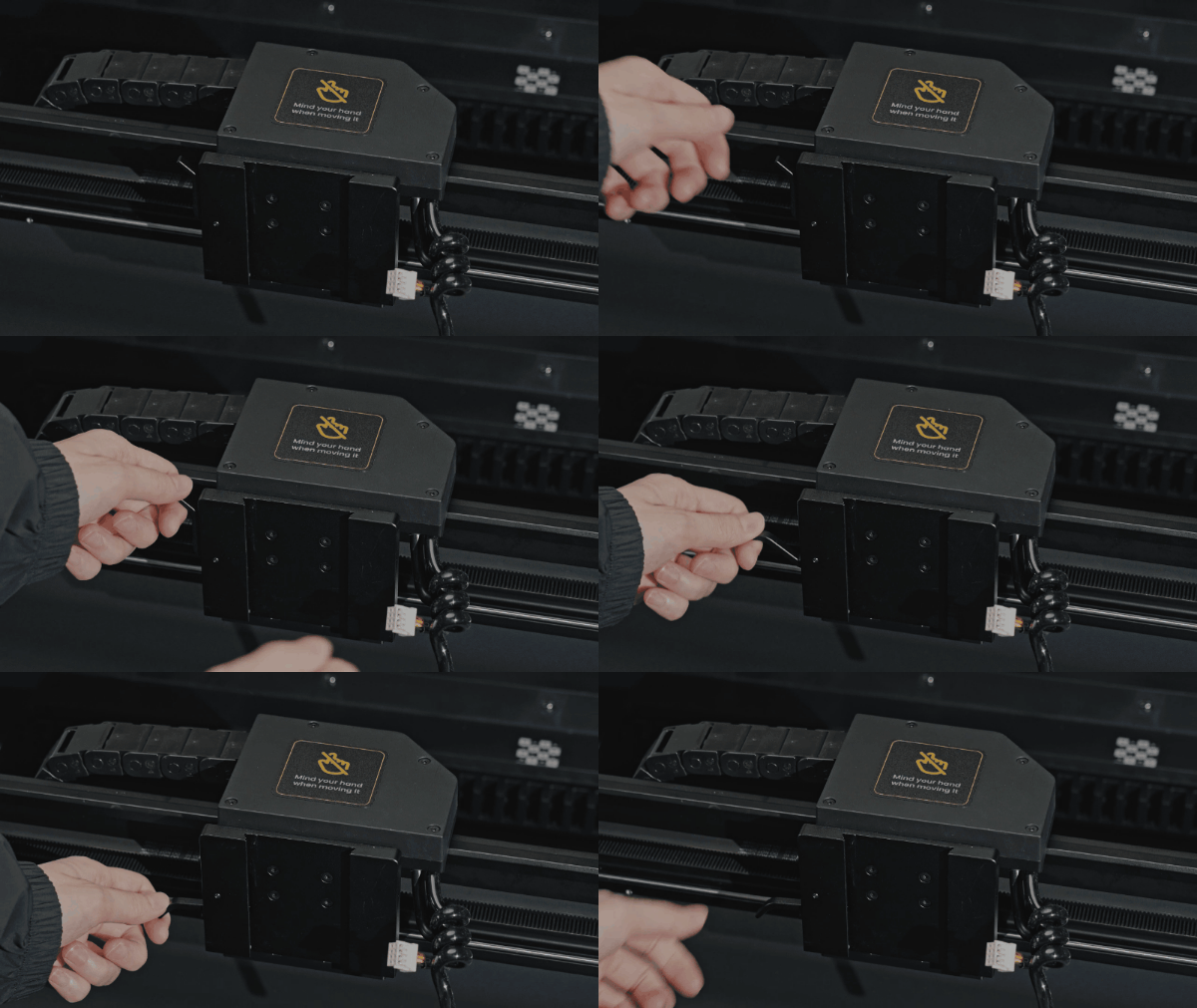 |
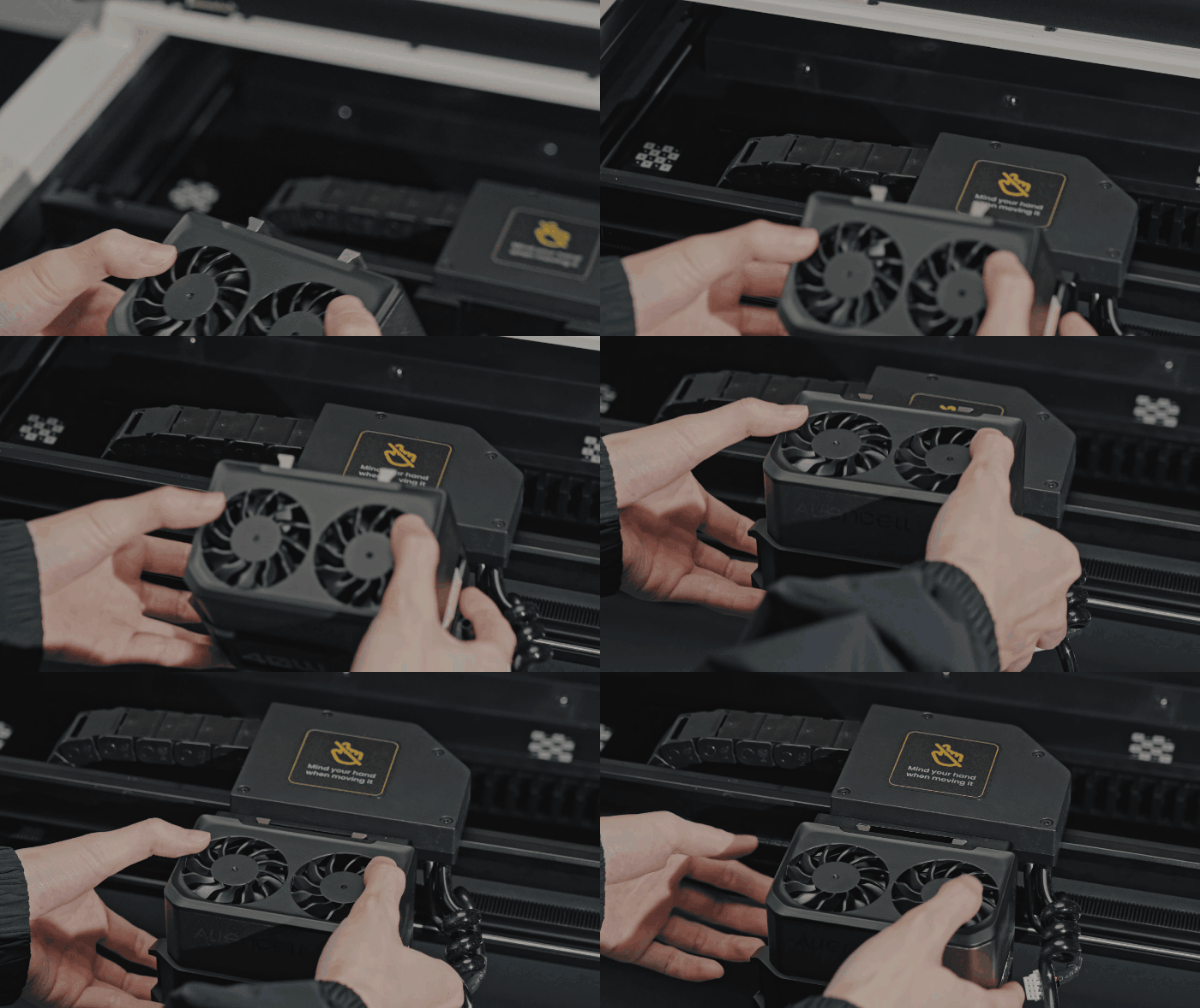 |
a. Pull down the handle on the X-axis slider |
b. Align the convex groove on the back of the laser module with the groove on the X-axis slider to firmly embed the laser module into the X-axis slider. |
¶ 3. Other Possible Causes and Troubleshooting
If the laser module is properly installed but the issue persists, check the following items:
¶ 3.1 X-Axis Gantry Mechanical Alignment Check
Important: Before attempting any software calibration, you must first ensure the X-axis gantry is mechanically aligned. If the gantry is misaligned, the probe cannot properly align with the retraction station, causing probe retraction failure.
Step 1: Check for Misalignment
Manually move the X-axis gantry to both left and right ends and observe alignment:
- If the gantry is crooked or skewed, the probe mechanism at the top-left corner cannot trigger retraction correctly
- The probe may hit the edge of the retraction station or cannot fully enter the recovery position
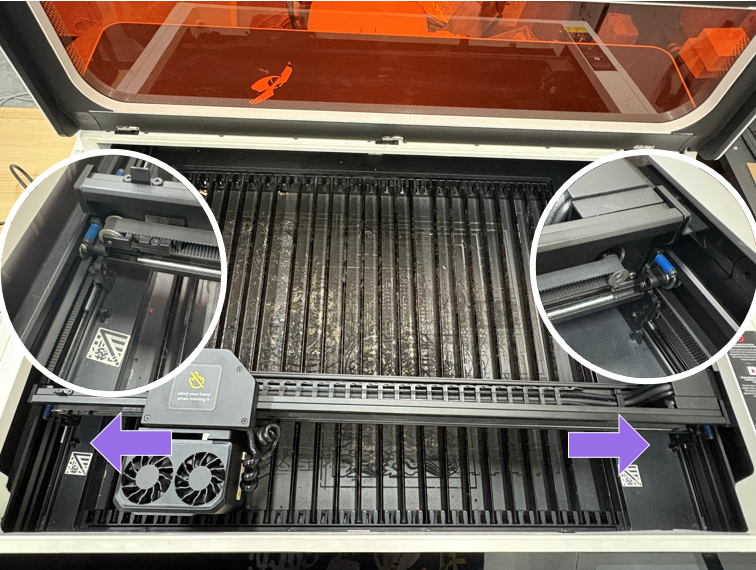
Step 2: Correct Gantry Alignment
- Operation: If one side makes contact but the other side has a gap, firmly pull the gantry until both sides are flush and tightly against the limiters.
¶ 3.2 Probe Mechanical Jamming
-
Check if the probe extends smoothly without any foreign object obstruction
-
Gently move the probe to verify free telescopic movement
-
Clean dust and debris around the probe
¶ 3.3 Retraction Station Position Misalignment
- Check if the top-left retraction station is loose or misaligned
- Verify the retraction station position is aligned with the probe return path
¶ 3.4 Poor Distance Sensor Connection Contact
- After turning off power, check if the distance sensor is flatly attached to the laser module
¶ 4. Prevention Recommendations
- After each laser module reassembly, perform a focus test to confirm the probe can retract normally
- Regularly clean the probe and retraction station to prevent dust accumulation affecting movement
- When installing the laser module, ensure it is fully pushed in before tightening screws
¶ 5. Contact After-Sales Support
If the problem persists after completing the above troubleshooting steps, please contact after-sales technical support for further assistance.