Under normal operation, smoke should be rapidly extracted from the processing area and expelled. If smoke lingers within the machine interior, or frequently triggers PM10 Alerts (AQI > 150), it indicates a bottleneck in the smoke evacuation cycle.
¶ 1. Verify Enclosure Seal and Ambient Environment
- Close the Lid: Always ensure the machine lid is fully closed. Any gap will disrupt the negative pressure environment inside the enclosure, preventing smoke from being forced toward the exhaust port.
- Ambient Air Quality: If the workspace itself is noticeably smoky, the built-in PM10 sensor will detect high background particulate levels. Open doors or windows to improve fresh air circulation.
¶ 2. Prolonged Processing
Continuous cutting—especially with high-smoke materials like high-density MDF, rubber, or thick leather—generates massive particulate volumes that can quickly overwhelm the system.
- Extended Cutting: If you run heavy-smoke cutting jobs continuously for over an hour, the filters may reach full saturation mid-operation.
- Recommendation: Do not wait for the exhaust to fail completely. During extended processing, pause the job if necessary to quickly inspect and clean the internal black filter pads or the external purifier filter. Always increase the fan speed when processing these materials.
¶ 3. Filtration System Saturation
The most common cause of sudden smoke accumulation is a clogged primary filter acting as a physical barrier to the airflow.
-
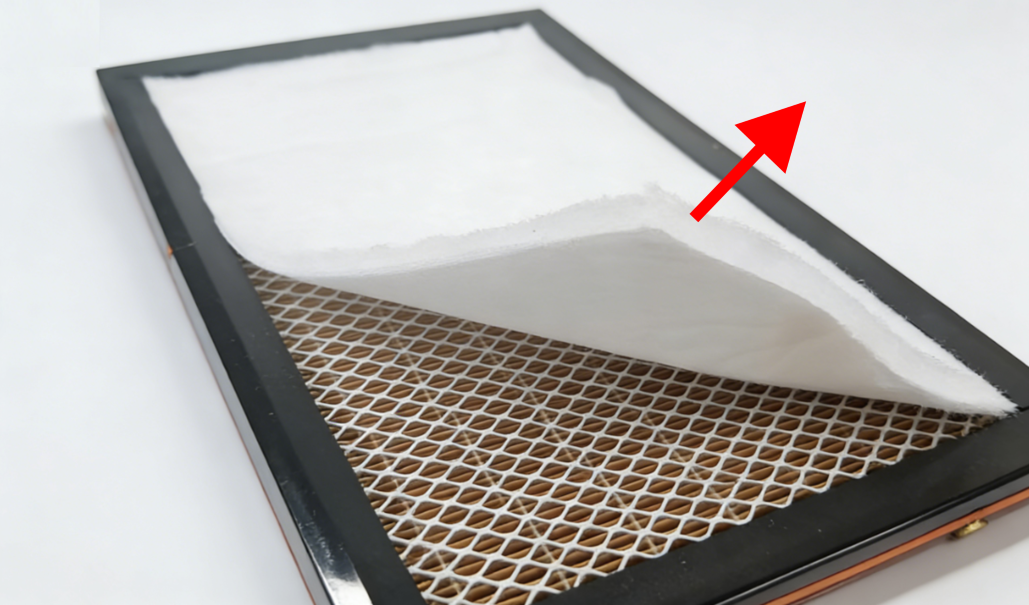
External Purifier Check: If utilizing an external smoke purifier, inspect the first layer (pre-filter sponge/cotton). If it is heavily coated in dust, temporarily remove it to see if the internal smoke clears rapidly. If it does, the sponge is saturated and must be cleaned or replaced.
-
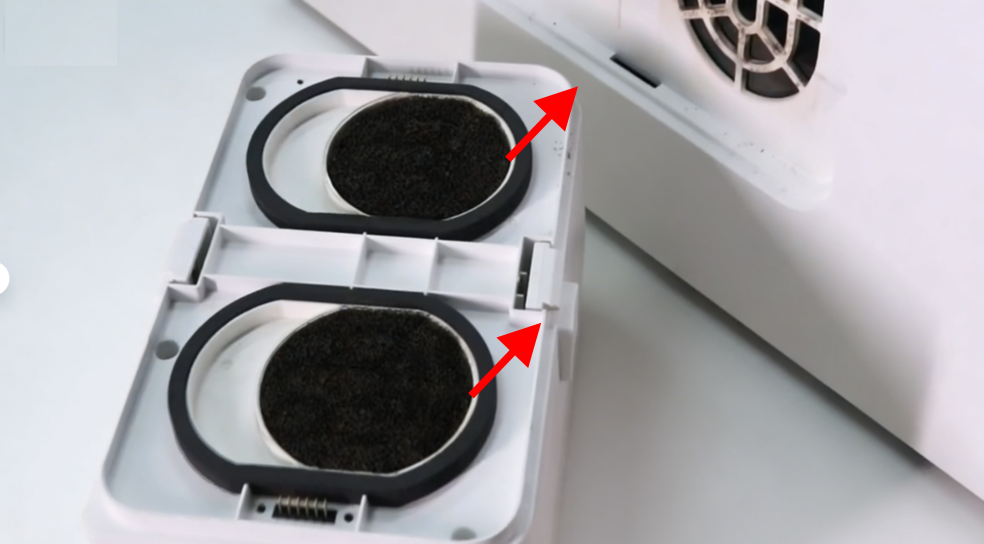
Internal Exhaust Filters: Inspect the two black filter pads at the rear exhaust module. If they are caked with thick resin, the exhaust path will be completely cut off.
¶ 4. Laser Module Nozzle Obstruction
If the main exhaust fan is operating normally, but thick smoke pools heavily around the laser head and fails to dissipate, focus your inspection on the laser module itself.
-
Clogged Nozzle: During heavy cutting, flying soot and debris can easily clog the copper air nozzle at the bottom of the laser module.
-
Consequences: Once the nozzle is clogged, the Air Assist cannot blow the smoke away from the focal point. This causes massive, localized smoke accumulation (which triggers the PM10 alert), severely reduces cutting performance, and may even damage the lens.
-
Corrective Action: Remove the laser module, unscrew the air nozzle, and use a clearing pin or cleaning tool to remove the soot and debris from the nozzle orifice.
¶ 5. Exhaust Hardware Degradation
If you have verified the enclosure seal, cleaned all filters, and unblocked the laser nozzle, yet smoke still accumulates within the machine:
- Impeller Obstruction: The main exhaust fan blades may be coated in heavy carbon buildup, causing the fan to stall and lose rotational power.
- Next Steps: Proceed immediately to our Weak Airflow and Low Suction Troubleshooting Guide for deep maintenance of the exhaust module.