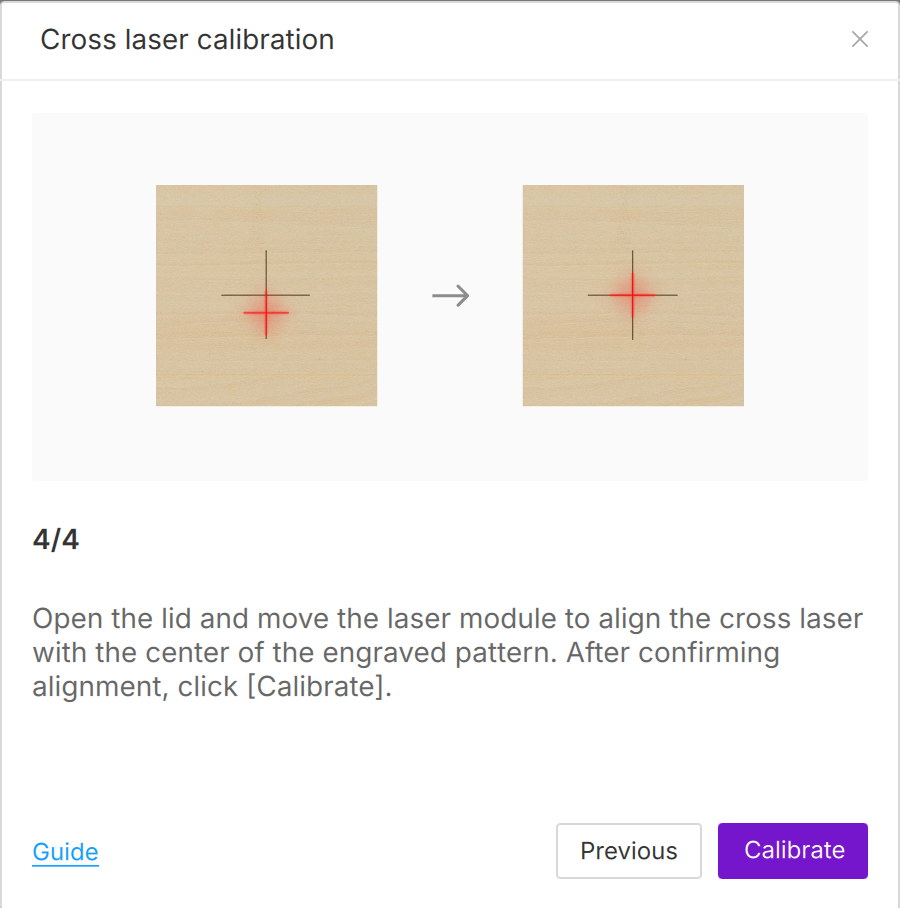
If you find a misalignment between the outline preview (red crosshair) and the actual engraved pattern, it means that the physical center of the laser module is slightly misaligned with the visual indicator cursor. Performing "Red Crosshair Calibration" can realign them, greatly improving the accuracy of the framing before processing.
Note: Please ensure your device firmware is updated to version 1.0.74 or higher, otherwise you may not be able to find this feature in the maintenance menu.
¶ Step1:Initiate cross laser calibration
¶ Step2:Prepare materials and carve reference marks.
Objective: The machine needs to burn a physical center mark onto a piece of scrap material to provide you with a visual reference point for alignment.
Before engraving, please make sure that the air pump and exhaust fan are turned on to prevent smoke from accumulating and damaging the lens.
-
Place a flat 3mm wooden board in the work area.
-
Close the cover and click ** Next **。The machine will engrave a reference cross mark.
¶ Step3:Manually align the crosshair cursor
Objective: Physical calibration allows the machine to accurately remember the absolute center position of the laser beam.
Open the cover. Gently move the laser module by hand. |
Continue until the red crosshair perfectly aligns with the crosshair mark that was just carved. |
¶ Step4: Calibration
Click "calibrate" in the AlienCell Space software. The machine will then enter the calibration phase, which will be completed shortly.