¶ 1. Why Do You Need to Focus?
In laser engraving and cutting, focusing isn’t just “setting the right height.”
It directly determines the sharpness and penetration power of your engraving results.
¶ 1.1 What Does a Laser Beam Look Like?
The beam emitted by the laser head is not perfectly parallel.
Instead, it narrows into a cone (an hourglass shape) before expanding again.
There are two key concepts:
- Focal Point: The spot where the beam is thinnest and the energy is most concentrated.
- Focal Length: The fixed distance from the lens to the focal point .
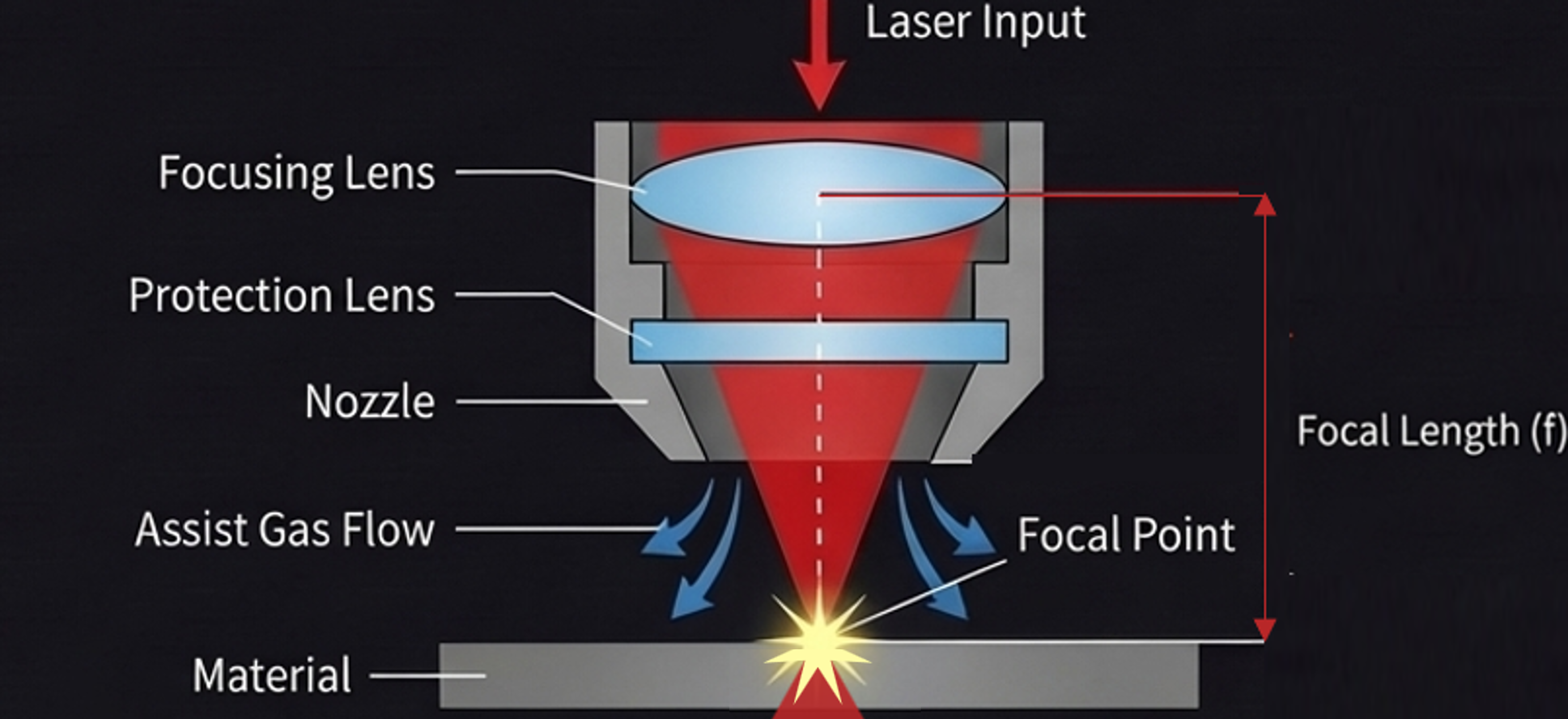
¶ 1.2 Why Is Focusing Necessary?
- The purpose of focusing is to adjust the laser head height so that the focal point falls exactly where you need it—usually the material surface (engraving) or inside the material (cutting).
- Correct focus: Finer lines, cleaner edges, concentrated energy, and crisp results.
- Incorrect focus: Larger spot size, dispersed energy, shallow engraving, scorched edges, or blurry patterns.
¶ 2. Focusing Logic and Workflow on Aliencell X1
Aliencell X1 provides a flexible focusing system designed for both beginners who prefer “one-click processing” and advanced users who need precise control for specific materials or locations.
¶ 2.1 Fully Automatic Smart Focusing (Recommended)
This is the simplest option.
- How it works: No manual focusing required. After setting your processing parameters, simply click Start.
- Logic: The device automatically detects the material surface and adjusts the Z-axis to the optimal position based on the built-in focal distance.
¶ 2.2 Measurement-Based Focusing
When you need to verify the height manually or work with uneven surfaces, you can use the Distance feature in the software.
¶ 2.2.1 Understanding the “Distance” Parameter
In the parameter panel, there is a key parameter called Distance.
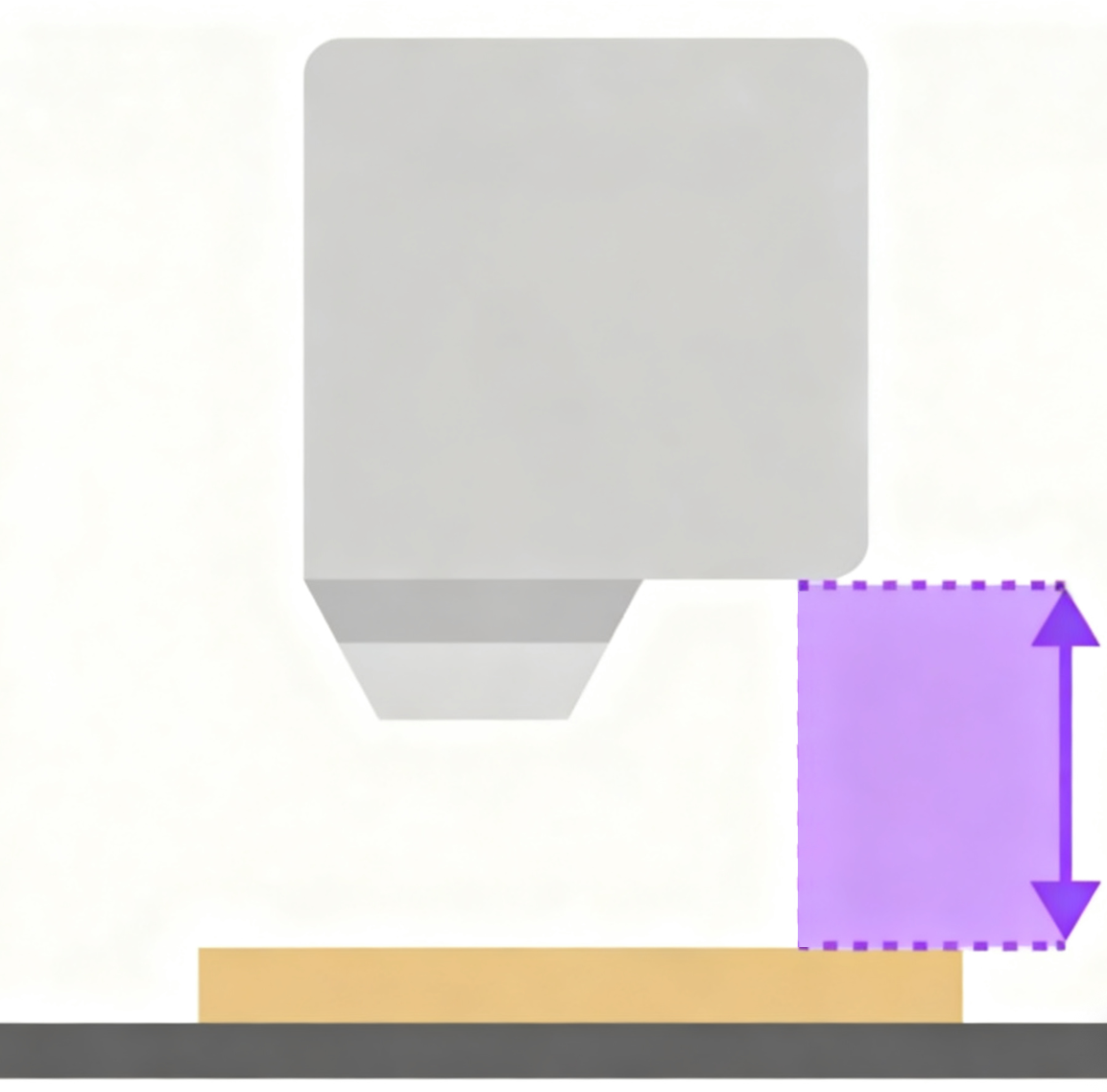
Important: This “Distance” ≠ Focal Length
It represents the physical distance from the bottom of the laser module to the material surface.
After obtaining this value, the software automatically applies the formula:
Tip: Once you manually enter or measure this value, the system will skip automatic focusing and use your supplied measurement during processing.
¶ 2.2.2 How to Get the Distance Value?
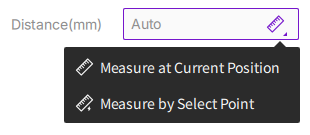
Click the distance input box and choose from the following three methods:
¶ Method 1: Manual Input
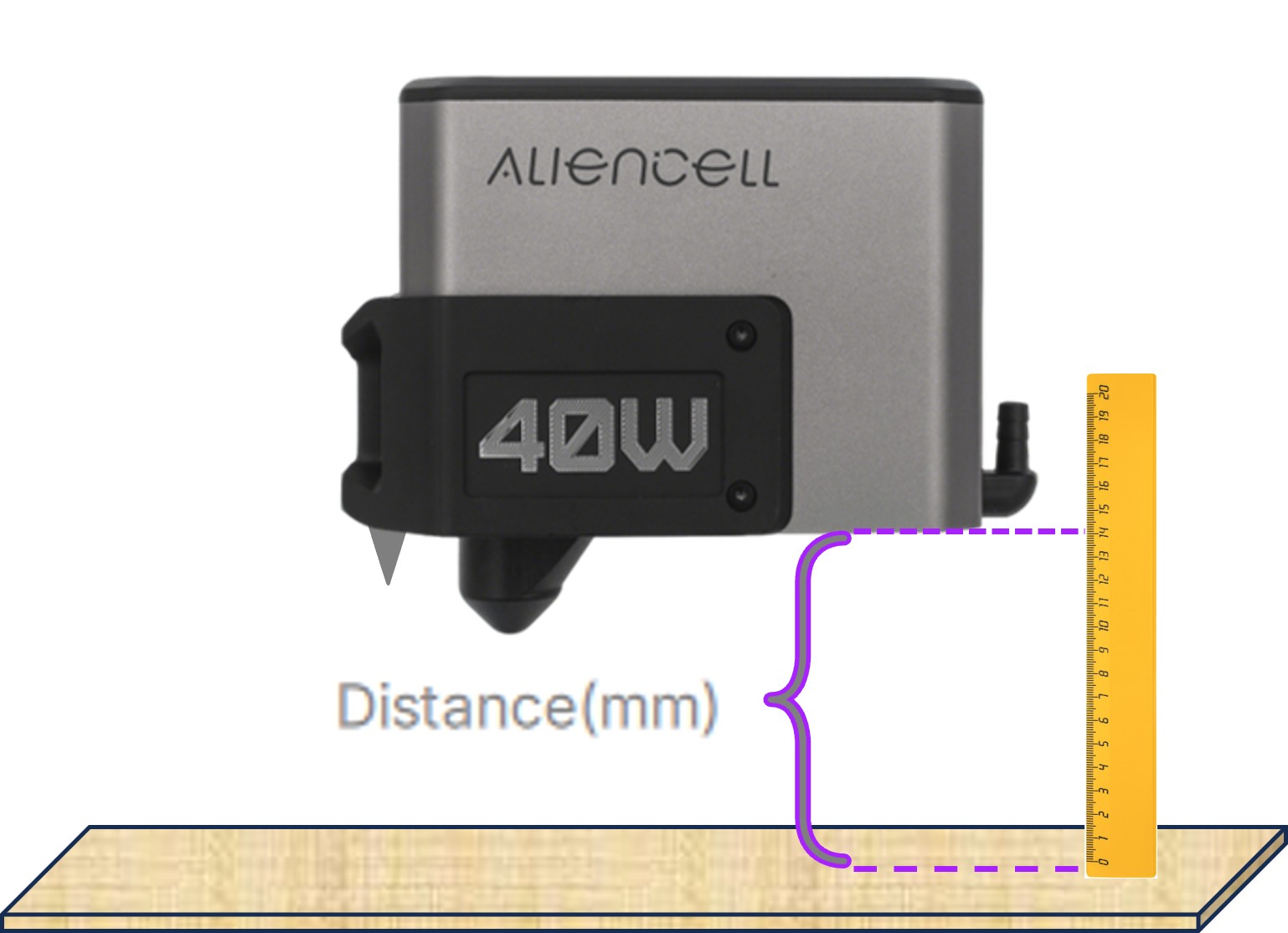
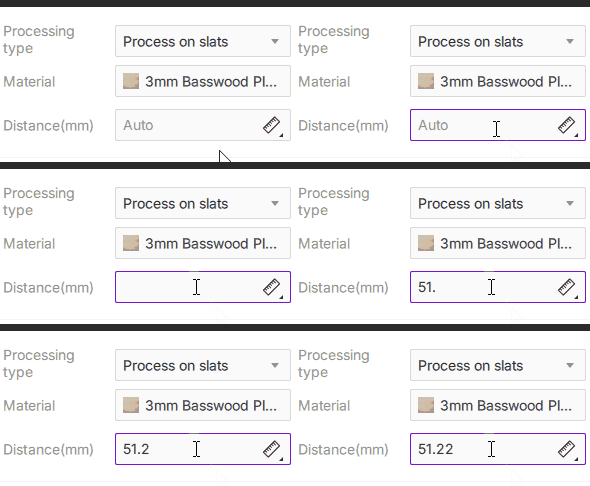
Ideal when you know the material thickness, or when soft materials (e.g., fabric, foam) cause probe compression and inaccurate measurement.
- How to do it: Use a ruler to measure the distance from the bottom of the laser module to the material surface, then enter the value in millimeters.
| Measurement Scenario | Demo |
|---|---|
 |
 |
¶ Method 2: Measure at Current Position
- Steps:
- Move the laser head to the target area.
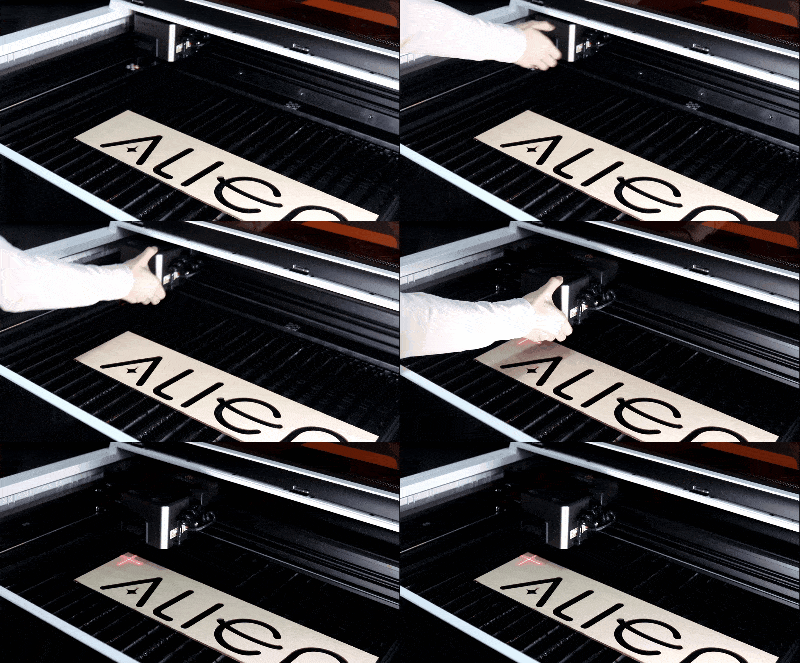
- Click the measurement icon
 and select Measure at Current Position.
 - The laser head will descend vertically to probe the surface, then automatically fill in the value and return to its original height.
- Move the laser head to the target area.
¶ Method 3: Measure by Select Point
Using the Measure by select point mode, you can specify a precise point on the software canvas, and the laser module will move to the corresponding physical location before taking the measurement.
¶ How to Operate
-
Click the measure
icon and select Measure by select point from the drop-down menu. Your mouse cursor will change to a red crosshair when it's over the canvas. -
Move the red crosshair to your desired measurement location and click to confirm. This action can only be performed within the canvas area.
-
After a successful measurement, the value will be automatically filled in, and a success prompt will appear. The laser head will then retract to its reset position.
-
The machine's laser module will automatically move to the point you selected and then lower to perform the measurement. The software will display "Measuring...".
Tips: To cancel while in point selection mode,press the
Esckey, right-click, or click anywhereoutside the canvas.
¶ Summary: Which Focusing Method Should I Use?
- Beginners / Everyday Use → Just hit Start (full auto-focus, easiest).
- Irregular objects / precise spots → Measure by Select Point or Measure at Current Position (accurate and visual).
- Soft or special materials → Manual Input (avoids measurement error caused by probe compression).