This guide outlines the steps to remove the existing laser module and install a new one. Whether you are upgrading your equipment or performing maintenance, please follow the instructions below to ensure a secure and proper installation.
¶ Step1:Power Off
Please ensure the device is turned off before proceeding!
¶ Step2:Remove the old laser module
Disconnect the air tube and the laser control cable. |
Pull down the locking handle, then gently lift the laser module out of the mounting slot. |
¶ Step3:Install the new laser module
Items needed: Laser Module, Distance Sensor
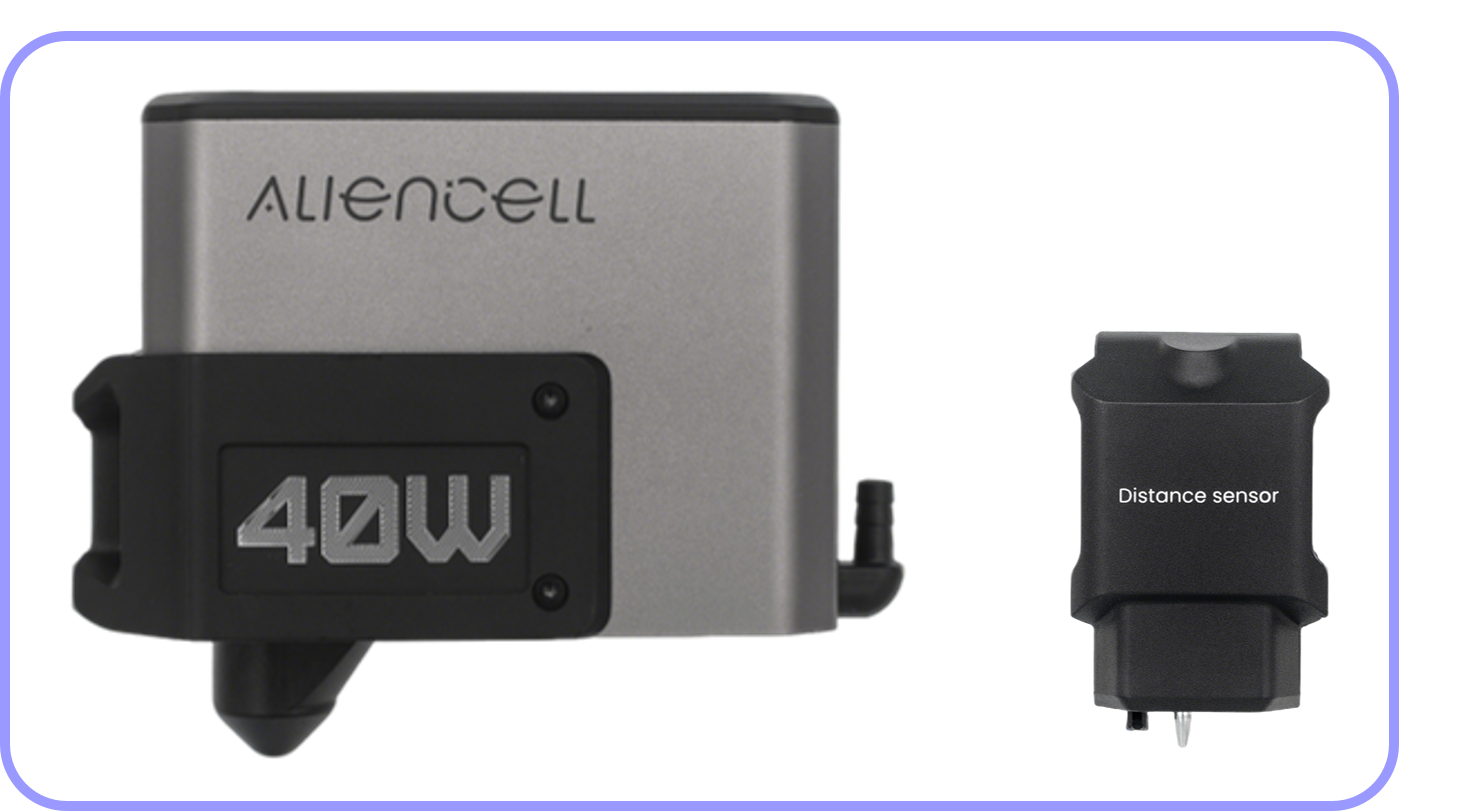
 |
 |
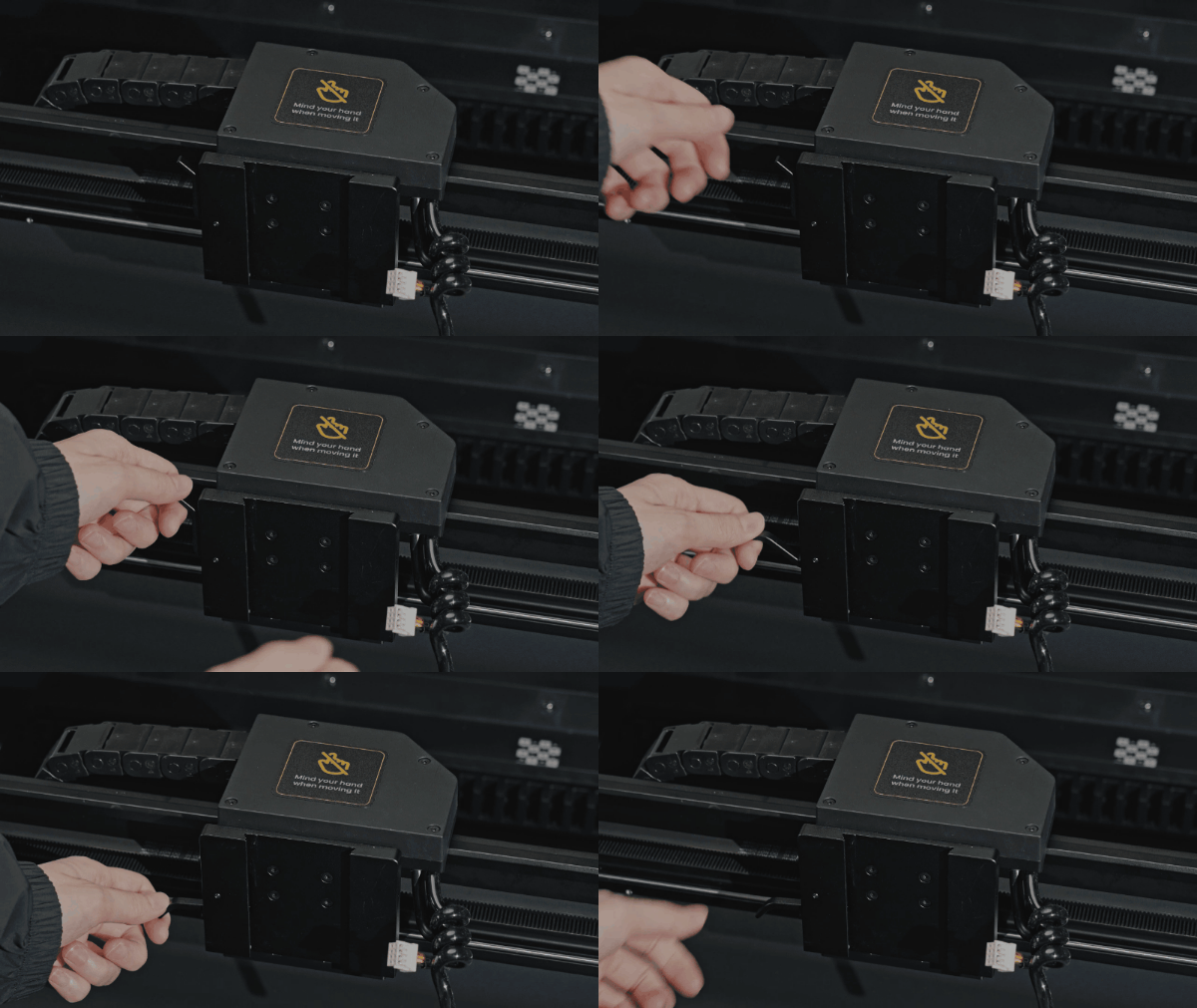
a.Pull down the handle on the X-axis slider |
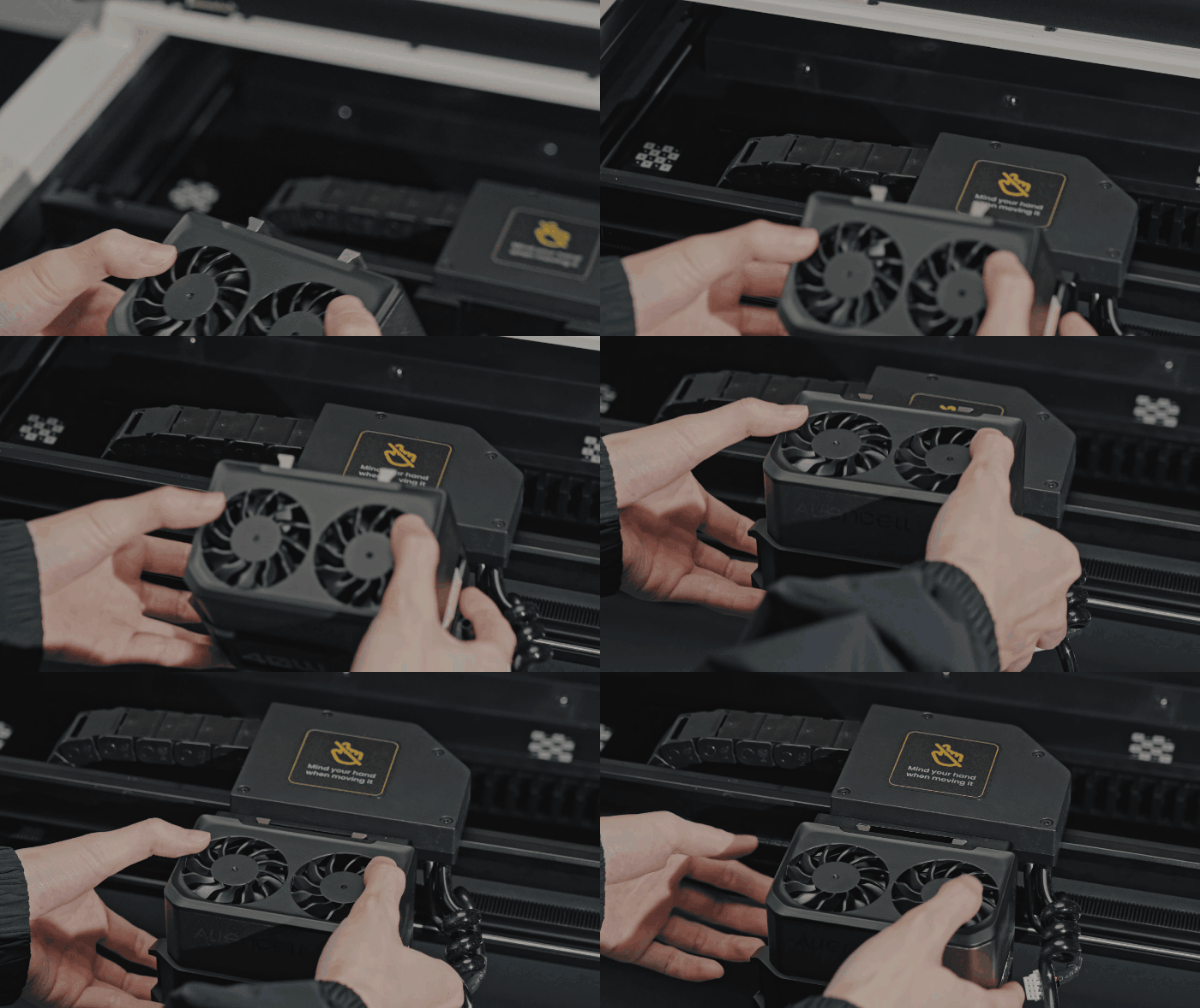
b. Align the groove on the back of the laser module with the slot on the X-axis slider, and gently insert until it sits securely |
 |
 |
c.Push the handle back up to lock the laser module in place |
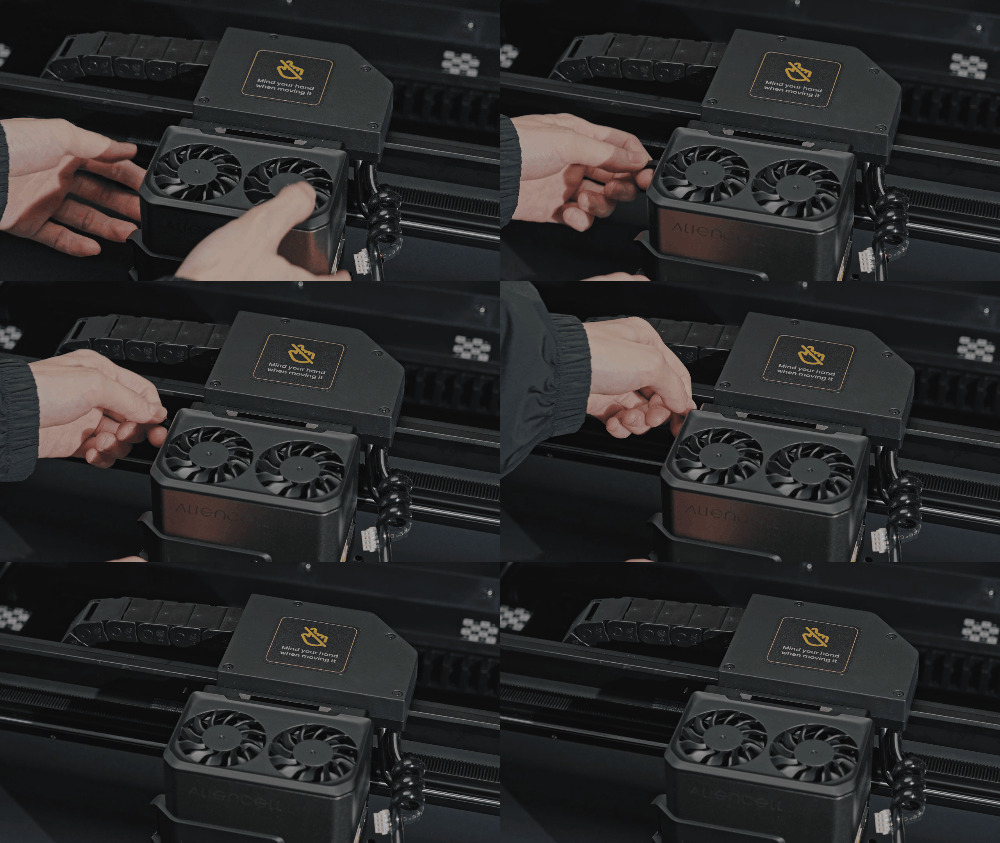
d. Connect the device’s terminal cable to the laser module. When inserting, make sure the raised mark on the connector is facing toward the air tube port |
 |
 |
e.Connect the air tube |
f. Note: The tube should be positioned above the cable |
 |
|
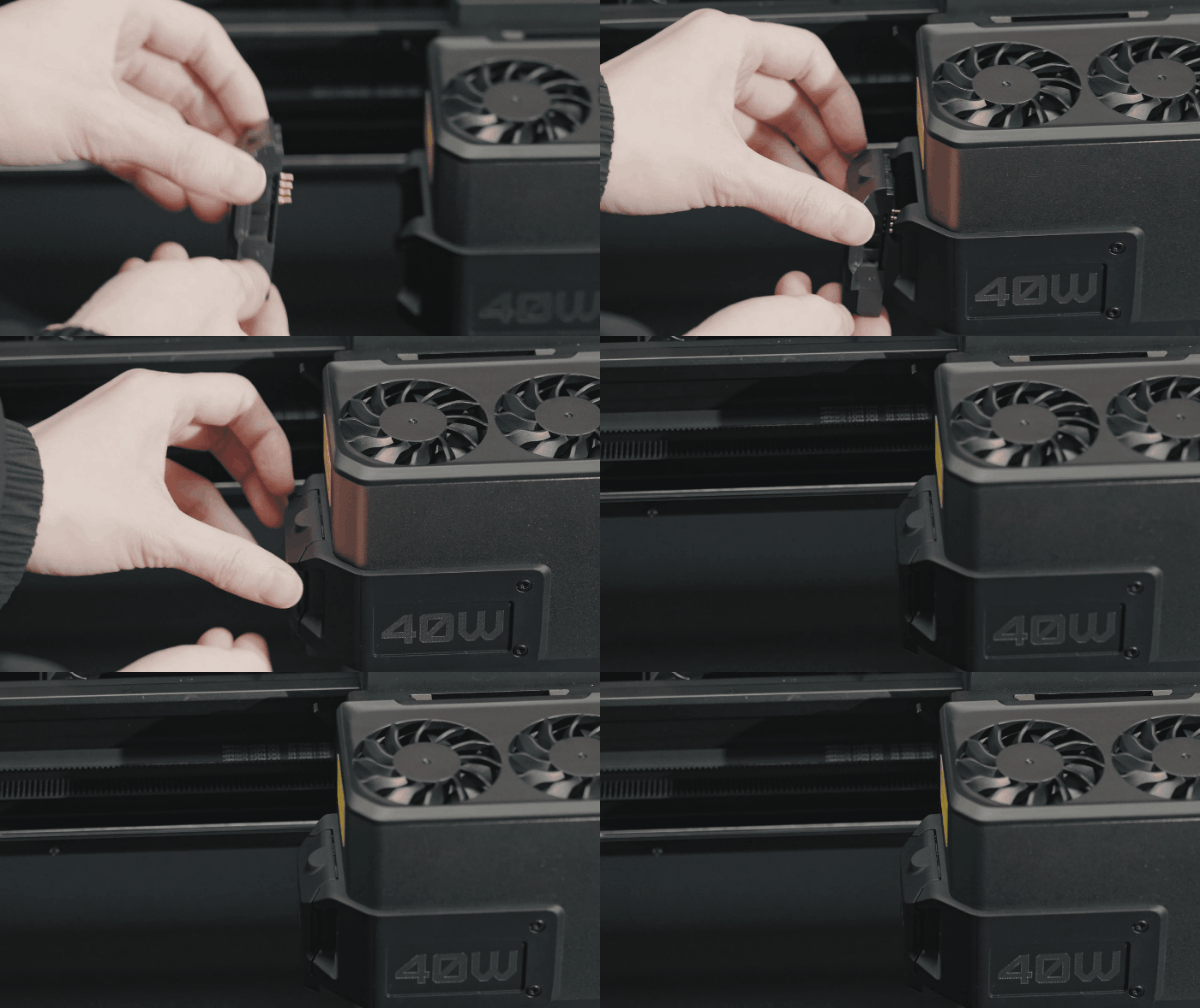
g.Install the distance sensor on the laser module |