¶ 1. Why Device Calibration Matters
When the machine runs at high speed, it naturally generates vibrations. These vibrations can affect engraving edges, line smoothness, or fine details. Calibration allows the system to re-collect motion data and automatically update motion parameters, restoring the machine to its optimal performance.
Device calibration helps the machine re-evaluate its own motion state and optimize motion control, ensuring more stable, cleaner engraving and cutting results.
In short: calibration helps your machine “re-understand itself,” so it can move with stability, accuracy, and minimal vibration.
¶ 2. When Should You Perform Calibration?
We strongly recommend running calibration in the following situations:
- The machine has been moved, transported, or repositioned
- The table surface has changed and you notice increased vibration
- You haven’t calibrated for a long time and output quality has degraded
- High-speed scanning produces “wavy lines” or jittered edges
- Frequent lid opening/closing slightly affects machine rigidity
- Motion feels less smooth than before
Calibration won’t change your settings, safety data, or files. It simply improves motion accuracy and stability.
¶ 3. How to Calibrate Your Device
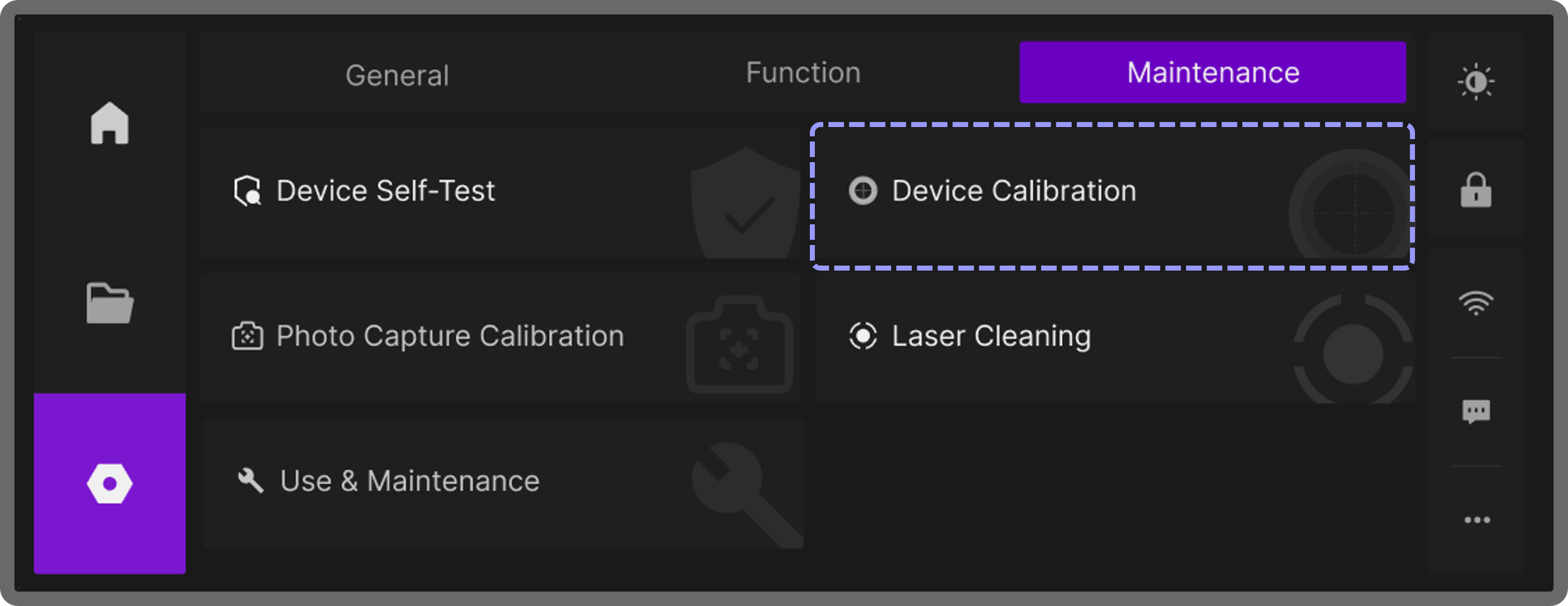
- On the touchscreen, go to Maintenance → Device Calibration, then tap Start Calibration
- The machine will begin to move automatically. Do not touch the device during this process.
Once finished, the screen will display a success message. The entire process typically takes 3–4 minutes.
During calibration, the built-in accelerometers measure vibration as the machine moves and automatically fine-tune motion parameters.
Keep the machine on a stable surface during calibration, and avoid hitting or moving it.