The Internal Storage is used to save both the device’s internal files and temporary files sent from the software. Temporary files are marked with a  icon in the top-left corner, while files stored permanently in the device’s internal storage do not carry this icon. These files are processing files, typically in the
 .al format.
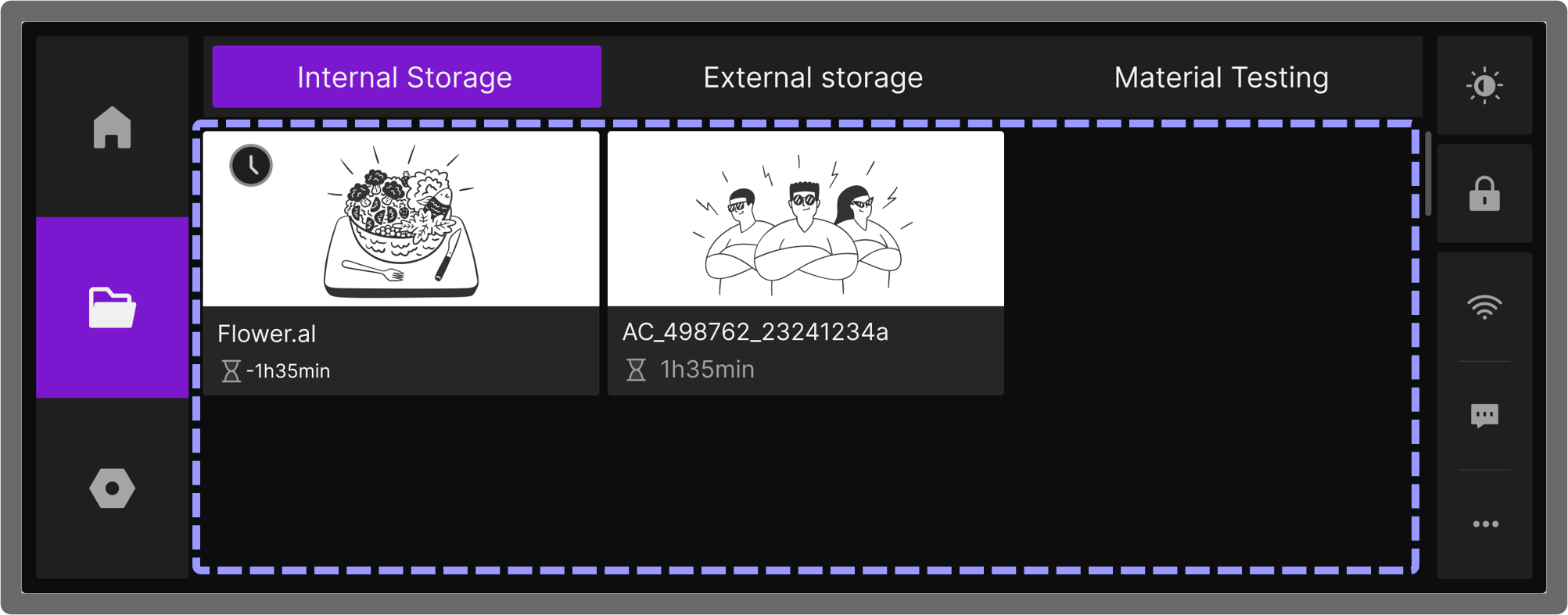
- The internal storage memory capacity is 1GB.
- Each device can store only one temporary file, and any new temporary file sent by the software will overwrite the previous one.
¶ 1. File Management
¶ 1.1 Deleting Internal Files
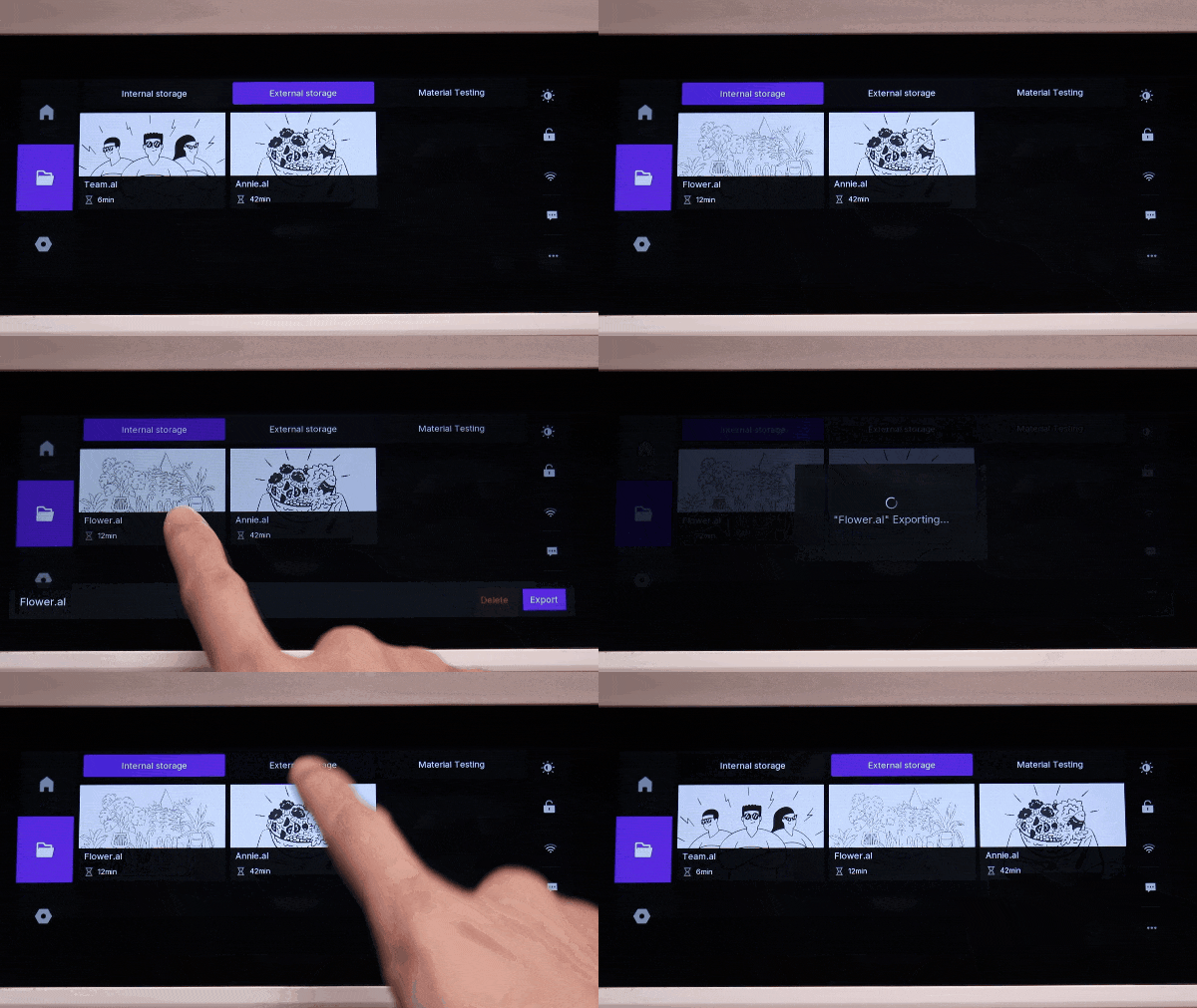
To delete a file, long press on the file, and an options menu will slide up from the bottom of the screen. Tap Delete. In the confirmation dialog, tap Delete again to permanently remove the file from internal storage.

¶ 1.2 Saving Internal Files
To save a temporary file, long-press the file marked with the icon. When the bottom menu appears, tap Save. The file will then be stored in the device’s internal storage, and the temporary icon in the top-right corner will disappear.

¶ 1.3 Exporting Internal Files
To transfer files from internal storage to an external storage device, slide out the bottom menu and tap Export. The file will be copied to a connected external USB drive.
Please ensure the USB drive is correctly connected before proceeding.
¶ 2. Offline Job Processing
After selecting a processing file, the design parameters for the file will appear, including the laser power used to generate the slicing file, file size, material specifications, expected processing time, and the date the slicing file was created.
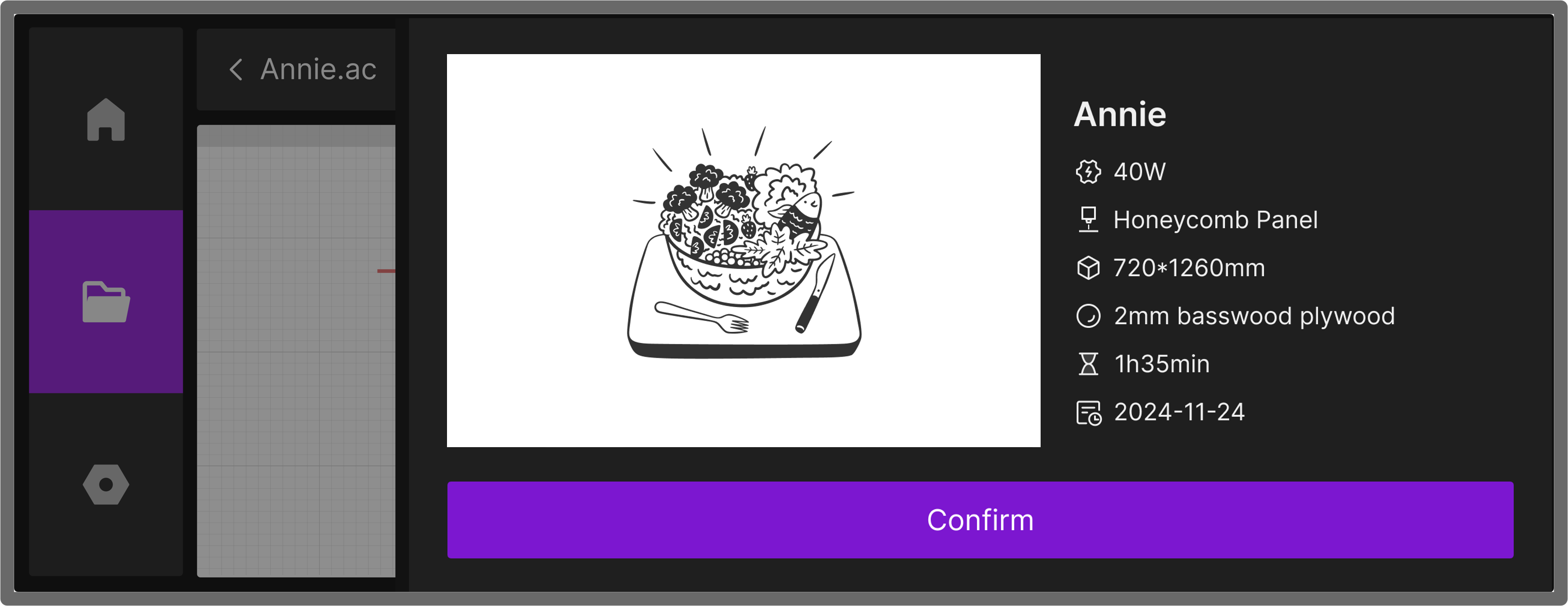
Tap Confirm to proceed to the job settings page.
¶ 2.1 Positioning the Job
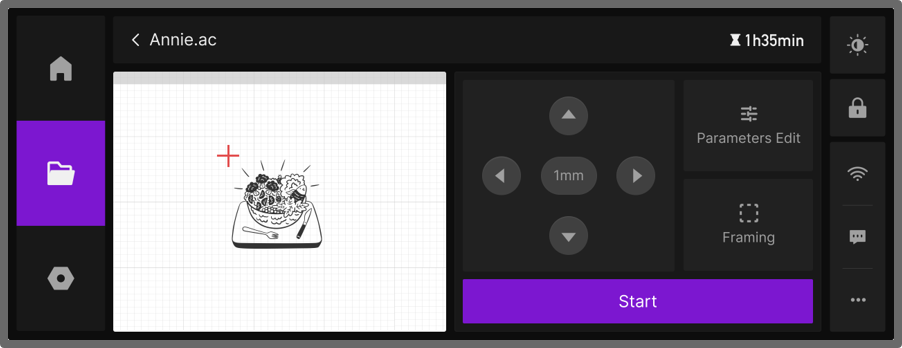
Before starting, you can manually set the starting point of the Laser Module to ensure the design is positioned correctly on the material. The touchscreen provides two ways to adjust the position:
¶ Method 1: Canvas Drag Positioning
- In the left grid area (canvas), tap and drag the design with your finger.
- The red crosshair will move in real-time, and the Laser Module will follow the movement on the screen.

¶ Method 2: Jog Control Panel
- On the right side of the screen, use the arrow buttons to step the laser head in the desired direction.
- Each tap moves the laser head by the set step size (default: 1mm).
- Tap the middle button to change the step size to 1mm, 5mm, or 10mm.

¶ Method 3: Manually Position the Laser Module
-
Move the laser module to the exact spot on the material where you want to process. The crosshair and preview on the touchscreen will follow the module’s movement.
-
Tap Frame to preview and confirm the processing area.
-
Tap Start to begin. The laser will process directly within the selected region.

¶ 2.2 Parameter Settings
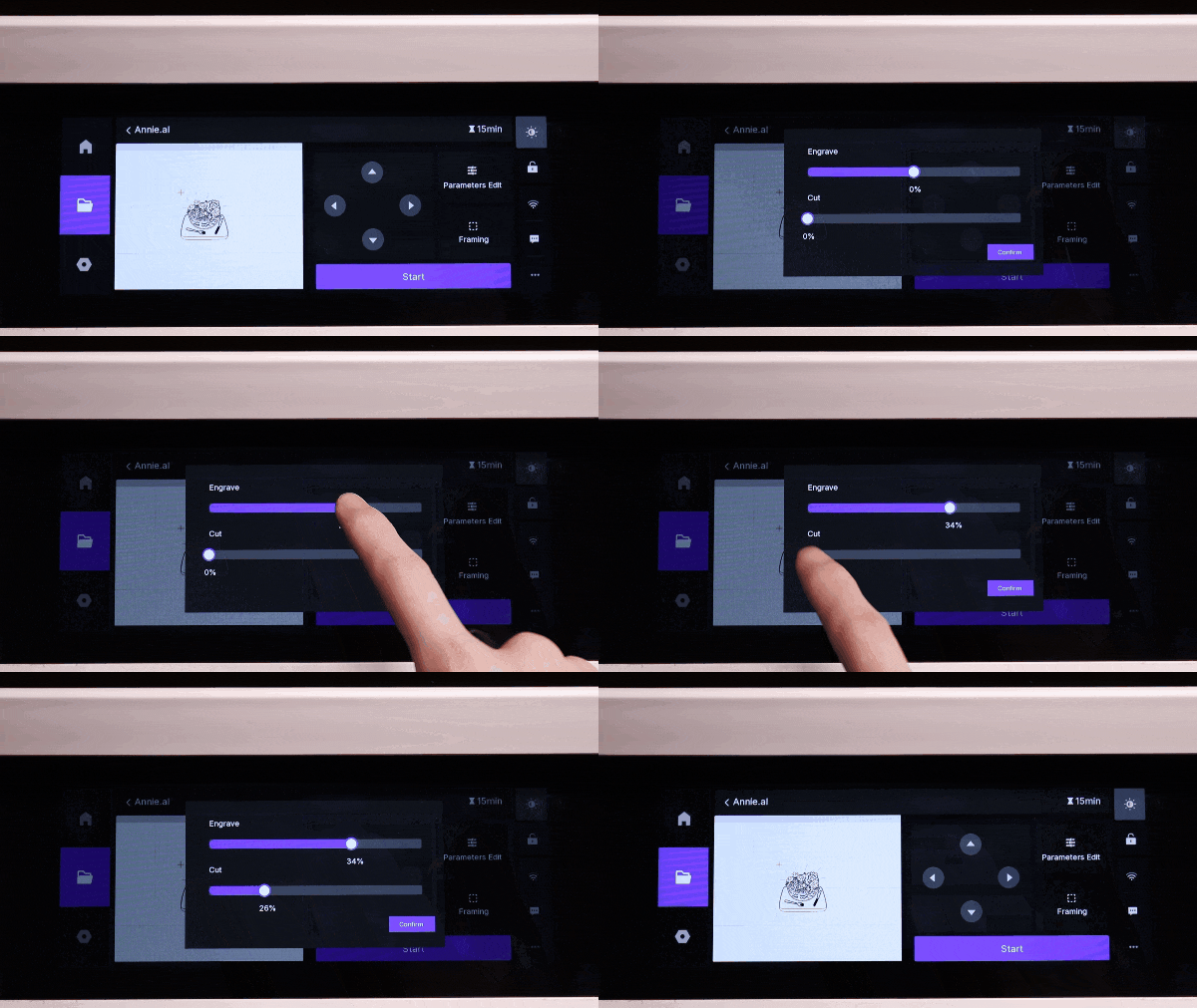
Tap Parameters Edit to set the processing parameters for the file. These parameters control the engraving and cutting power on the device.
¶ Engraving Parameters
- The engraving parameter adjustment bar is located in the middle of the operation screen. The default starting point is 0%, corresponding to the original power and speed settings from the imported file (e.g., 20% power, 200mm/s speed). This is the "Processing Gain" adjustment, which dynamically adjusts the laser output during processing.
- Adjusting to the right (positive gain): If the engraving effect is too shallow, slide the bar to the right. The system will intelligently increase the power or decrease the speed to achieve a deeper engraving effect. For example: sliding to +50% could increase the power to 30W (speed unchanged); if the original power is already at the 40W limit, the system will automatically reduce the speed to 100mm/s, ensuring a 50% increase in overall processing intensity.
- Adjusting to the left (negative gain): If the engraving is too deep, slide the bar to the left. The system will reduce the power or increase the speed to create a shallower engraving with better finesse.
Note: The maximum power is limited to 40W, and the speed range is 0–600mm/s. The gain adjustment will automatically optimize within the device's limit parameters.
¶ Cutting Parameters
The cutting parameter adjustment bar starts at 0% and only supports adjustment to the right (positive gain). This feature enhances the cutting ability, ensuring complete material penetration.
- Adjusting to the right (positive gain): If the current cut doesn't fully penetrate the material, slide the bar to the right to increase output strength (increase power or reduce speed). The system will calculate the gain based on the original cutting parameters to ensure successful cutting.
¶ 2.3 Framing
Tap Framing on the screen. The Laser Module will move along the edges of the processing file in the work area, helping the user verify that the design fits within the material size.

¶ 2.4 Manual Focusing
During offline processing, if the touchscreen prompts that auto-focusing has failed, such as "Distance sensor not installed, do you want to manually input the focus distance?", you can manually input the measured focal length on the touchscreen.
