¶ 2. Packing List
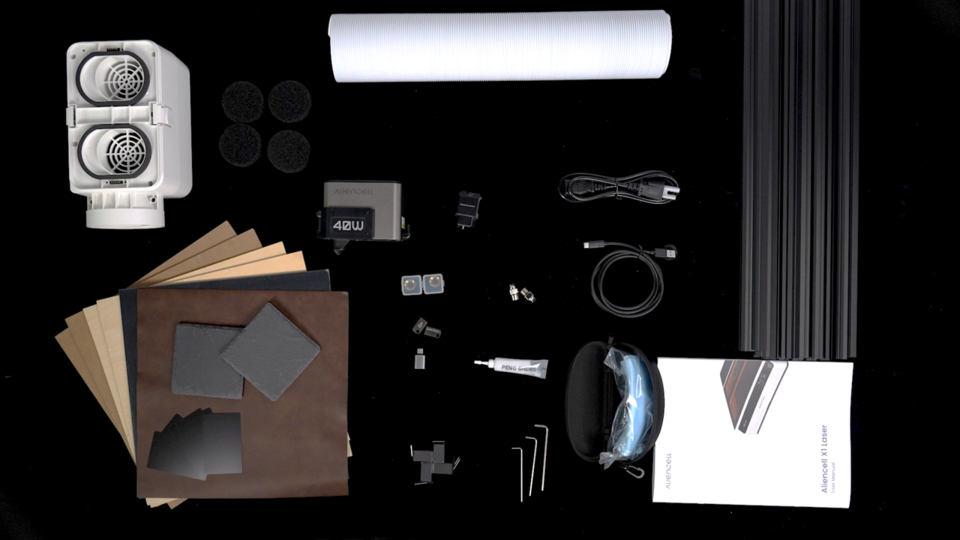
- Below is the standard package list for Aliencell X1.
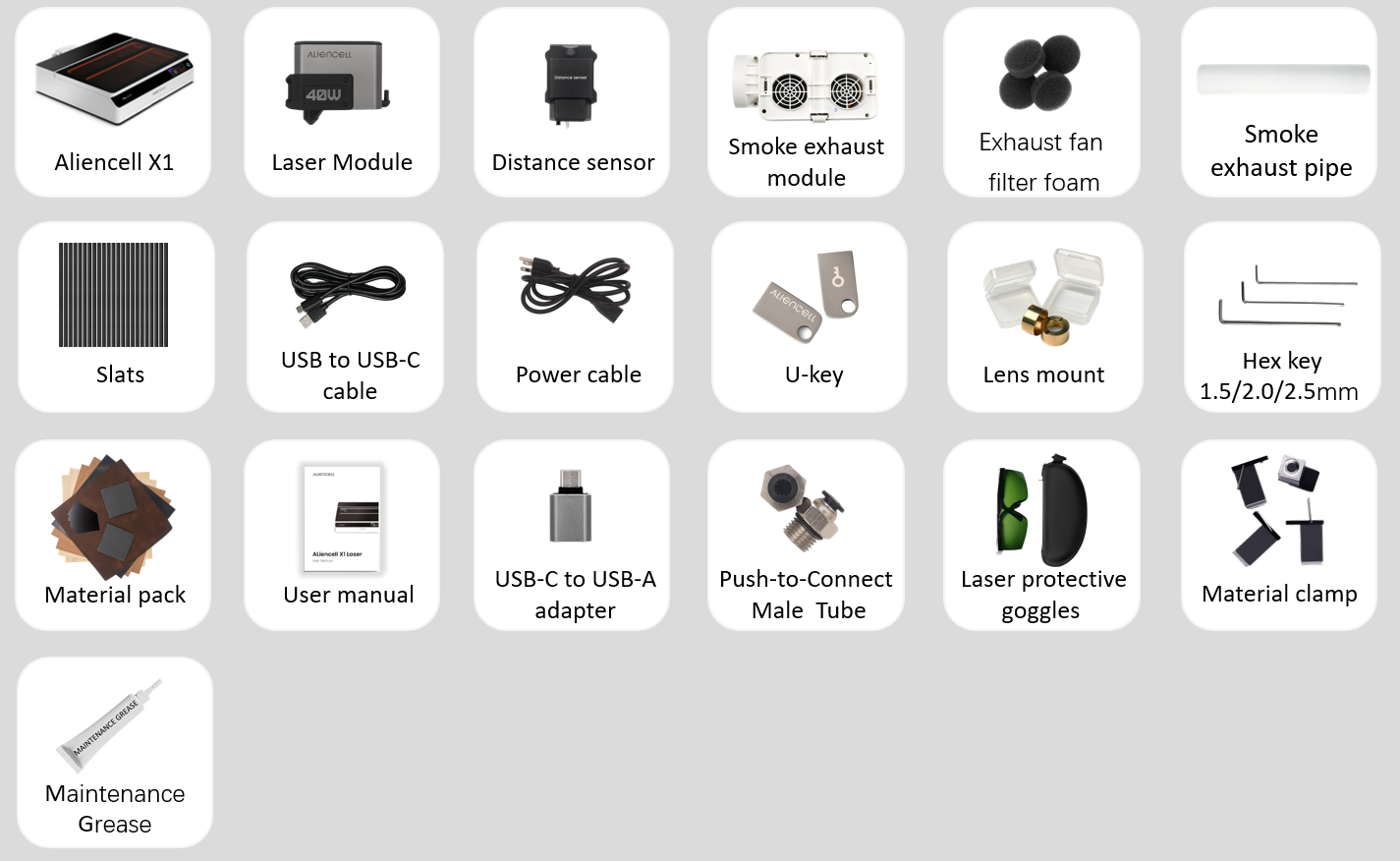
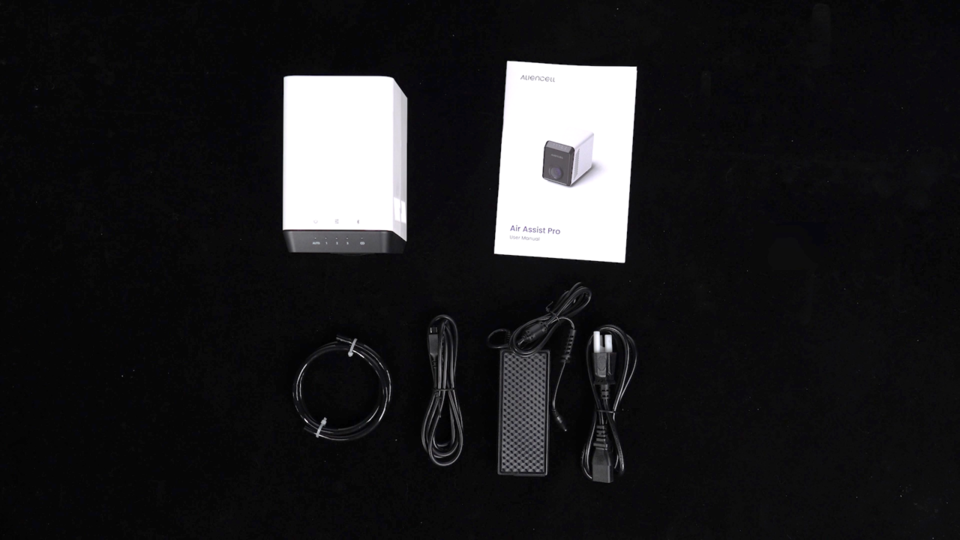
- If you also purchased the Aliencell Air Assist, you’ll find the following additional accessories included in your package.

¶ 3. Unboxing Steps
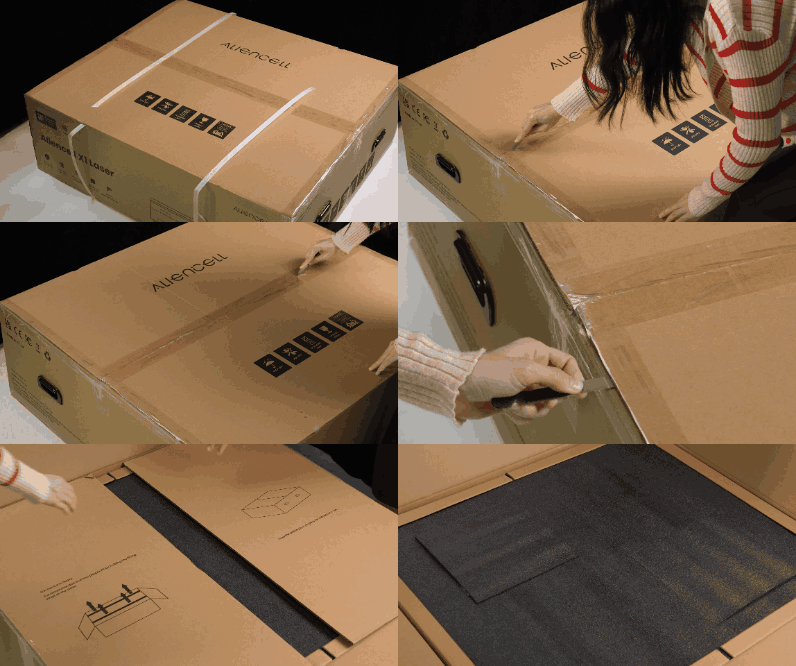
¶ Step 1: Open the Aliencell X1 Package
 |
 |
|---|---|
a. Open the outer carton. |
b. Fold the inner flaps downward along the crease, then press gently to secure the fold. |
¶ Step 2: Take Out the Top Items
- Take out the user manual and the materials pack.
- Lift out the top foam.

¶ Step 3: Lift the Machine
-
Cut the tape around the protective film and pull the film outward toward the four corners to fully expose the machine.
-
Two people should lift the machine together using the straps and place it on a spacious, stable table.
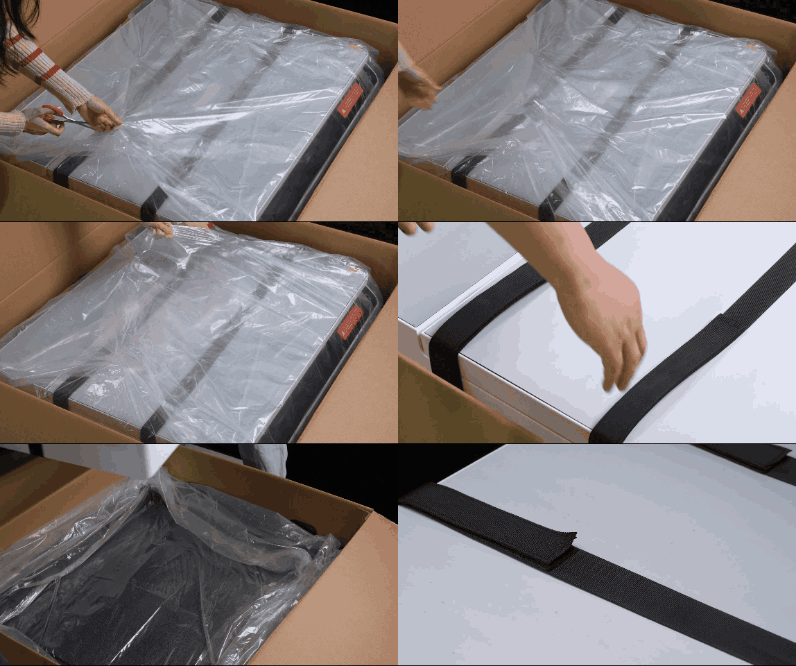
- Undo the Velcro straps and take off both lifting straps.

¶ Step 4: Remove the Protective Film
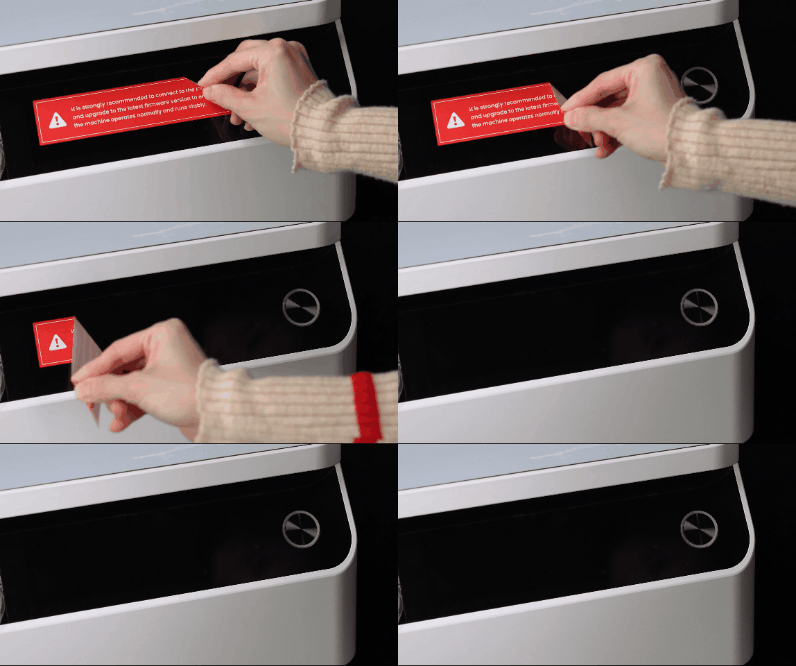
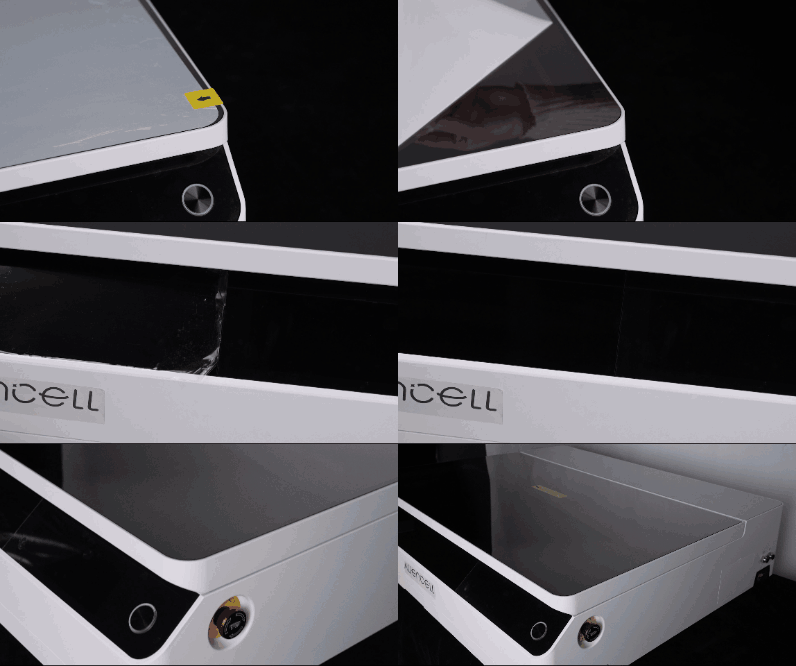
Peel off the enclosure film and screen warning sticker only if needed.
Once removed, the machine cannot be returned.
 |
 |
|---|---|
a. Peel off the touchscreen protective sticker. |
b. Peel off the enclosure film if needed. |
¶ Step 5: Take Out the Accessories
- Open the lid and lift out the top foam to reveal the first layer of accessories.
If you purchased the Aliencell Air Pump, you will see the pump and pump accessories after lifting out the first foam layer.

- Take out the slats and the foam layer beneath them.

- Take out all accessories stored inside the middle foam layer, then lift out the entire foam piece.
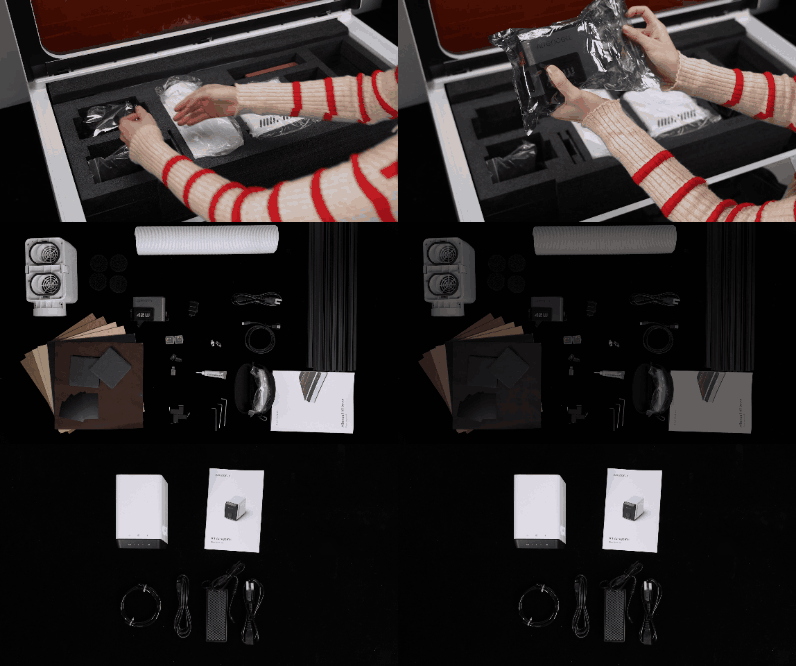
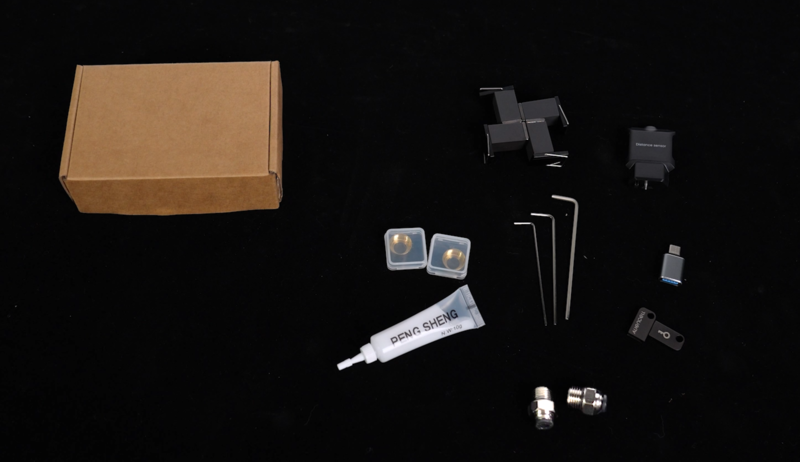
Make sure to take out all small accessories stored inside the accessory box.
- Lift out the foam holding the exhaust duct and the safety goggles.

- Check all items against the packing list.
 |
 |
|---|---|
a. Standard device materials |
b. Air Assist materials |
¶ Step 6: Remove the Transport Screws
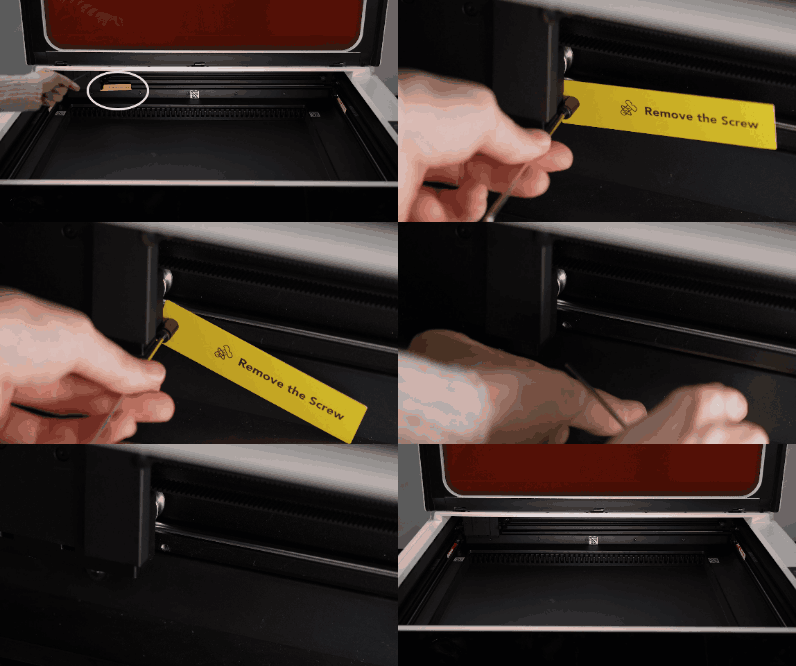
There are 5 transport screws and 2 silicone blocks that must be removed.
You can locate them by the yellow "Remove the Screw" labels.
- Locate the 2.0 mm hex wrench.
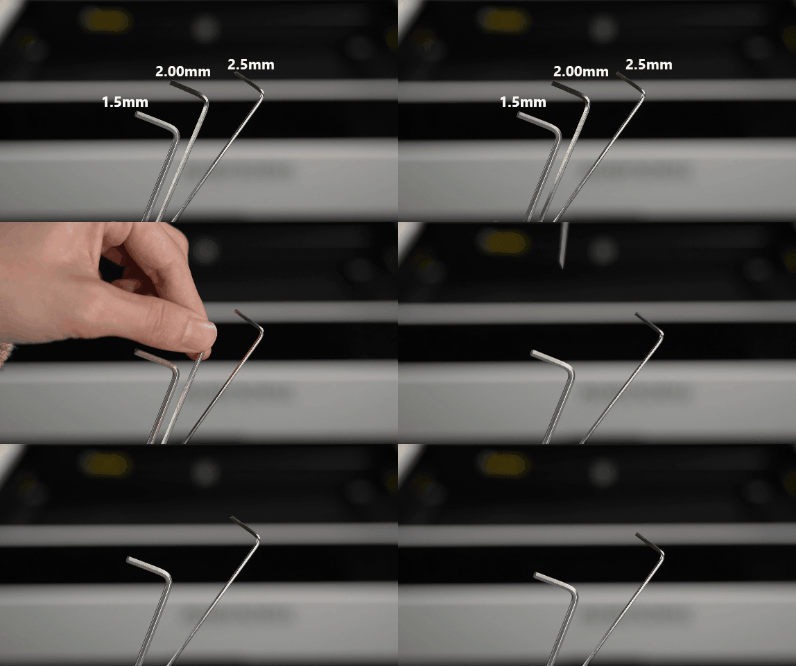
- Remove the screw securing the X-axis slider.
- Remove the screws and silicone blocks on both sides of the Y-axis.
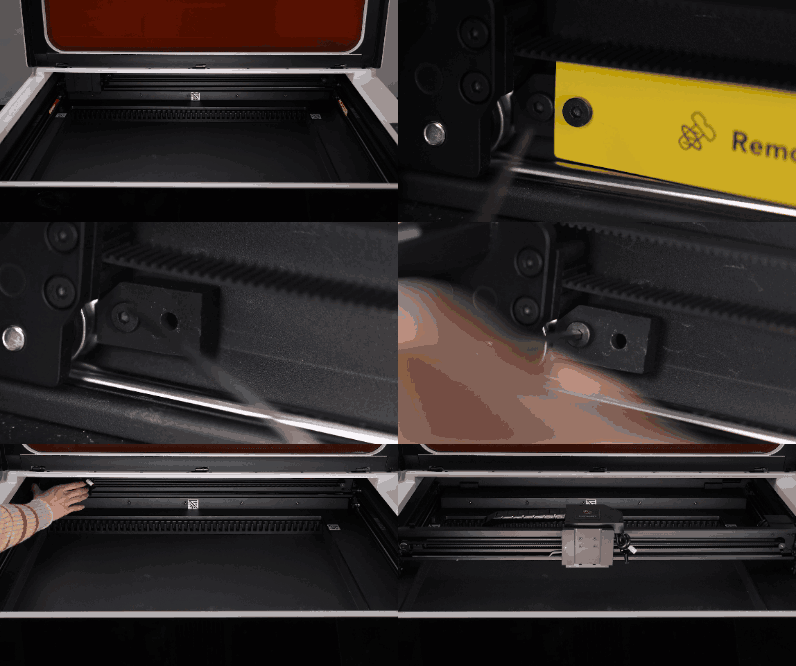
¶ Step 7: Lubricate the Rails
Apply grease to the X-axis and Y-axis linear rails of your new machine.
This reduces friction and wear, ensures smoother and more stable motion, extends rail life, and improves overall processing performance.
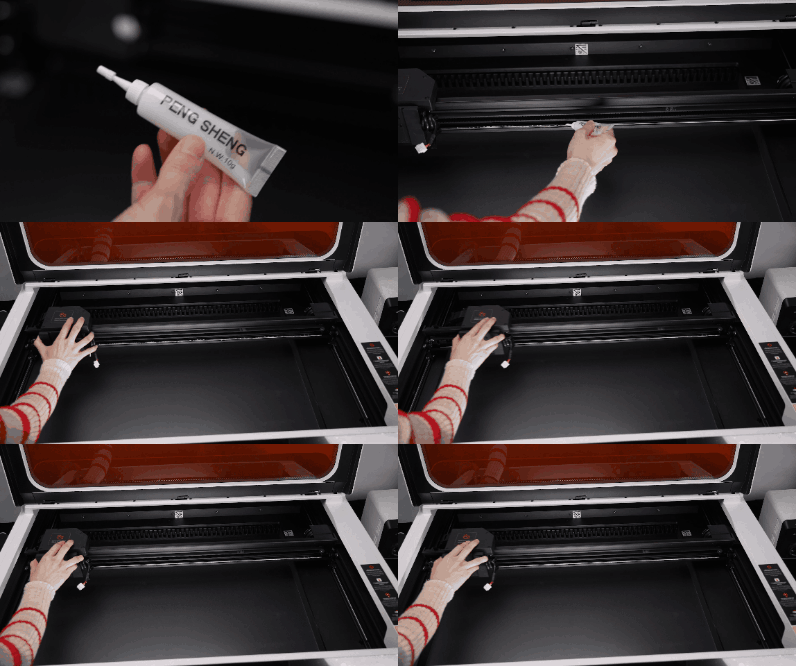 |
 |
|---|---|
a. Apply grease to the X-axis rail, then move the slider left and right to distribute it evenly. |
b. Apply grease to both Y-axis rails, then move the slider forward and backward to spread the grease evenly. |