¶ Supported Project File Formats
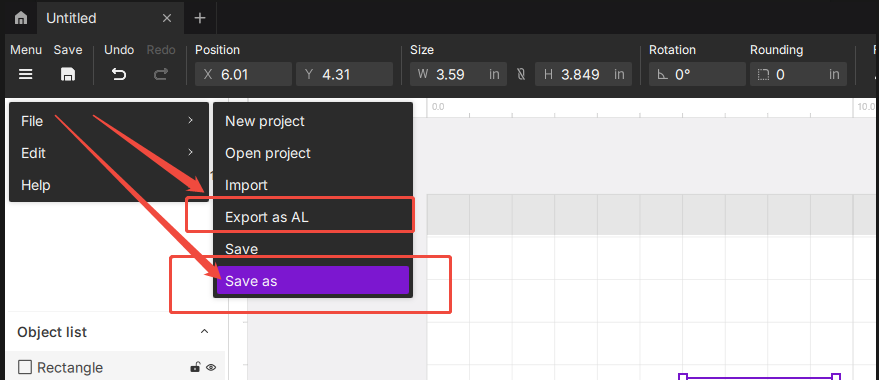
Currently, Aliencell Space supports exporting and saving projects in two formats:
-
ALP file — Go to Menu > File > Save As.
This saves the complete project file, which can be reopened and edited in Aliencell Space later. -
AL file — Go to Menu > File > Export.
The AL file is mainly designed for offline processing. You can export the AL file to a USB drive, connect the USB drive to the machine, and then operate the file directly through the machine's touchscreen.
For more details, please refer to Start a Job via USB Drive.Note: An AL file is not intended to be opened directly in Aliencell Space like an ALP project file.