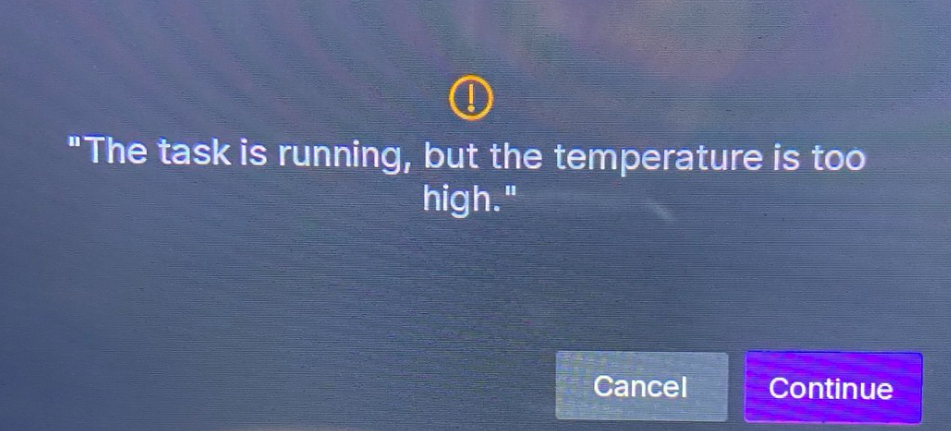
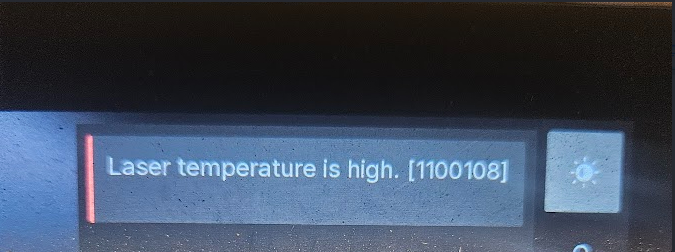
During processing, if you see either of the following prompts, your laser module temperature has exceeded the safe threshold:
 |
 |
|---|---|
| Popup warning "The task is running, but the temperature is too high." |
Error code "Laser temperature is high. [1100108]" |
This is a safety protection feature, not a machine malfunction. The default maximum safe temperature for the laser module is 35°C. When the temperature sensor detects the temperature exceeding the threshold, it triggers a high temperature alarm to protect the laser module and motherboard.
¶ 1. Common Causes
¶ 1.1 High Dust Material Processing
This is the most common cause of high temperature alarms. Processing the following materials generates large amounts of dust that can easily be sucked into the cooling fan and accumulate in the heatsink gaps, forming a physical barrier that blocks airflow:
| Processing Scenario | Description |
|---|---|
| Cutting operations | Cutting wood, acrylic, MDF boards generates large amounts of debris and dust |
| High power engraving | Particulate matter from material vaporization when using high power parameters for deep engraving |
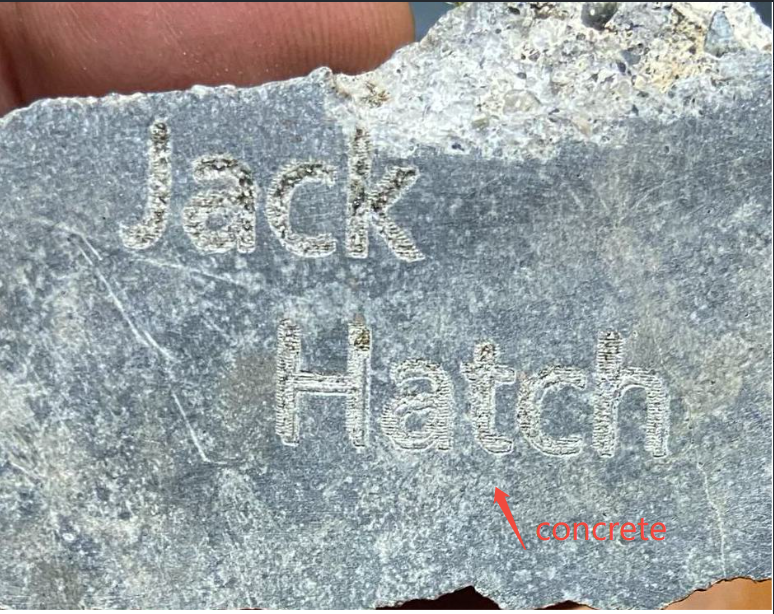
| Stone/concrete engraving | Extremely high dust volume when engraving hard, layered materials like stone, tile, concrete boards |
¶ 1.2 Extended Continuous Processing
- High power, low speed, long duration continuous processing generates more heat
- When combined with high dust materials, the heatsink can become blocked quickly
- Cooling efficiency drops sharply, temperature rapidly rises to alarm threshold
¶ 1.3 Environmental Factors
- High room temperature (processing in summer or enclosed spaces)
- Poor ventilation, insufficient air circulation around the device
- Multiple devices operating simultaneously causing accumulated environmental heat
¶ 2. Immediate Solutions
WARNING: If alarms occur repeatedly, stop processing immediately! Continuing to force operation may cause permanent damage to the laser module.**
¶ Step 1: Stop Processing Immediately
- Click the Cancel button to terminate the current task
- Keep the device powered on to allow the cooling fan to continue running for natural cooling
- Wait until temperature drops to safe range (approximately 5-10 minutes)
¶ Step 2: Check Cooling Fan Status
- Observe if the laser module cooling fan is operating normally
- Check for visible dust accumulation in the heatsink gaps
- If significant dust is visible, cleaning must be performed immediately
¶ Step 3: Clean the Laser Module Cooling Fan
Please follow the official cleaning tutorial for deep cleaning:
➡️ Laser Module Cooling Fan Cleaning Tutorial
Cleaning includes:
- Removing the laser module housing
- Detaching the cooling fan
- Thoroughly removing dust from heatsink gaps using a cleaning brush
- Cleaning carbon buildup and sticky residues from fan blades
- Reassembling and ensuring proper installation
¶ 3. Preventive Measures and Recommendations
¶ 3.1 Split Processing
- Long tasks can be completed in several sessions, allowing the machine to rest and cool down after each processing
- Tasks with total processing time over 1 hour are recommended to be split into 2-3 sessions
- For high dust materials like stone/concrete, pause for rest every 30 minutes of processing
¶ 3.2 Timely Cleaning and Maintenance
Important Tip: After processing high dust materials, the cooling system must be cleaned immediately - do not wait for an alarm to occur.
-
Recommended cleaning frequency:
- Wood processing: Clean after every 10 hours of processing
- Stone/concrete processing: Clean immediately after each session
- Regular use: At least one comprehensive cleaning per month
-
Keeping the laser module cooling fan clean is the key maintenance point for preventing high temperature alarms
¶ 3.3 Adjust Processing Parameters
- For high dust materials, appropriately reduce power or increase speed to reduce heat accumulation
- In high temperature summer environments, appropriately reduce processing power by 10-20%
¶ 3.4 Ensure Environmental Ventilation
- Processing environment must have good air circulation
- Use exhaust devices or air assist systems when necessary
- Use air conditioning to reduce environmental temperature during summer high temperatures
¶ 4. Additional Notes
- High temperature alarm is a safety protection feature, not a machine malfunction. Its purpose is to prevent the laser module from overheating damage
- For high dust materials (concrete, tile, stone), special attention should be paid to split processing and cleaning maintenance
- If high temperature alarms still occur frequently after cleaning, please contact after-sales technical support