¶ 1. Distance Sensor (Probe) Replacement & Calibration Guide
¶ 1.1 Preparation
Before starting, ensure you have the following ready:
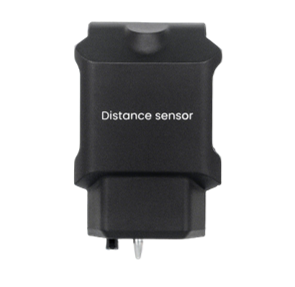
- A new distance sensor.
¶ 1.1.1 Copying the File to a USB Drive
- Prepare a USB drive and copy the following file to its root directory:
- Calibration script file:Auto_enter_customer_calibration_modev1.0.flag
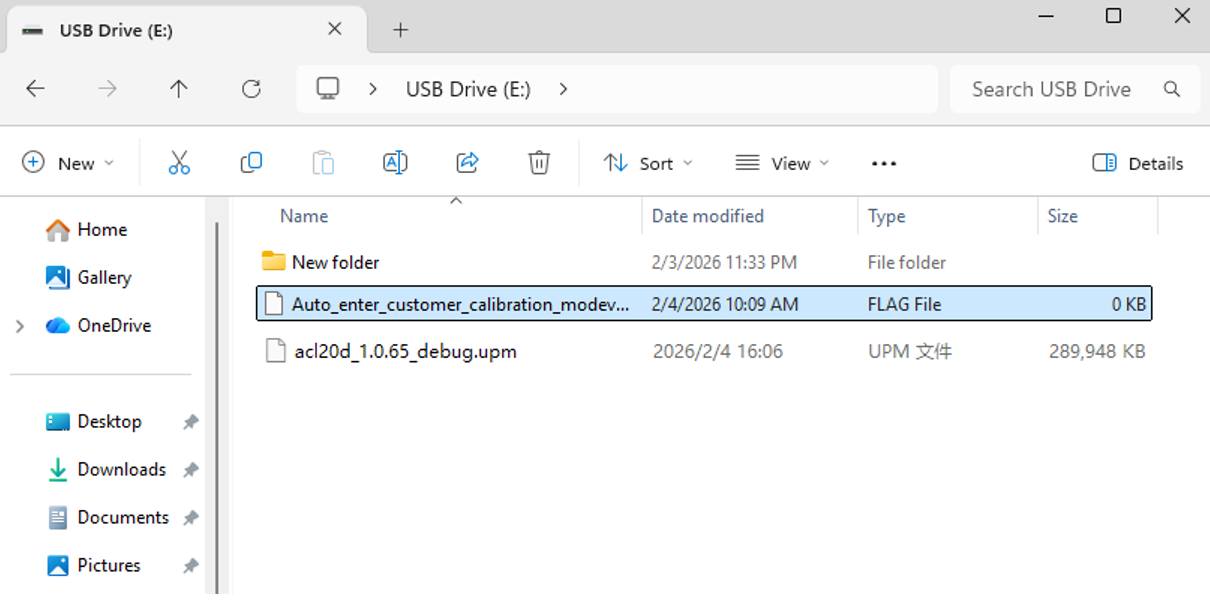
- Calibration script file:Auto_enter_customer_calibration_modev1.0.flag
¶ 1.1.2 Firmware Update
-
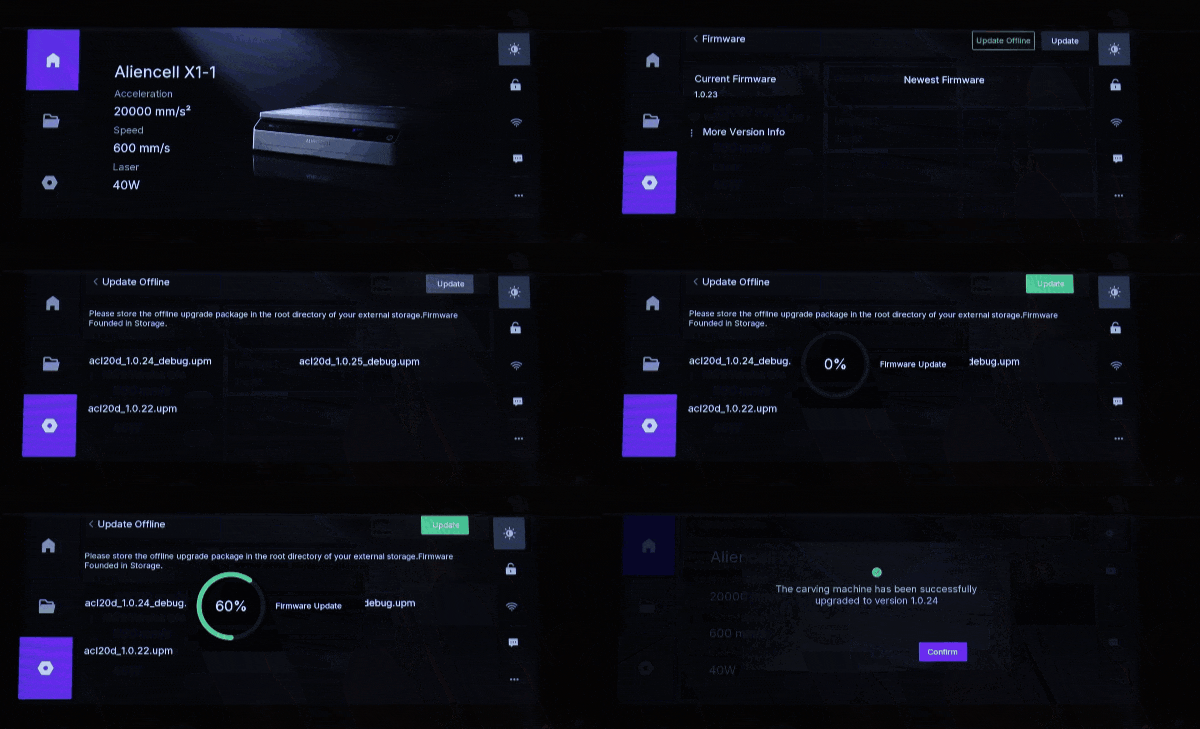
Update the machine's firmware to version 1.0.65 or later.
-
How to update: Please refer to the Local Firmware Update (Offline Update) section in our Wiki.
¶ Step 1: Manual Probe Release & Installation
Before calibration, the probe pin must be in the extended position.
- Locate the spring latch on the side of the Distance Sensor.
- Gently press the latch; the probe pin will pop out (extend).
- Install the new Distance Sensor onto the laser module.
¶ Step 2: Position the Laser Module
-
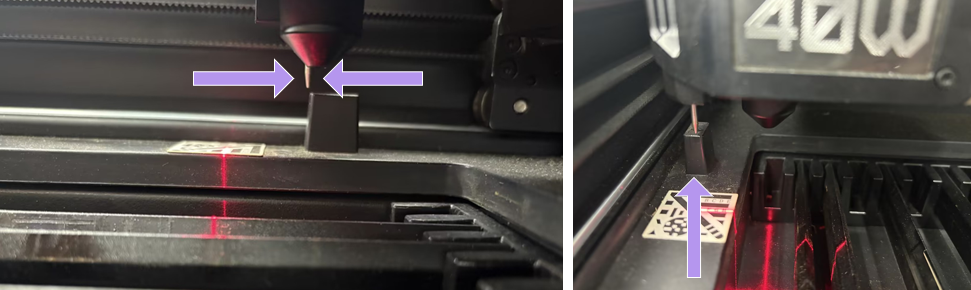
Manually move the laser module (X-axis) toward the retraction station (top-left corner).
-
Crucial Alignment: Do not push the module all the way against the frame. Position the probe pin approximately 1mm in front of the retraction station fixed block.
-
Probe Positioning Jig: To make probe positioning easier, you can click here to download the jig file and 3D print it before starting the calibration.
The jig is compatible with 20W, 40W, and 60W laser modules. Once 3D printed, it can be used directly to help position the probe correctly. Please follow the tutorial below for instructions:
¶ Step 3: Enter Calibration Mode
-
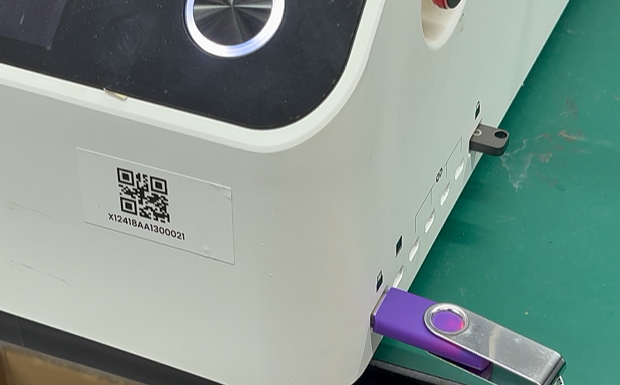
Insert the USB drive into the machine’s USB port.
-
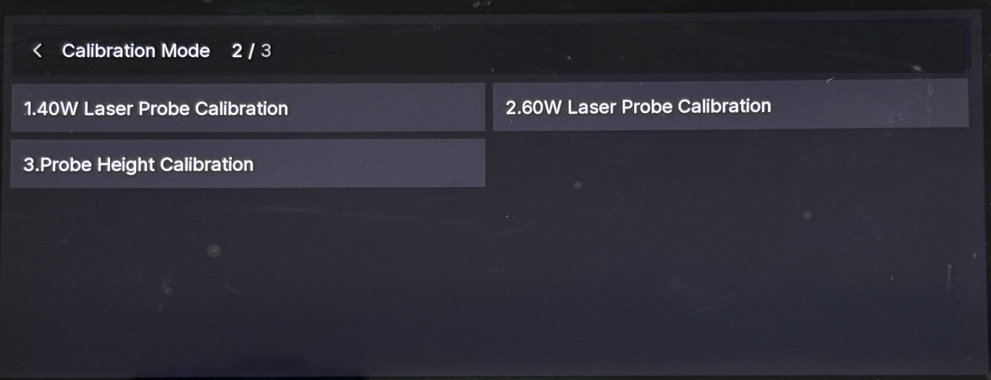
The touchscreen will automatically detect the file and jump to the Calibration Mode interface.
¶ Step 4: Execute Laser Probe Calibration
- Select the button matching your current laser module power (e.g., tap “1. 40W Laser Probe Calibration”).
- Process: The machine will move automatically. The probe will retract (by touching the retraction station) and then extend again to record position data.
- Result: Once completed, the screen will show a success indicator and return to the main calibration menu.
¶ Step 5: Execute Probe Height Calibration
- Select the option “3. Probe Height Calibration”.
- Process: The laser module will move forward to a flat area. The probe will extend to touch the surface, measure the height, and retract. This action will repeat 3 times.
- Result: Wait for the entire sequence to finish. The laser module will return to the origin, and the screen will return to the main menu.
¶ Step 6: Exit and Restart
- Tap the “Back” (<) button in the top-left corner to exit the calibration interface.
- Important: Power off the machine and restart it. This ensures all new calibration data is saved and applied correctly.
¶ 2. Probe Unable to Extend
Scenario: The probe does not extend automatically during operation or auto-focus.
¶ Phase 1: Check X-Axis Alignment (Primary Solution)
Before attempting software calibration, you must ensure the X-axis gantry is mechanically aligned. If the gantry is skewed, the probe cannot properly engage the trigger block at the retraction station.
Steps1: Check for Misalignment
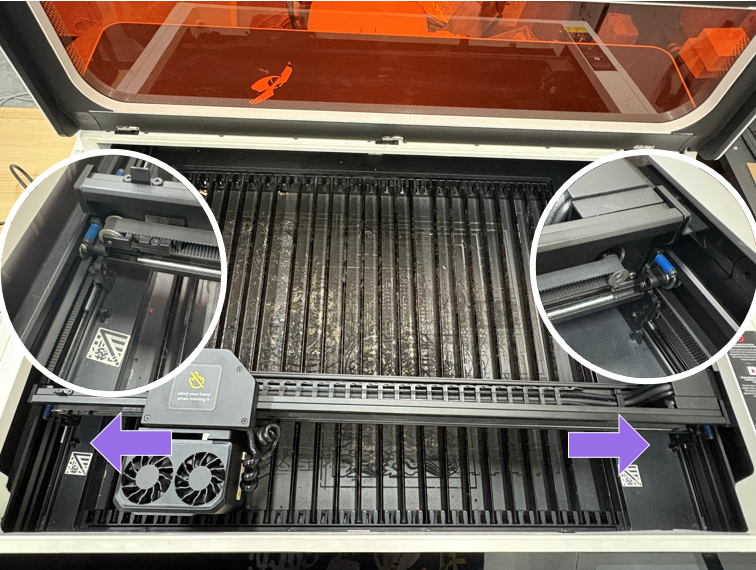
- Manually move the X-axis. If the gantry is crooked, the probe mechanism at the top-left corner will not trigger correctly.
Steps2: Level the X-axis Gantry
- Pull the X-axis gantry all the way to the front of the machine.
- Check if both the left and right sides of the gantry touch the Y-axis limiters simultaneously.
- Action: If one side touches but the other has a gap, pull the gantry firmly until both sides are flush and aligned against the limiters.
Steps3: Retest
- Try the auto-focus function again. If the probe works, the issue is resolved. If the probe still does not extend, proceed to Phase 2.
¶ Phase 2: Probe Height Calibration
If mechanical alignment does not resolve the issue, please perform a probe height calibration.
-
Prepare a USB drive and copy the following file to its root directory:
- Calibration script file: Auto_enter_customer_calibration_modev1.0.flag
- Calibration script file: Auto_enter_customer_calibration_modev1.0.flag
-
Update the machine's firmware to version 1.0.65 or later.
-
How to update: Please refer to the Local Firmware Update (Offline Update) section in our Wiki.
¶ Steps
-
Manual Probe Release: Locate the spring latch on the side of the Distance Sensor.
- Press the latch to manually pop the probe out.
- Press the latch to manually pop the probe out.
-
Position the Module: Manually move the laser module to the retraction station (top-left).
- Manually move the laser module (X-axis) toward the retraction station (top-left corner).
- Crucial Alignment: Do not push the module all the way against the frame. Position the probe pin approximately 1mm to 2mm in front of the retraction station fixed block.
- Manually move the laser module (X-axis) toward the retraction station (top-left corner).
-
Enter Calibration Mode: Insert the USB drive.
-
Insert the USB drive into the machine’s USB port.
-
The touchscreen will automatically detect the file and jump to the Calibration Mode interface.
-
-
Execute Height Calibration: Select “3. Probe Height Calibration”.
- Process: The module will move forward, probe the bed, and retract. This will repeat 3 times.
- Result: Wait for the module to return to the origin.
-
Exit and Restart: Tap the “Back” (<) button to exit.
- Important: Power off and restart the machine to save the new settings.
- Important: Power off and restart the machine to save the new settings.
¶ Calibration Failed?
Click on the error message to view the details.
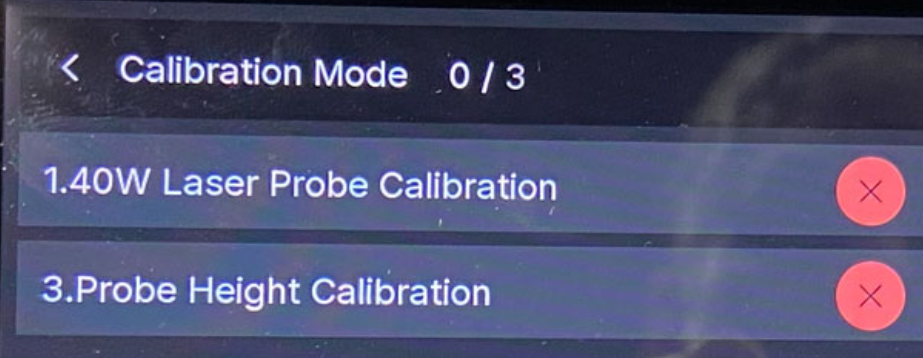
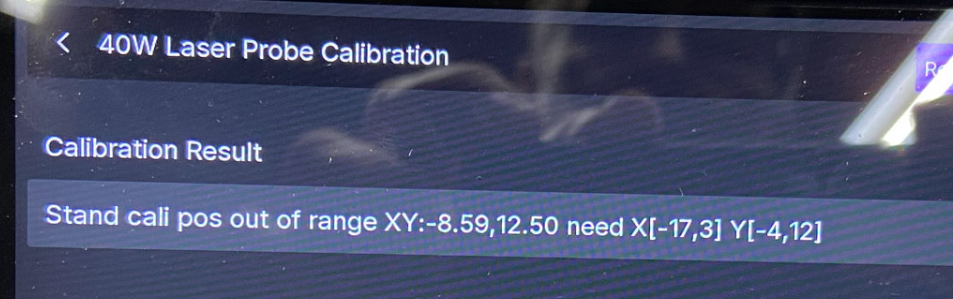
As shown in the image below, the valid calibration range for the probe is X: 【-17, 3】 and Y: 【-4, 12】.
In this case, the Y-axis value is outside the valid range. The current probe position is X: -8.59, Y: 12.5.
This indicates that the probe is positioned slightly too far away from the probe docking station. Adjust the probe position so that it falls within the valid range, then run the calibration again.