¶ 1. Bluetooth Pairing and Connecting
-
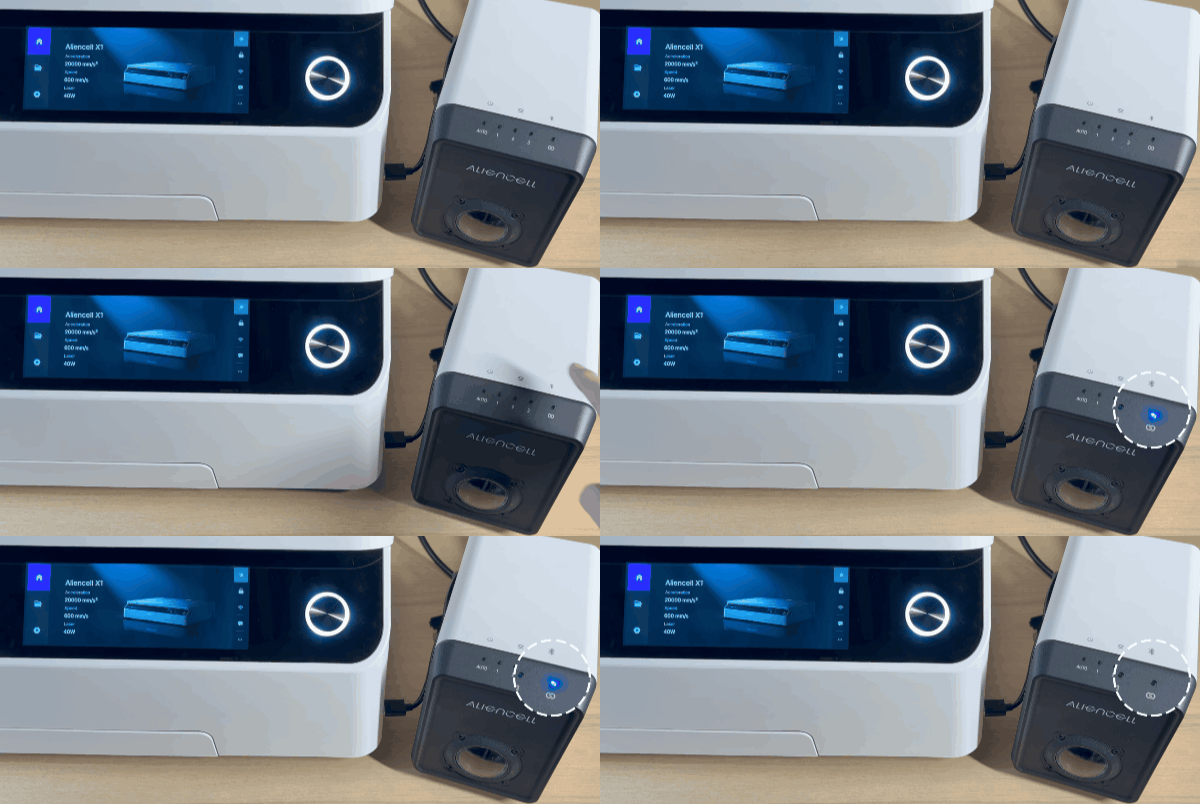
Turn on the Pump Bluetooth: Press the Bluetooth switch on the pump. The pump’s Bluetooth indicator will flash blue, indicating it is discoverable.
-
On the touchscreen home page, tap the settings icon
 , then select Bluetooth. Turn on the Bluetooth toggle in the top-right corner.
 -
In the Other Devices list, find the target pump’s Bluetooth name (e.g.,
AC_Air00026). Tap the name, then tap Connect in the confirmation popup.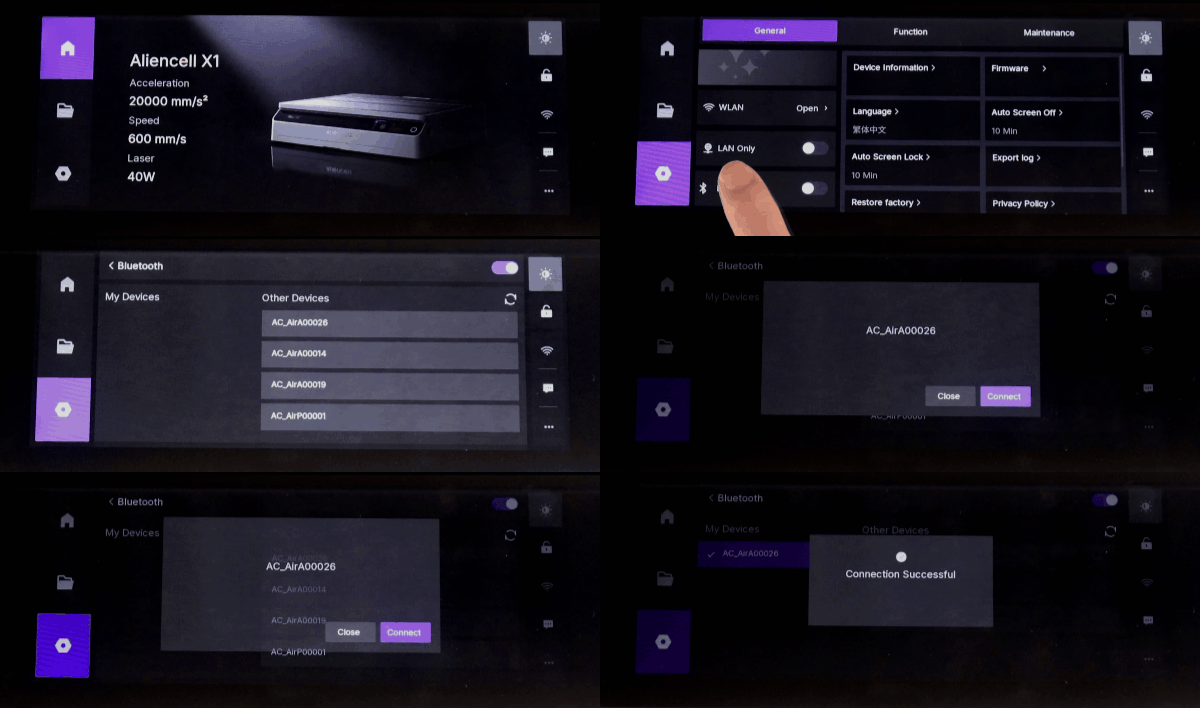
-
Wait for pairing: Once paired, the pump’s Bluetooth indicator will stay solid blue, indicating a successful connection.
-
After pairing, you can configure and control the pump on the Accessory Info page.
¶ 2. Disconnecting a Bluetooth Device
-
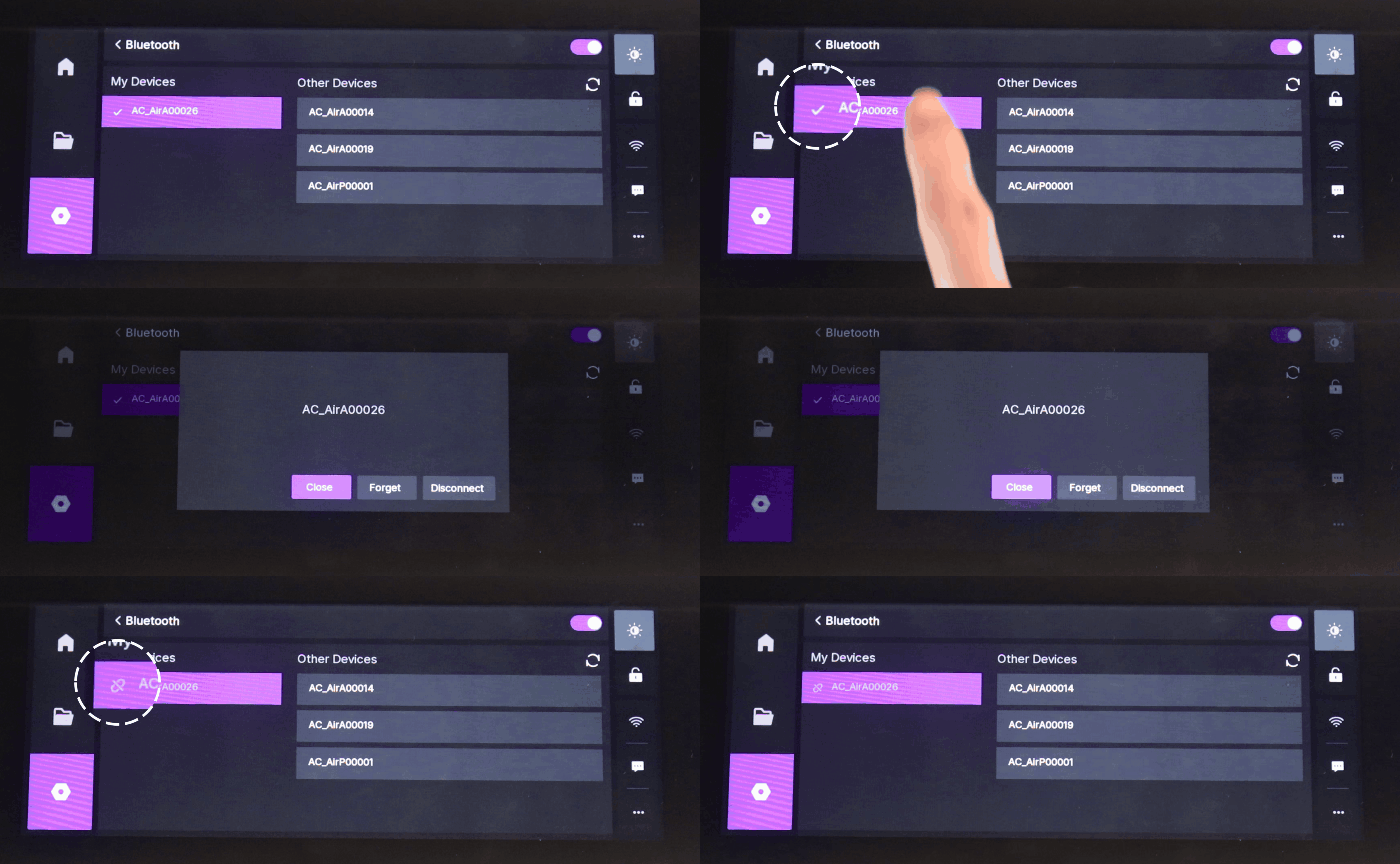
Go to General → Bluetooth and find the My Devices list.
-
Select the connected pump and tap Disconnect in the popup window.
-
After disconnecting, the pump’s indicator will change from solid blue to flashing or off, depending on the accessory. In My Devices, the device will show the
 status icon.
¶ 3. Removing a Bluetooth Device
Use case: When the accessory will no longer be used or you want to prevent automatic reconnection.
-
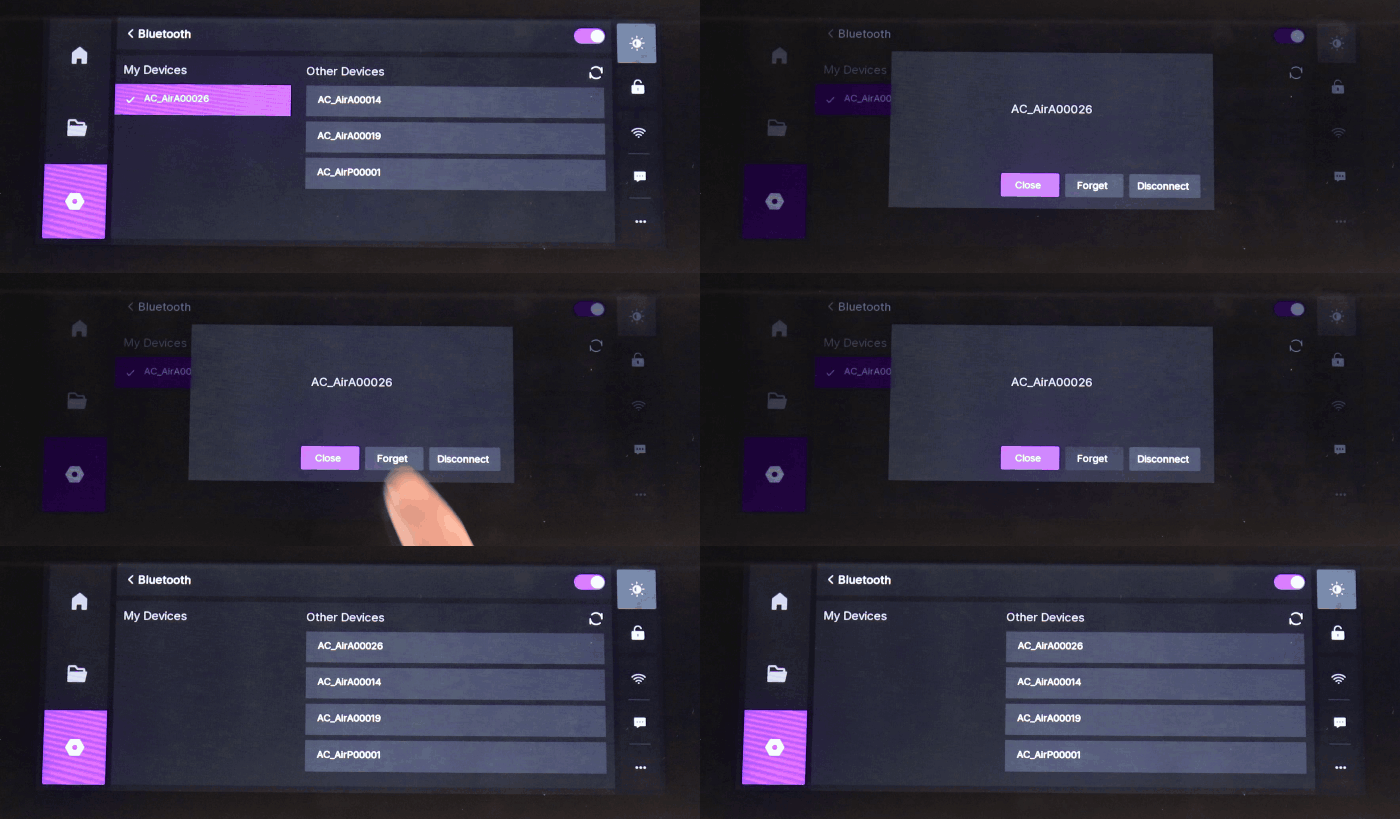
Go to General → Bluetooth and locate the My Devices list.
-
Select the connected pump and tap Forget. The system will disconnect and delete the pairing record.
-
To reconnect this accessory later, it must re-enter pairing mode and follow the standard pairing process.
¶ 4. Indicator Lights and Status
Accessory Indicator |
Touchscreen Status |
Meaning |
|---|---|---|
Flashing Blue |
Not paired / Discoverable | Accessory is in pairing mode, waiting for connection |
Solid Blue |
Connected | Successfully paired and currently connected |
Off / Color Changed |
Disconnected or Powered Off | Bluetooth is not connected, or accessory is in sleep/off state |
¶ 5. Troubleshooting
- Device not appearing in the list: Ensure the accessory is in pairing mode, close to the main device, and not paired with another device. Try turning the touchscreen Bluetooth off and on, or restart the accessory.
- Pairing failed or timed out: Turn off nearby Bluetooth devices to reduce interference, bring the accessory closer, or restart it and retry pairing.
- Automatic connection failure: Check whether Forget was accidentally tapped on the device or touchscreen. If pairing info was deleted, re-pair the accessory.
- Unstable signal: Avoid metal obstructions or USB cables crossing antenna areas. Ensure the accessory has sufficient battery.