The Aliencell touchscreen offers a LAN Only toggle. When enabled, the device is isolated from the internet and can only communicate within the local network. This is ideal if you have high privacy requirements for your processing data or device security and do not want the device to connect to the public internet.
¶ 1. Features
- Network Isolation: The device will no longer connect to the internet or the Aliencell cloud.
- Local Network Available: The device can still communicate locally with tools such as Aliencell Space software.
- Enhanced Security: Reduces the transmission of operational data to external networks, improving data security.
¶ 2. How to Enable
-
Tap the
 icon to enter the General page.
 -
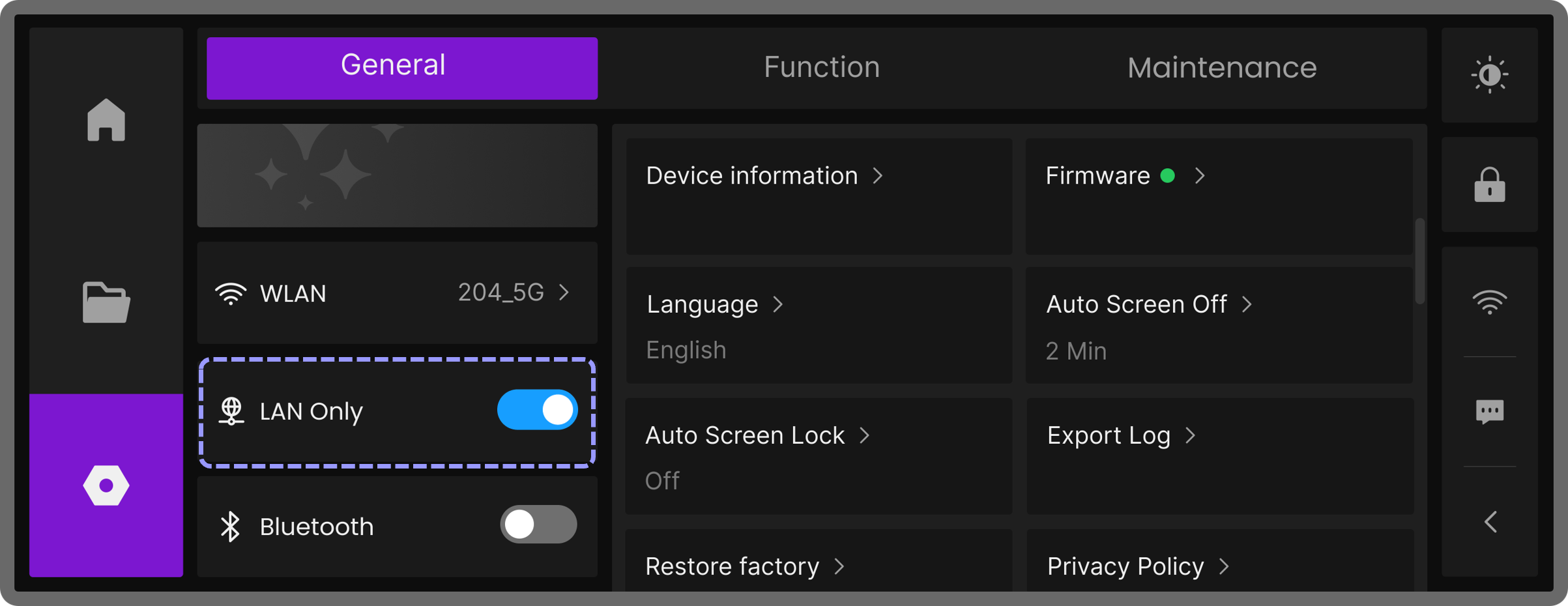
Turn on the LAN Only toggle.
-
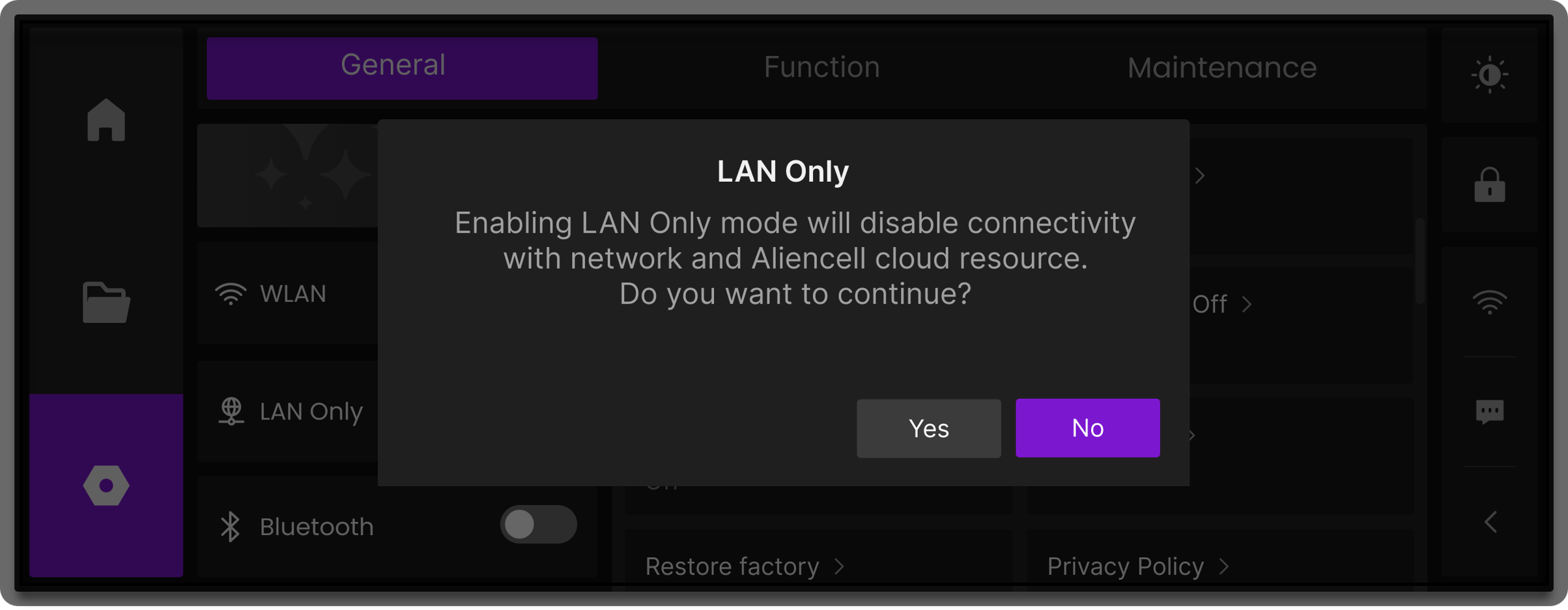
A confirmation popup will appear. Tap Yes to enable LAN Only mode.
¶ Notes
- Once LAN Only is enabled, the device cannot access Aliencell cloud resources, such as online firmware OTA updates, remote support, or cloud file management.
- To restore cloud functionality, simply turn off the LAN Only toggle.
- In LAN Only mode, firmware updates can be performed via Offline Firmware Update.