¶ 1. What is Aliencell Space?
- Aliencell Space is an end-to-end creation and processing software designed for desktop laser cutters and engravers. It brings together design, image processing, parameter configuration, and job management in one place.
- Compared with common control software in the industry, Aliencell Space puts greater emphasis on intelligence, ease of use, and successful output — allowing beginners to achieve reliable results without complex knowledge, while giving creators more room to explore and experiment.
Supported Formats:
Vector: SVG, DXF
Raster: JPEG, JPG, PNG, BMP
¶ 2. System Requirements
| Component | Minimum Requirements | Recommended Requirements |
|---|---|---|
| Processor | Intel Core i5-6200U | Intel Core i5-11600 or higher |
| Operating System | Win10 (64-bit) or higher | Windows 11 |
| macos 12 or higher | ||
| Display Resolution | 1280 × 720 (Pixels) | 1920 × 1080 (Pixels) |
| RAM | 8 GB | 16 GB or more |
¶ 3. Download & Installation
Visit our official website at Aliencell Space and download the latest software. Choose the version that matches your operating system.
¶ Windows
-
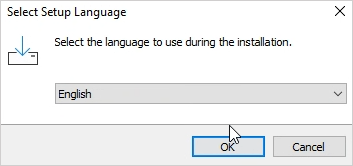
Double-click the installer. A language selection window will appear. Choose your preferred language and click OK to continue.
-
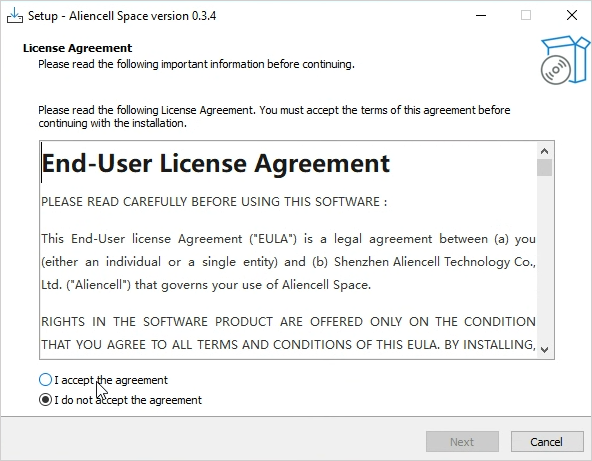
The setup wizard will show the license agreement. Please read it carefully, check “I accept the agreement”, and click Next to proceed.
-
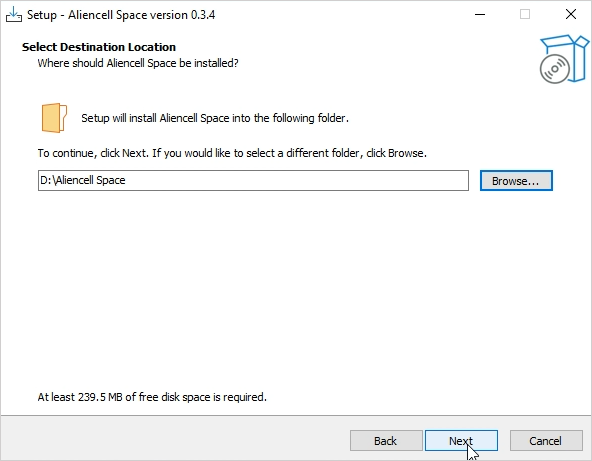
You will be asked to choose an installation path. You may use the default path (typically the C drive) or click Browse to select another directory. After choosing, click Next. (The example below installs to the D drive.)
-
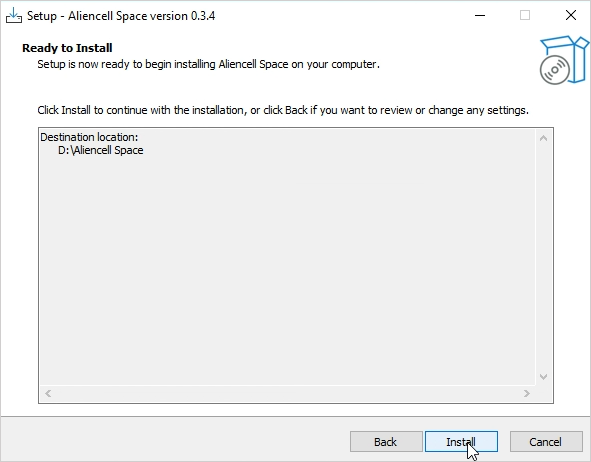
On the Ready to Install screen, review the installation settings. If everything looks correct, click Install to begin.
-
Once the installation completes, you will see the Completing the Aliencell Space Setup Wizard screen. Click Finish to close the installer.
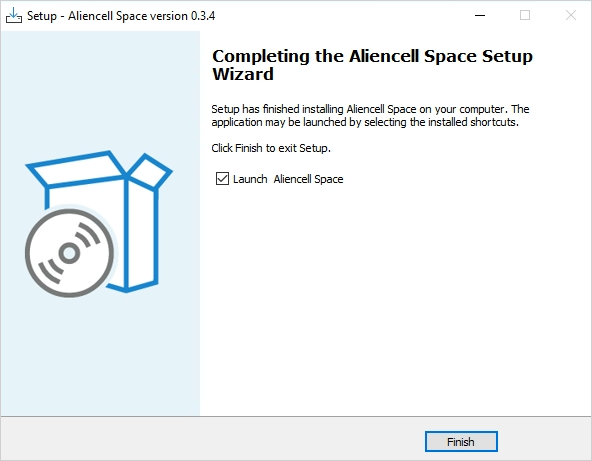
-
After installation, a desktop shortcut will be created automatically. Double-click the icon to launch Aliencell Space and begin your creative journey.
¶ 4. Core Advantages
¶ 4.1 Direct Import of Color SVG
- You can import full-color SVG files directly. The software automatically maps colors to grayscale values and engraves them using a unified power output. No need to split layers or adjust parameters manually. This delivers smoother gradients, richer depth, and more refined engraving details.
- What is Smart Grayscale Conversion?
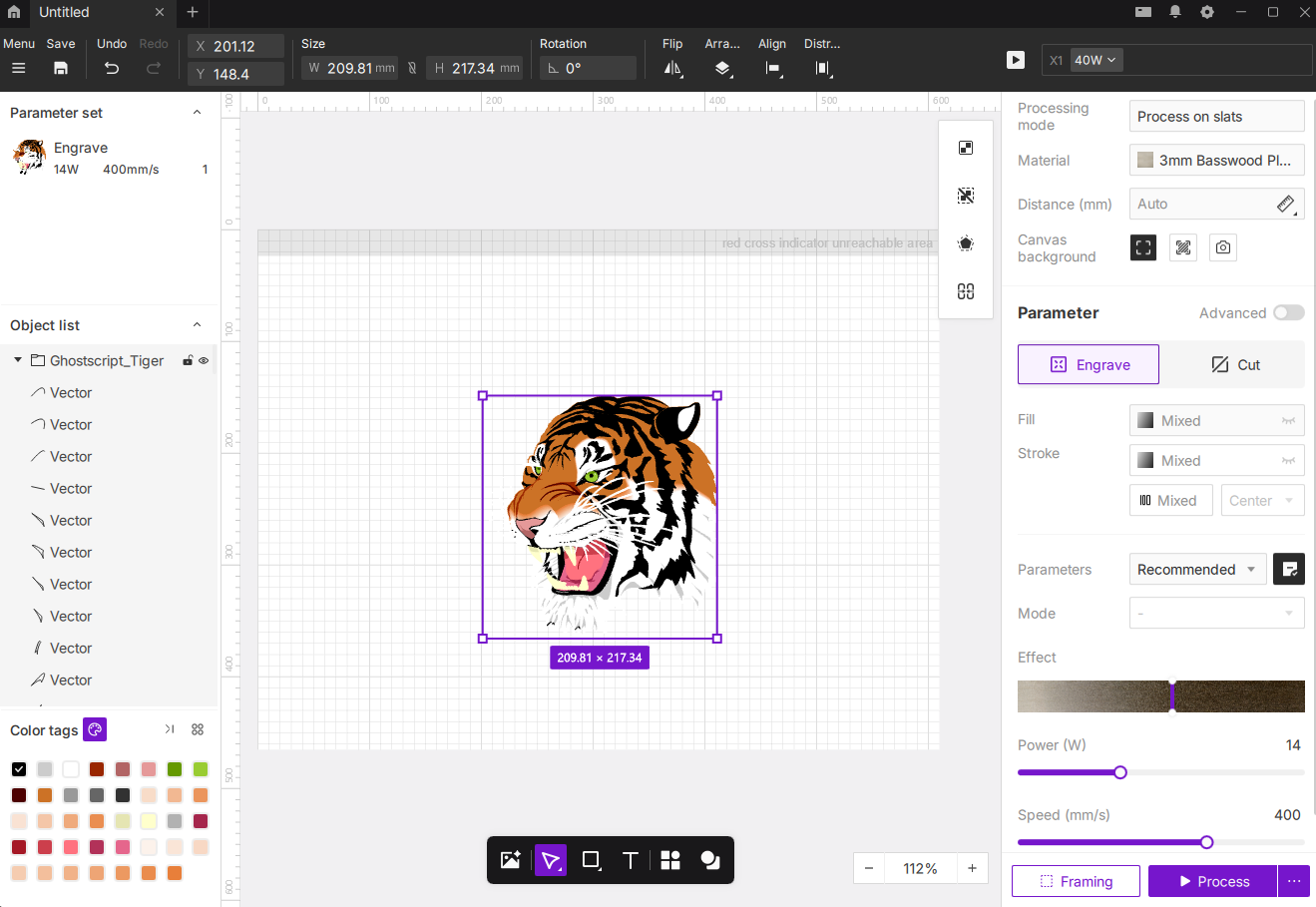
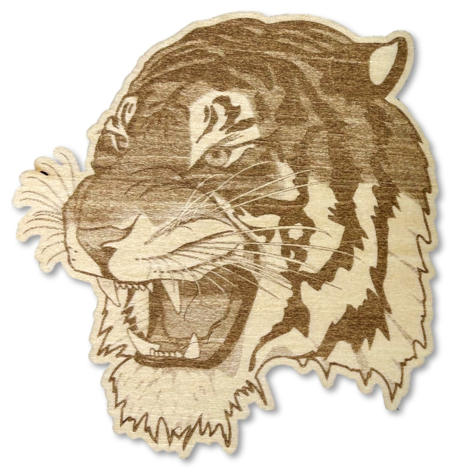
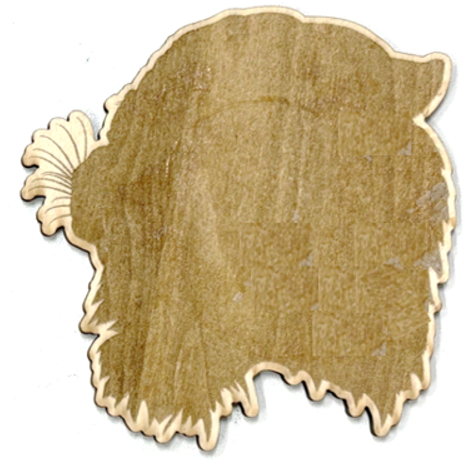
- We performed an engraving test using the exact same single processing parameter (Power: 14W, Speed: 100mm/s) in both software programs. Here are the results:
 |
 |
|---|---|
| Aliencell Space Result | Other Software Result |
¶ 4.2 Material Preview Simulation (See the Result Before You Process)
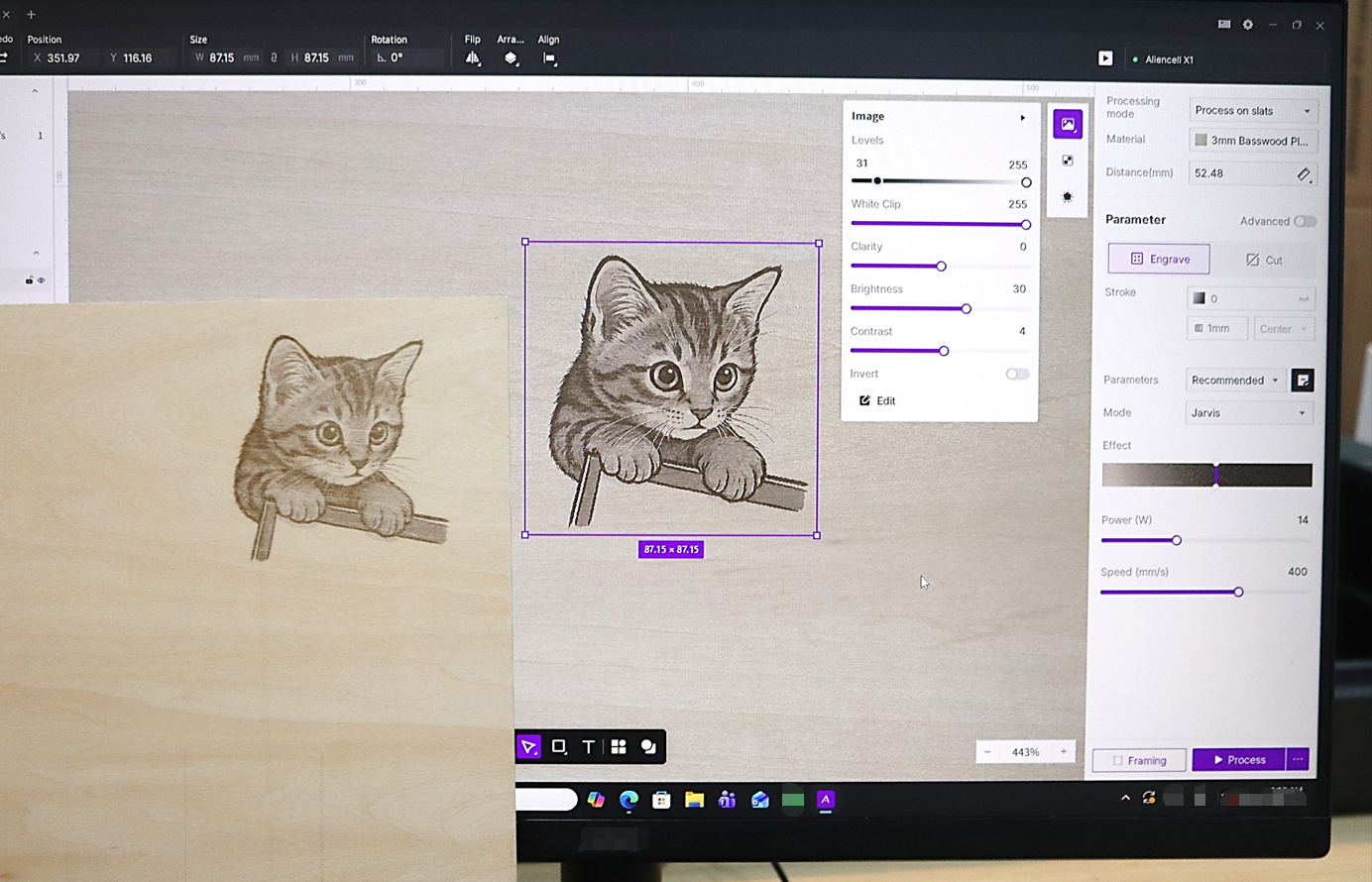
- Aliencell Space can simulate your engraving result directly on the texture of real materials. This allows you to preview depth and contrast changes before processing — significantly reducing material waste.
¶ 4.3 Multiple Focusing Modes (Advanced Autofocus System)
Aliencell Space integrates three focusing methods, balancing both ease of use and professional accuracy — ensuring the best possible focus in any scenario.
- Autofocus (Exclusive Algorithm): The height sensor automatically measures distance for fast, precise focusing.
- Canvas-point focus: Click any point on the canvas to measure material height.
- Manual head-point focus: Ideal for irregular materials or precise areas.
¶ 4.4 Real-Time Monitoring
- With the built-in 720P camera, you can monitor your job in real time directly from the software. Watch the progress, movement, and processing status without hovering over the machine or opening the lid.
¶ 4.5 Visual Capture Positioning (Live Canvas Sync)
- Aliencell Space uses a dual-mode visual system to capture your work area with one click and sync the real-time camera view directly to the canvas.
¶ 4.6 Smart Path Planning
- The software analyzes your graphic structure and job order to generate the most efficient routing plan. By reducing unnecessary movements and optimizing scan sequences, processing time is naturally shorter — all while keeping fine details clean and consistent.
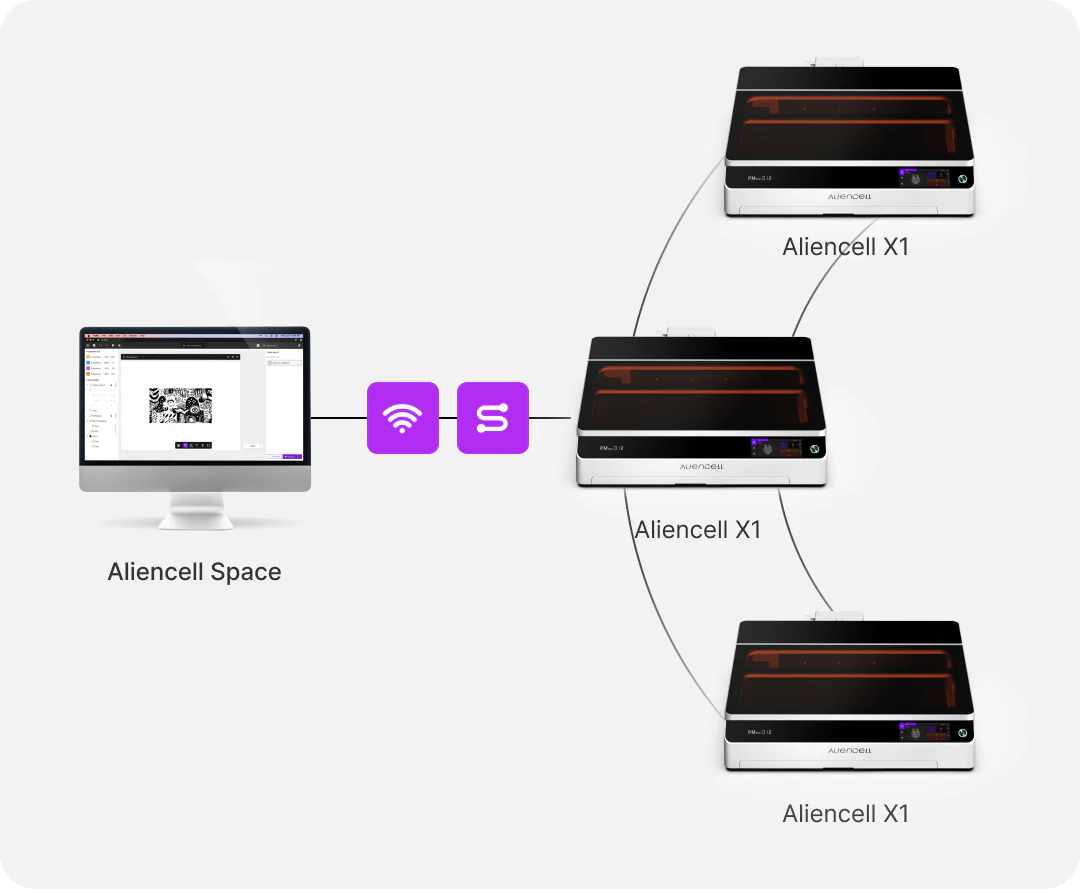
¶ 4.7 Intelligent Multi-Device Collaboration (Control Multiple Devices from One PC)
- A single PC can connect to and coordinate multiple machines at once. You can check status, switch tasks, and run jobs in parallel — dramatically improving workshop productivity.
- Multi-Device_Control_Workflow
¶ 4.8 Accessory Control
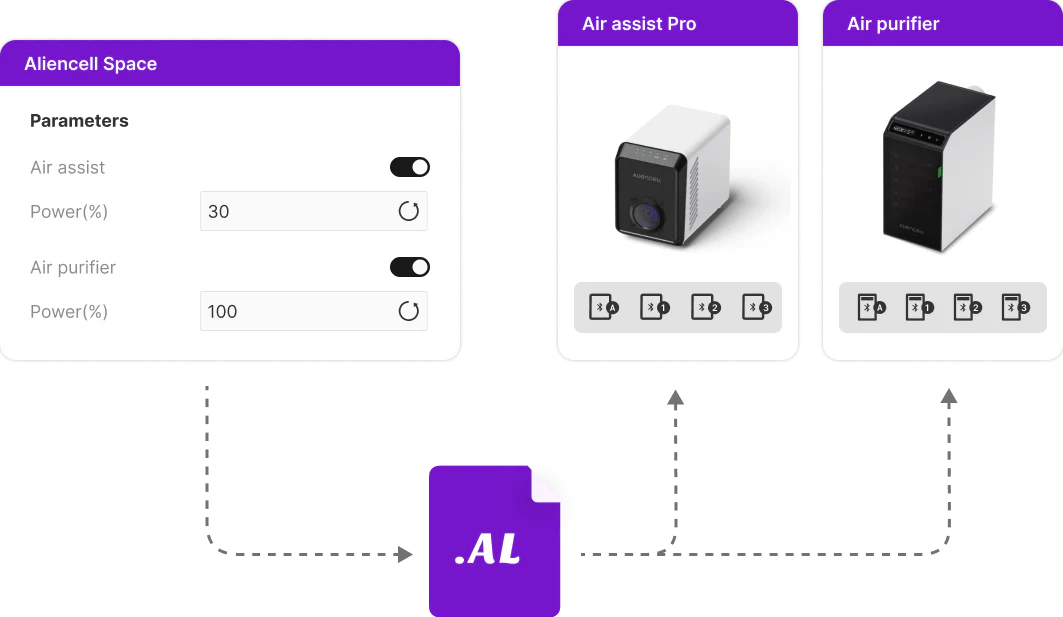
- Adjust external accessories such as airflow, fan power, and operating modes directly through the software. The system automatically matches presets for different job types (e.g., stronger exhaust for cutting, lower levels for engraving) to create a seamless, integrated workflow.
¶ 4.9 Professional Design Tools & Editable Boolean Operations
- Includes layer management, a utilities library, object editing tools, and more — all with a workflow that feels familiar to mainstream design software. Efficient, intuitive, and ideal for teaching, creative work, and everyday production.
- Built-in image tools include basic editing, magic wand selection, contour extraction, etc. Vector workflows support editable Boolean operations, grouping, and more — allowing you to complete complex designs without relying on external software.