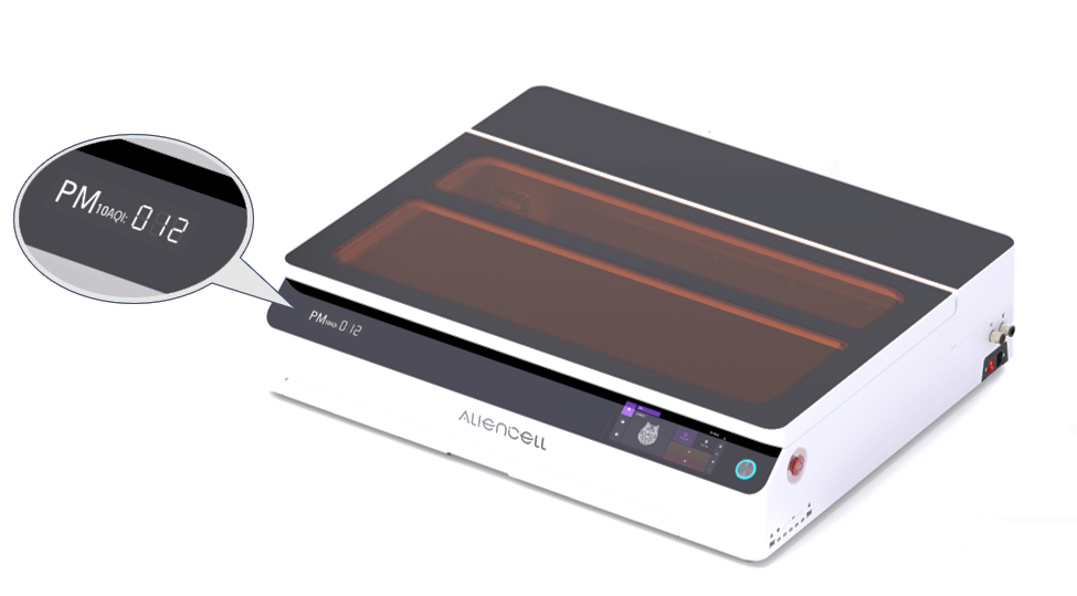
Laser engraving and cutting inevitably generate smoke and airborne particulates. To prioritize your health and safety, this machine features an integrated PM10 Segment Display and an intelligent air quality monitoring system.
¶ 1. What is PM10?
- PM10 refers to inhalable particles with diameters of 10 micrometers or smaller. During laser processing, the combustion of materials—such as wood, acrylic, or leather—produces significant volumes of these particulates.
- Prolonged exposure to high PM10 concentrations can lead to respiratory irritation. By monitoring these levels in real-time, our system helps you maintain a "Clean Air" environment, ensuring your workspace remains safe for long-term creative projects.
¶ 2. Real-Time Monitoring
- Internal Sensing: An integrated sensor directly monitors particulate density inside the machine.
- Dedicated Display: The front panel provides real-time AQI (Air Quality Index) readings.
- Refresh Rate: Values update every 60 seconds to provide the most current environmental data.
The PM10 sensor is built into the machine to provide precise, real-time air quality monitoring within the working area.
¶ 3. What Do High PM10 Readings Indicate?
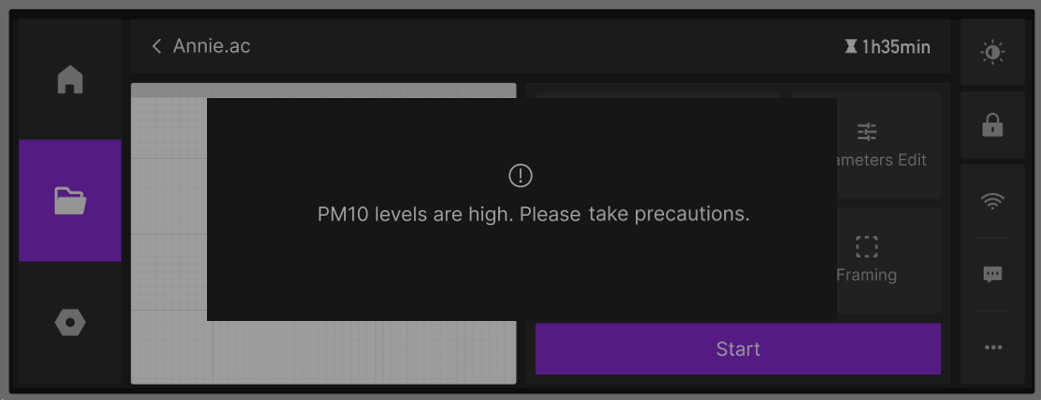
When the PM10 (AQI) value exceeds the safety threshold (e.g., AQI > 150) and remains elevated, it typically indicates:
- Obstructed internal airflow
- Reduced exhaust efficiency or system blockage
- Excessive smoke accumulation that cannot be evacuated effectively
In these instances, an Air Quality Alert will trigger on the touchscreen.
¶ 4. Troubleshooting Elevated PM10 Levels
Elevated PM10 readings usually signal a decline in ventilation efficiency. Follow this "outside-in" diagnostic logic:
¶ 4.1 Improve Ambient Ventilation
Inspect the external environment first. If the workspace is noticeably smoky, open doors or windows to ensure adequate air exchange and prevent high ambient particulate levels from affecting the readings.
¶ 4.2 Exhaust Module Performance Check
If ambient ventilation is sufficient but readings remain high, the airflow is likely obstructed within the white exhaust module. Follow these three steps:
¶ Step 1: Perform an "Airflow Diagnostic" (The "Hand Test")
Place your hand at the exterior end of the exhaust duct:
- Condition: Weak or absent airflow.
- Analysis: Excessive debris on the internal filter cotton prevents the exhaust fan from creating an effective air cycle, causing smoke to linger inside the machine.
¶ Step 2: "Filter Bypass" Validation
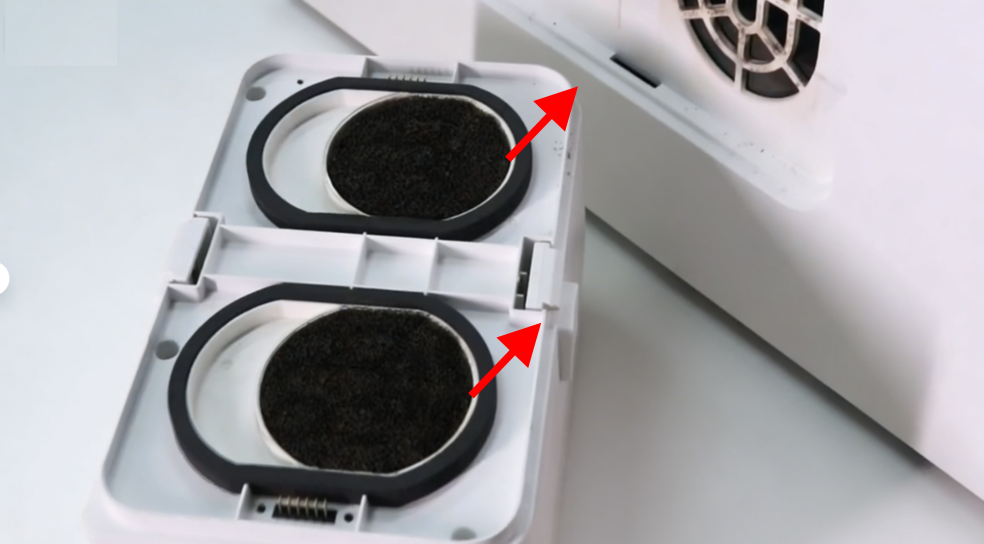
To confirm if the filters are the source of the blockage, inspect the two black filter pads at the rear of the module:
- Remove: Detach both black filter pads.
- Observe: Restart the machine and monitor the PM10 readings. If values drop rapidly and airflow strengthens, the filters are severely obstructed and require maintenance.
¶ Step 3: Deep Maintenance and Cleaning
Once an obstruction is confirmed, thoroughly clean the exhaust system to restore peak performance:
¶ 4.3 Additional Maintenance Checks
-
Inspect Exhaust Ducting: Ensure the exhaust hose is securely attached and free of kinks, crushed sections, or debris.
-
Air Purifier Filtration Check: If using an external smoke purifier, inspect the primary (white) pre-filter for heavy particulate saturation.
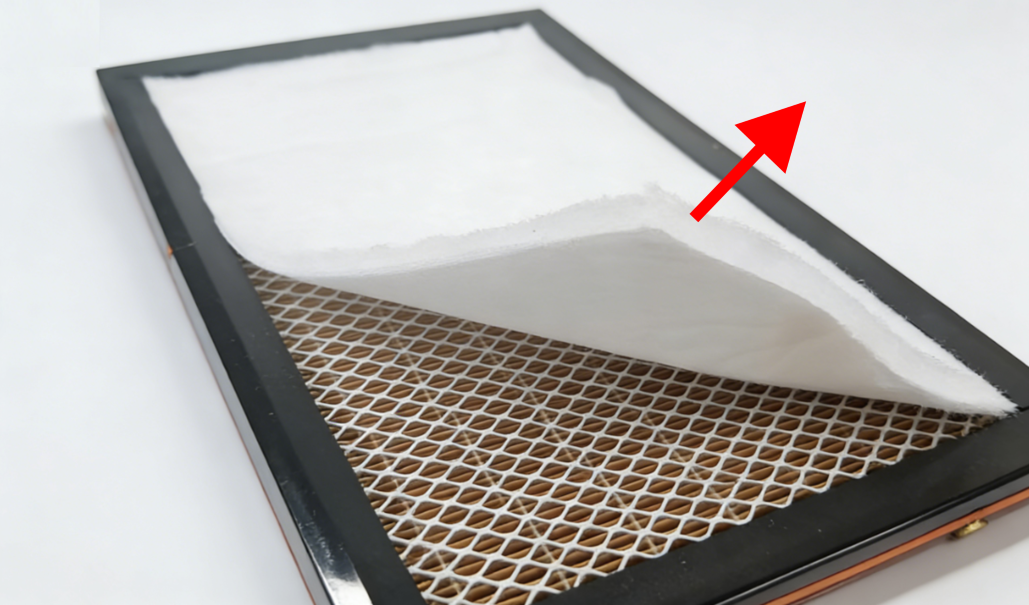
- Diagnostic Logic: Temporarily remove the white pre-filter to determine if it is the primary source of restrictive airflow.
- Performance Observation: Perform a test cut with the filter removed. If internal smoke levels decrease and extraction speed improves, the filter is severely obstructed, resulting in excessive backpressure. Clean or replace the filter immediately to restore system efficiency.
-
Ensure Enclosure Seal: Keep the machine lid fully closed during operation to maintain the negative pressure required to force all fumes into the exhaust path.
-
Material-Specific Loads: High-density materials (e.g., MDF) generate significantly more smoke. Increase extraction power settings or enhance air assist airflow accordingly when processing these materials.